50.4k
50.4k
TLDR;
With 26.2, we are introducing a new distribution method: ClickStack UI embedded in ClickHouse. The ClickStack UI is now distributed and embedded directly in the ClickHouse binary, making it easy to experiment with observability on your local instance, explore your own datasets, and even inspect ClickHouse itself. Simply navigate to https://localhost:8123, select "ClickStack", and start exploring.
Introduction
Historically, ClickStack has been available through Docker-based distributions. You can run the full stack in a single container for testing and experimentation, or deploy each component independently when moving to production - running the UI, collector, and ClickHouse separately using tools such as Helm.
More recently, we introduced a managed ClickStack offering in ClickHouse Cloud, where we host both the UI and ClickHouse. Users benefit from integrated authentication along with ClickHouse Cloud's separation of storage and compute - enabling both long-term data retention in object storage while allowing independent scaling of compute to minimize the cost per GB.
From 26.2, we are adding a 3rd option.
The ClickStack UI now comes embedded in the ClickHouse binary itself. At first glance, embedding a web application into a high-performance C++ database might sound like it would significantly increase the binary size. In practice, we have kept the additional footprint under 4.1 MB, ensuring installation remains lightweight and fast.
This means that installing ClickHouse now gives you ClickStack out of the box. Whether you use Docker, download the binary, or install via your favorite package manager, ClickStack is immediately available. Simply install ClickHouse, navigate to http://localhost:8123, and select ClickStack from the menu. Within seconds, you can begin exploring your logs, traces, and metrics.
Built for Exploration and Local Development
The embedded version of the ClickStack UI is designed for local exploration, learning, and exploring your own ClickHouse data with an observability UI. It is not intended for production deployments.
This distribution makes it easy to experiment with observability on your local ClickHouse instance, explore your own datasets, and even inspect ClickHouse itself. ClickHouse already exposes rich internal logs and metrics that are invaluable for diagnosing and optimizing performance. The ClickStack UI provides convenient ways to visualize this data and better understand how your instance behaves.
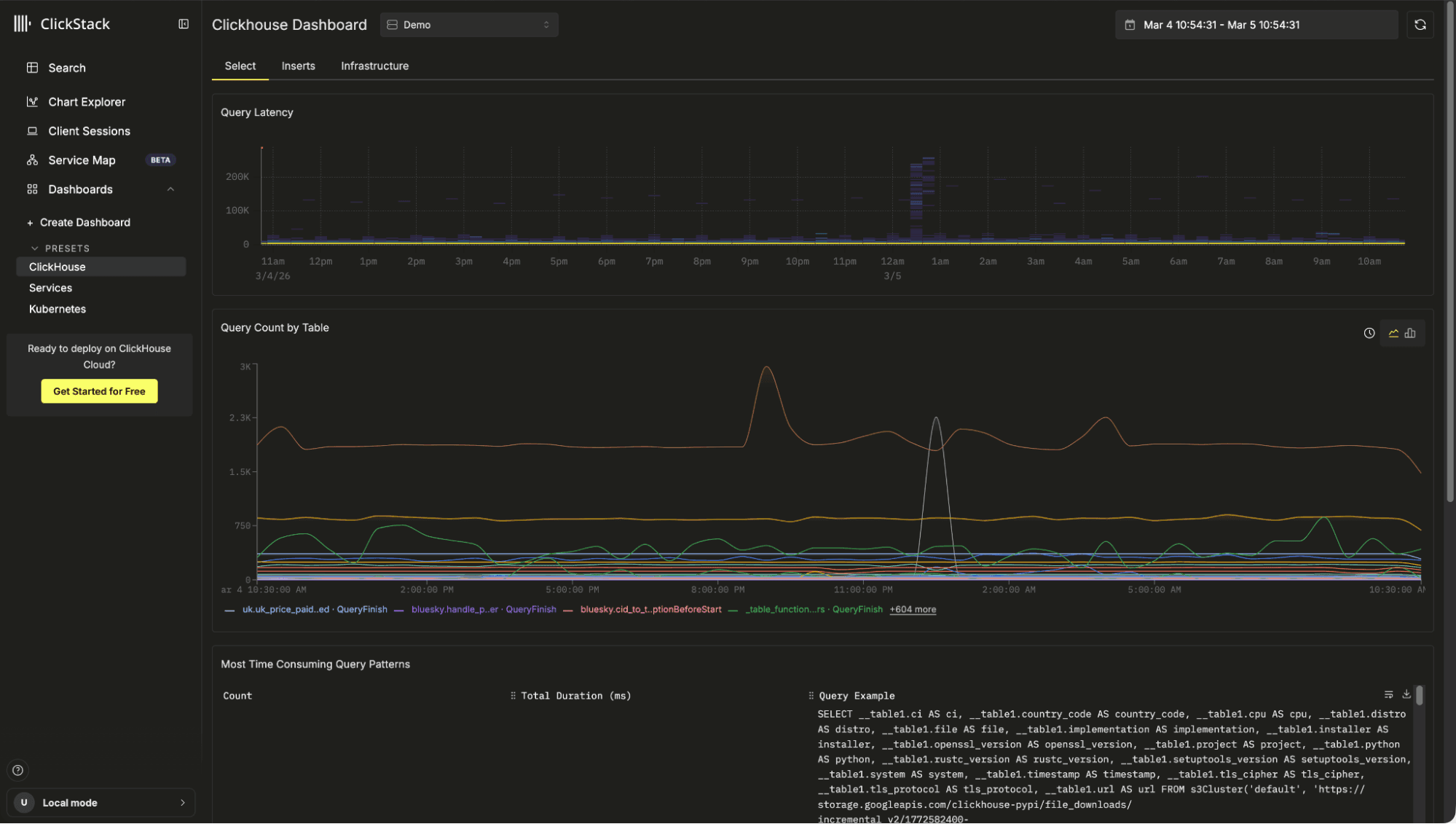
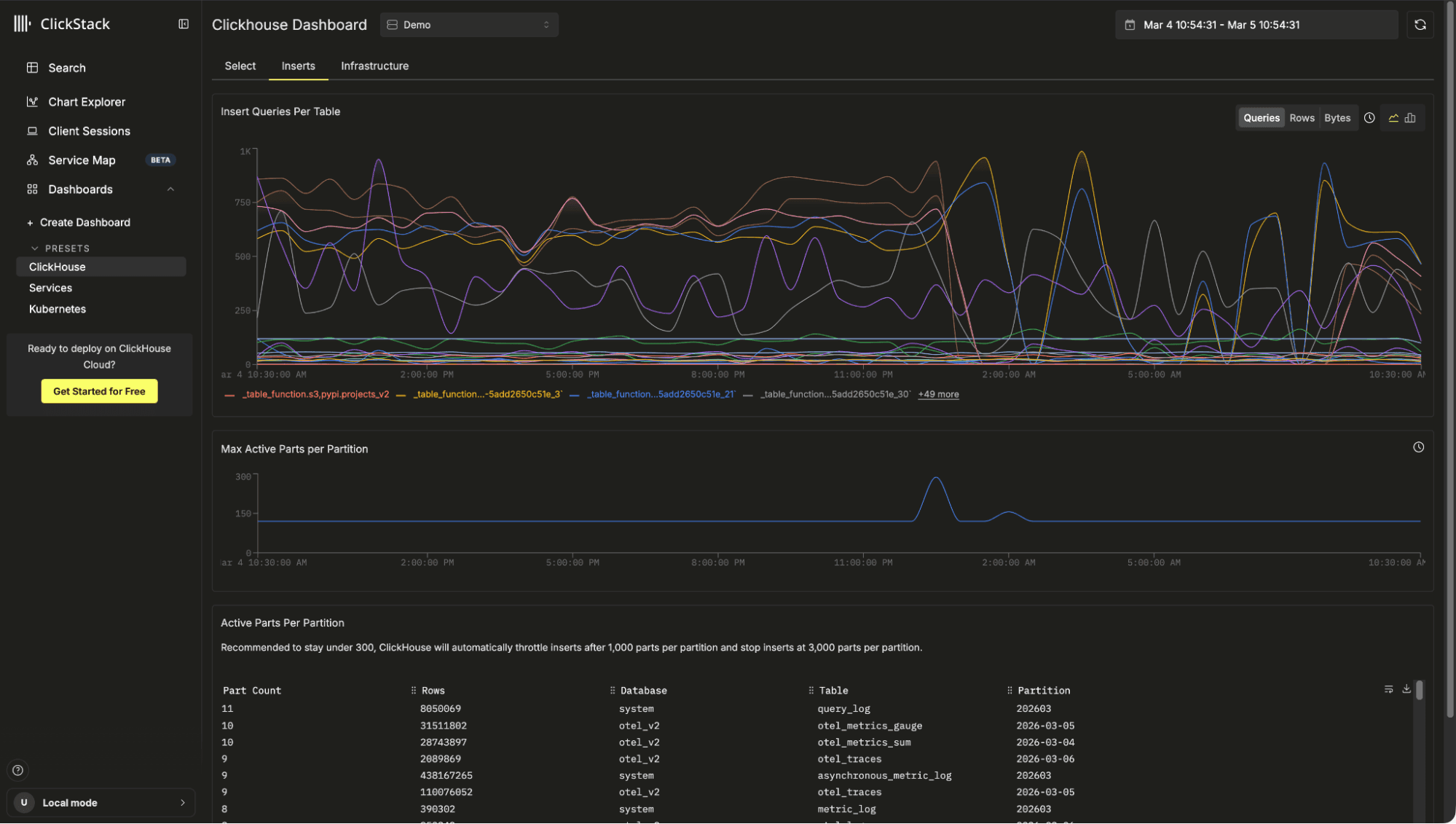
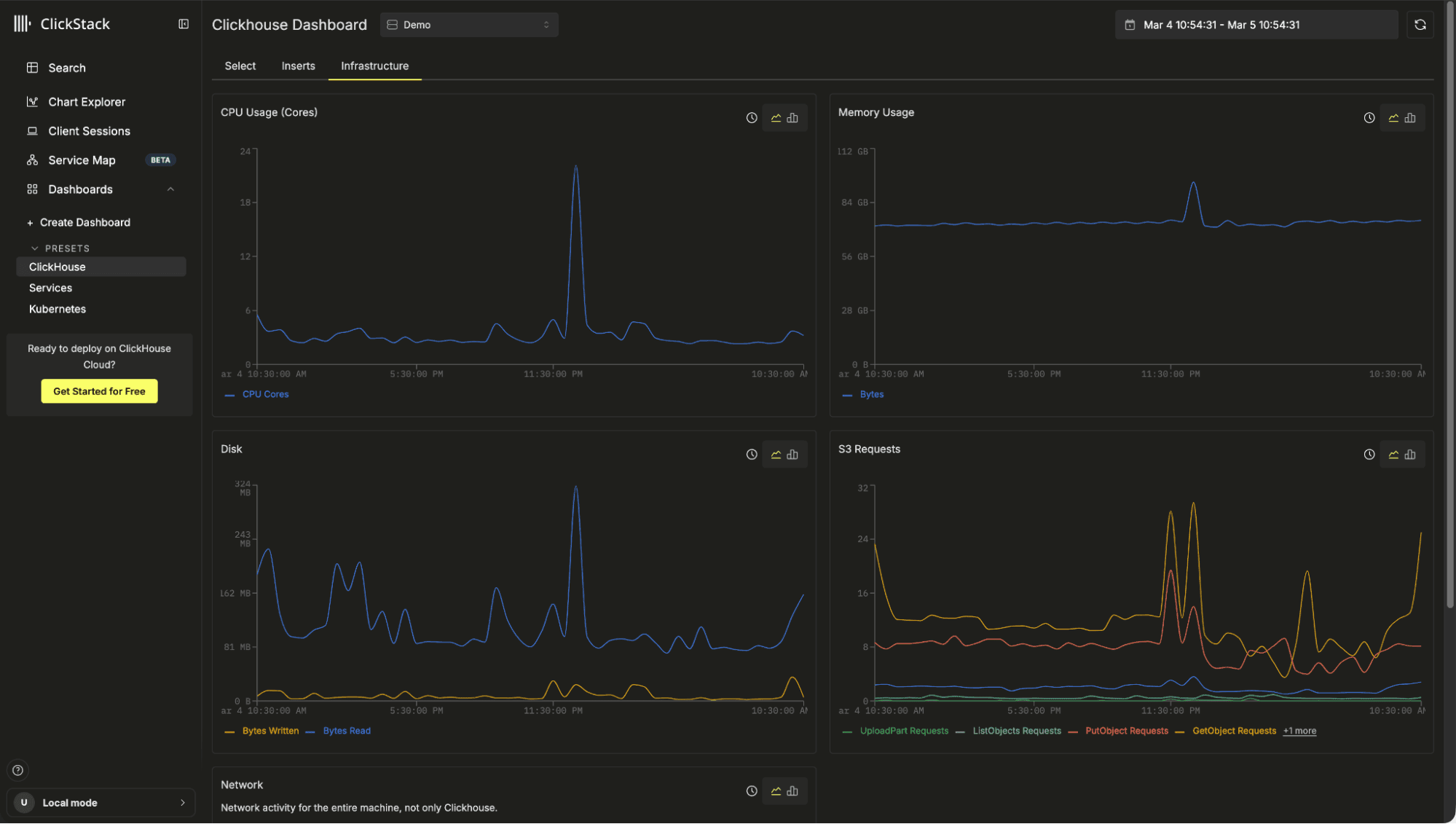
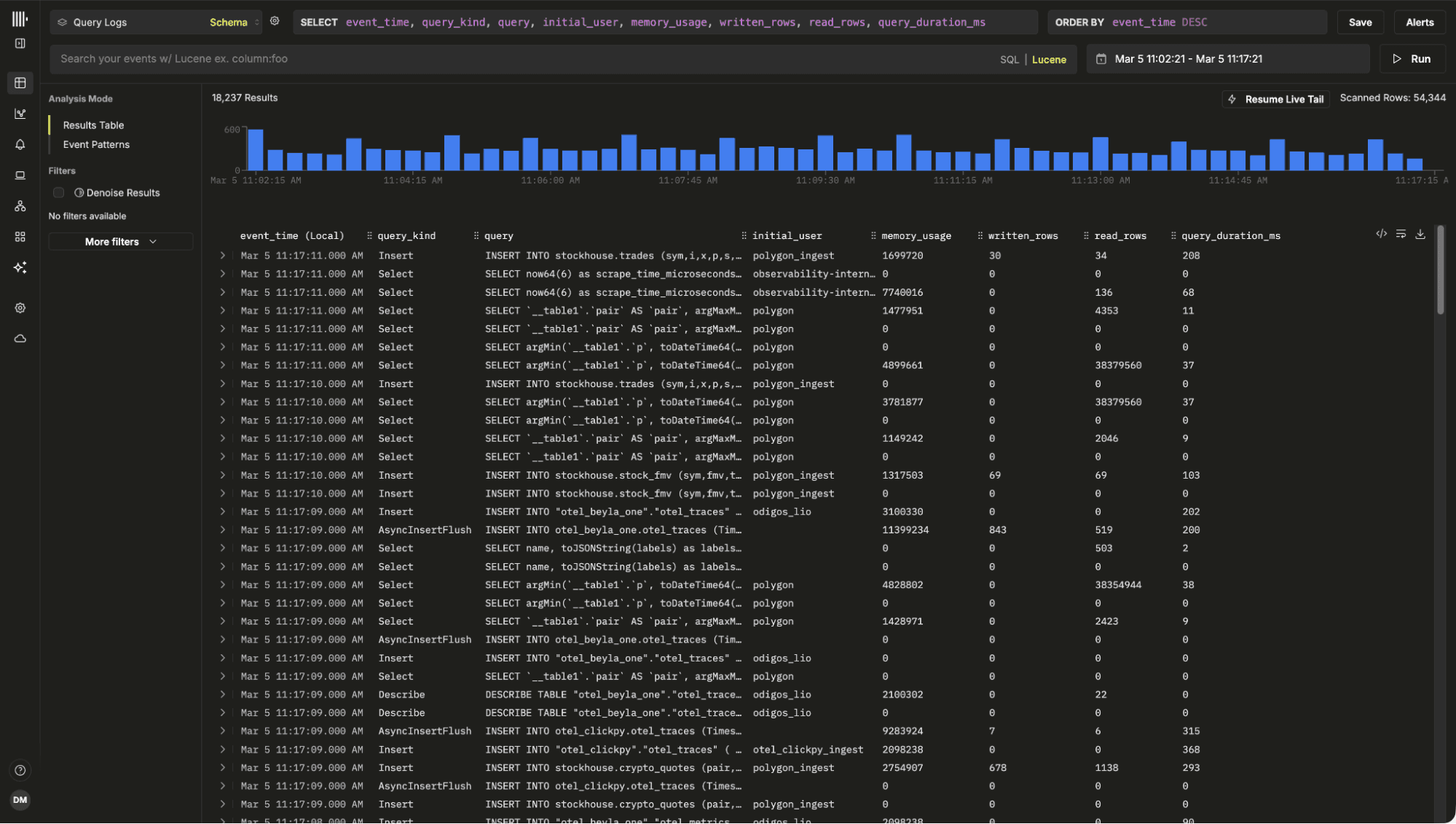
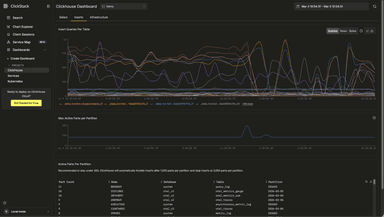
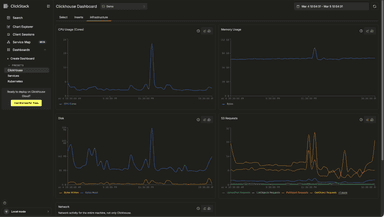
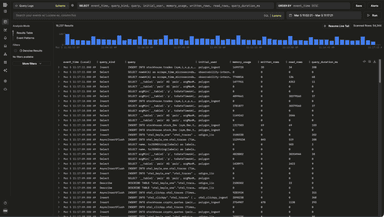
The ClickHouse preset dashboard can be useful for diagnosing local issues and performance problems. Users can also search their local logs and build visualizations over system metric tables.
For larger or production deployments, we always recommend running ClickStack components separately.
The embedded version also intentionally omits certain capabilities to keep the distribution size small and the experience simple. There is no persistent state storage so alerting is disabled, as well as dashboard and querying persistence. Event pattern functionality is also not included to keep the size small as this requires a WASM Python runtime.
Some of these limitations may be addressed in the future using approaches such as browser based storage, but for now the focus is simplicity and approachability.
If you plan to operate ClickStack at scale, or require alerting and persistence, the open source docker versions or managed cloud offering remain the recommended path.
The technical challenges
For the curious reader, embedding a full web application inside a C++ database binary involved some interesting engineering decisions.
Assumptions
Embedding ClickStack inside ClickHouse meant working within a strict set of conditions defined by the core team, reflecting the engineering standards expected of the ClickHouse binary:
- Adding a Node.js dependency to ClickHouse is a non-starter
- Files must be embedded in the binary, not lingering somewhere in the file system
- ClickStack should not significantly inflate the binary size
The Next.js parts
The UI that powers ClickStack, HyperDX, is a Next.js application. For those familiar, Next.js is a full-stack framework that renders pages on the server before serving, meaning that both the frontend and the backend are bundled into an application. It allows you to serve both static pages and dynamic HTML. However, serving dynamic pages without introducing a Node.js dependency would mean rewriting a lot of the Next.js internals. This meant serving dynamic pages was off the table. Luckily, ClickStack heavily uses static pages. There is still React running in the browser, but very little dynamic server-side rendering ever occurs.
ClickHouse has some existing HTML pages, such as play.html for running queries in a WebUI, and dashboards.html for some extremely helpful dashboards to see the health of your ClickHouse instance. The dashboards.html page even loads some JavaScript!
However, both are a far cry from the complexity of serving a webpack output from a modern full-featured website like ClickStack. I'll get to that complexity in the Bundling into ClickHouse section, but the existing web pages meant we could add an additional handler with just a little custom functionality.
ClickStack existing variations and connecting to ClickHouse
ClickStack already has a few dependencies on which it relies for core functionality. The standard application includes Next.js, Express, and MongoDB. Express and MongoDB are primarily used for the CRUD persistence layer for saved searches, dashboards, and sources. The Express server also serves as a proxy for ClickHouse, while also handling authentication to ensure DB credentials are not leaked to the frontend. It was safe to assume that the Express backend, MongoDB, and a proxy layer would not be available when embedding ClickStack in ClickHouse.
However, there already existed a demo site with most capabilities we needed; connections stored in session storage, sources persisted in local storage, and ability to query ClickHouse directly without a proxy layer. The only modifications needed would be to adjust all links with the prefix "/clickstack". With this mechanism, we could attempt bundling into ClickHouse.
We also decided to remove
pyodide, a WASM Python runtime for the browser used for ClickStack's "Event Patterns" feature, purely because its size would inflate the ClickHouse binary size by more than we are comfortable with.
Bundling into ClickHouse
ClickHouse uses many 3rd-party libraries and manages them via git submodules. This means that updating a version of a dependency is as simple as checking out a specific commit and rerunning the ClickHouse build. This provides us with the basic foundation to ensure that upgrading to a newer ClickStack version is potentially easy if we can provide it as a usable sub-module.
Building ClickHouse requires many dependent tools such as cmake, ccache, ninja, and many more. But NOT Node.js. For the purpose of reducing friction in local development as well as build times, this meant adding a new dependency with rather large implications like node.js was not an option. A good alternative is to generate a static bundle upon release and included directly in a git submodule. As we didn't want to clutter the ClickStack repo, this meant creating a new repo that can reproducibly check out a ClickStack version, build the static output, and update the bundle - ideally all automated upon the release of a new ClickStack version.
But we still have an issue - the files are now present in a ClickHouse build, but how can they be embedded?
C++ does have an #embed macro that allows embedding known files as raw bytes rather than as a file. Unfortunately, a feature of Next.js is that it outputs seemingly randomized file names, and lots of them. To handle this, we generate a C++ file on the fly using some cmake magic. It does the following:
- Creates a new file with some static definitions, specifically a struct definition that includes the file name, bytes, and MIME type
- Find all files in contrib/clickstack/out
- Sort by name
- For each file
- Gzip the file (to reduce binary size + bytes shipped to browser)
- Generate an entry in an array
The generated file is then simply #included. Then, when a request is made to the /clickstack HTTP handler, there is a binary search for the file. If it is found, the file is returned with the appropriate MIME type. In the browser, the user must supply some username and password credentials to authenticate against ClickHouse - these are then used to directly query ClickHouse over HTTP.
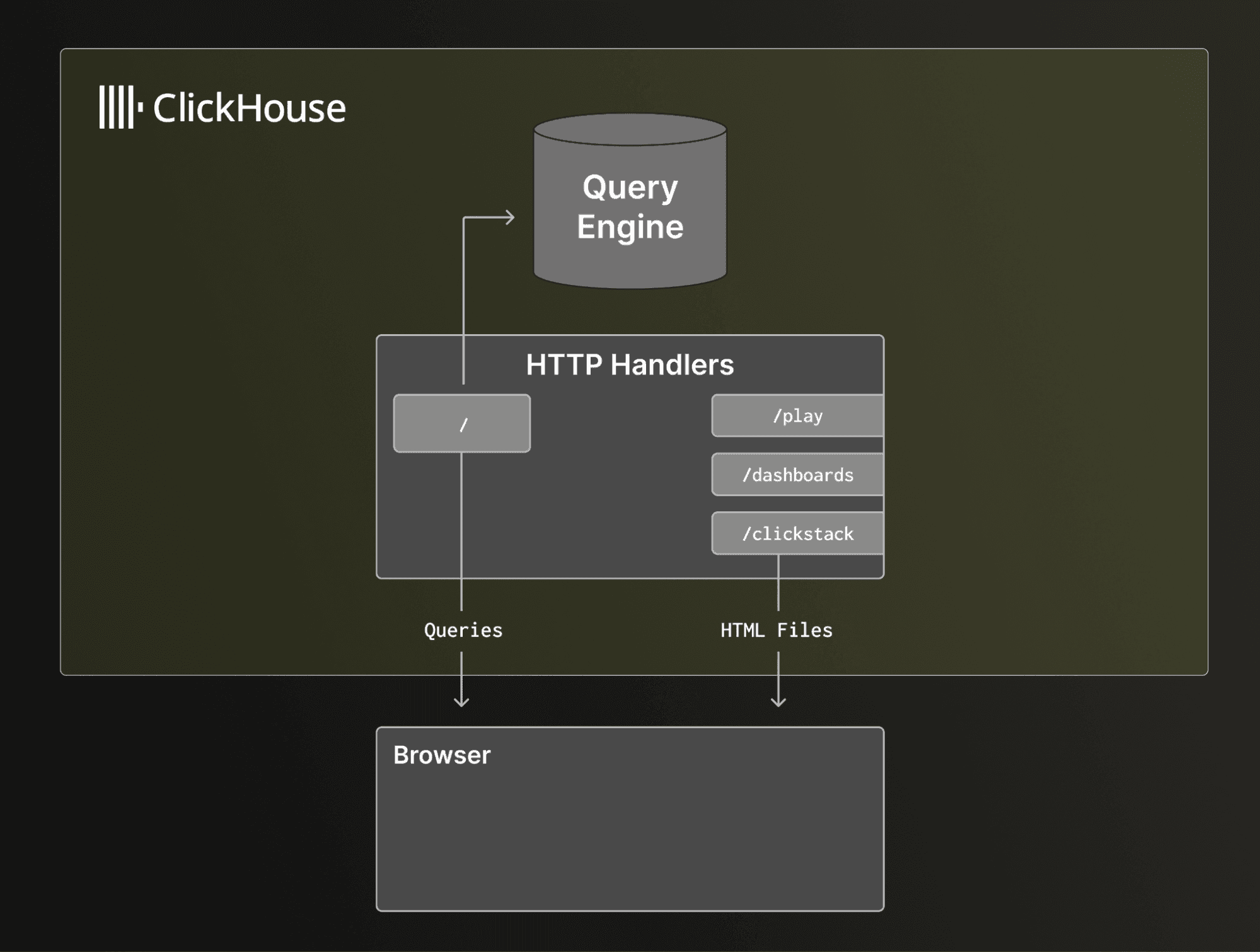
The result is a very lean addition, around 4.2mb embedded directly into the actual binary itself.
Getting Started
To try ClickStack embedded in ClickHouse, install ClickHouse as you normally would. You can use the one-line installer:
curl https://clickhouse.com/ | shOr see the Open Source Quick Start guide for alternatives.
For this example, we will enable internal logs so you can explore your own ClickHouse instance, including executed queries and resource usage.
After downloading the binary, move to the directory where you want ClickHouse to store its data. Then create a configuration snippet that enables the query and metric logs:
mkdir -p config.d && echo "<clickhouse><query_log><database>system</database><table>query_log</table></query_log><query_thread_log><database>system</database><table>query_thread_log</table></query_thread_log><query_views_log><database>system</database><table>query_views_log</table></query_views_log><metric_log><database>system</database><table>metric_log</table></metric_log><asynchronous_metric_log><database>system</database><table>asynchronous_metric_log</table></asynchronous_metric_log></clickhouse>" | sudo tee ./config.d/query_logs.xml > /dev/nullThis appends to the default configuration and enables system log tables.
Start the server and open your browser at http://localhost:8123/clickstack
./clickhouse serverA connection to the local instance is created automatically. If you already have OpenTelemetry data loaded, ClickStack will detect it and create sources automatically. On a fresh installation, you will be prompted to create a source. For this example, create a new Log Source that points to system.query_log.
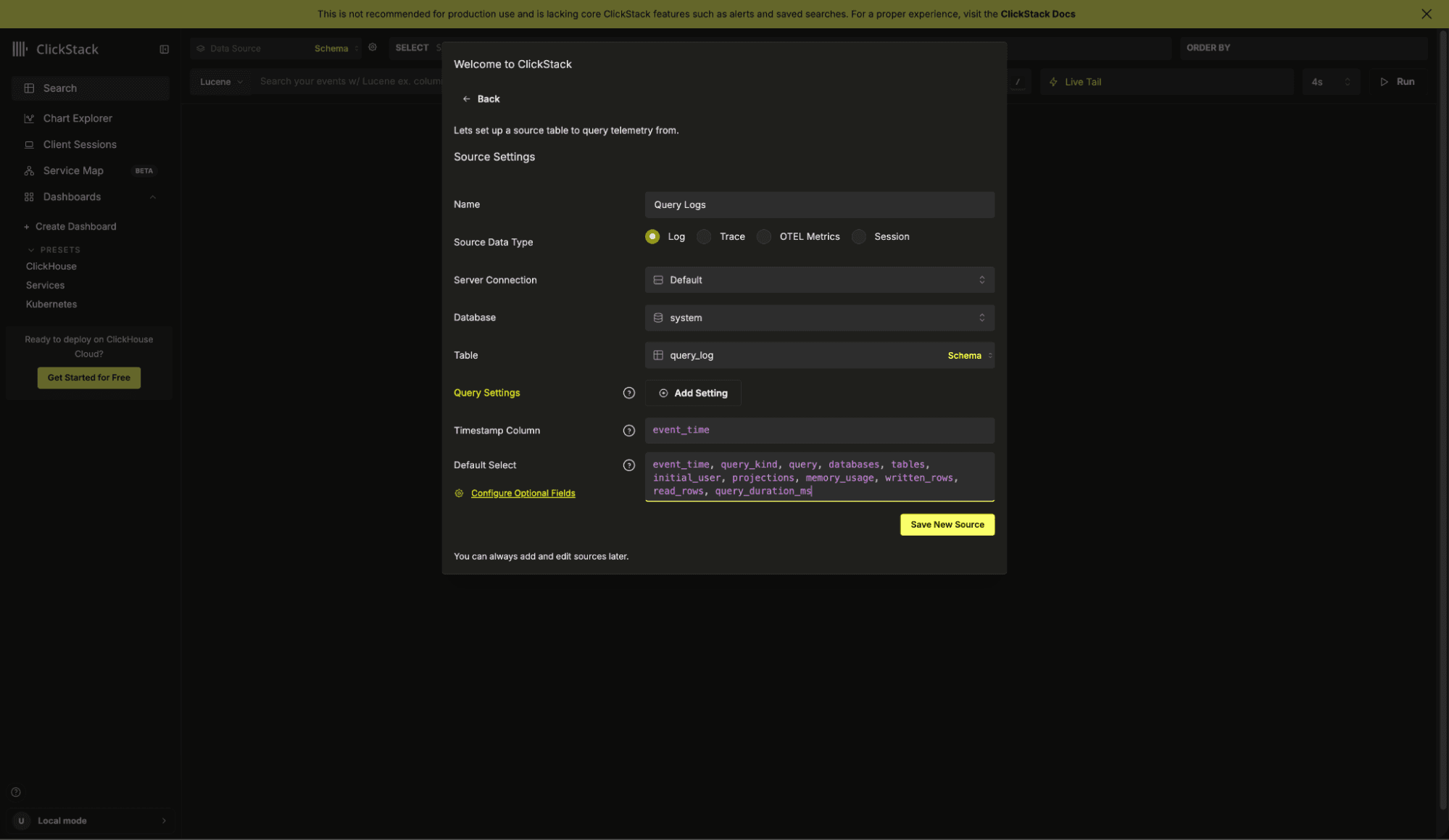
Config:
Name: Query Logs
Database: system
Table: query_log
Timestamp Column: event_time
Default Select: event_time, query_kind, query, databases, tables, initial_user, projections, memory_usage, written_rows, read_rows, query_duration_ms.*
Save the source. You will be redirected to the search view, where query logs should immediately begin appearing.
At this point, you are observing your own ClickHouse instance.
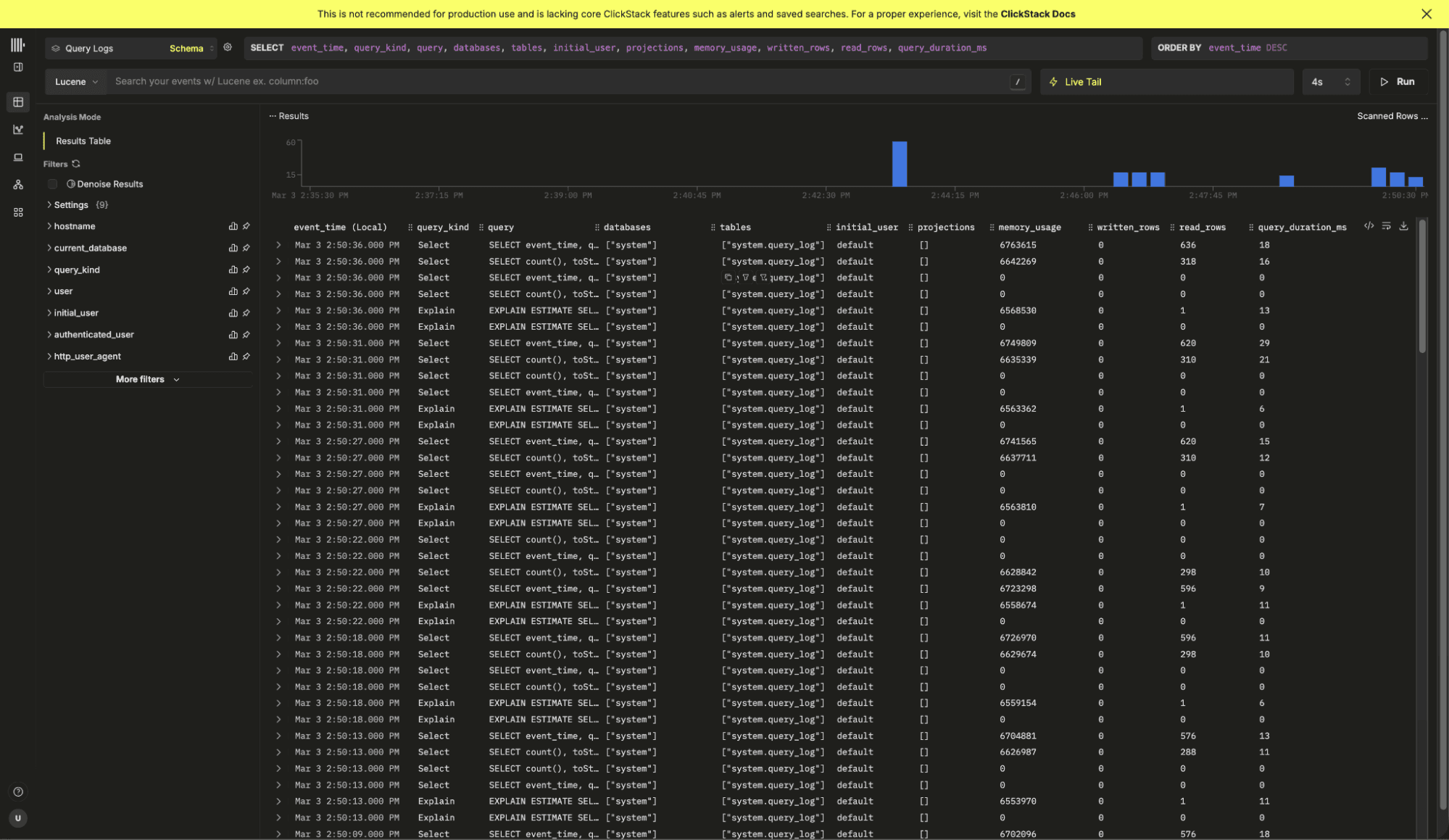
Feel free to open the play UI at http://localhost:8213/play, run a few queries and watch them appear in ClickStack. With the default selection you can view the execution time, the memory usage and other useful metadata such as the projections used.
We also include a built-in ClickHouse preset dashboard, available from the left navigation menu. It provides insights into query latency and slow queries, highlights the most time consuming query patterns, shows query counts per table, and surfaces key system metrics such as CPU usage, memory consumption, S3 requests, and insert activity. Together, these views give you immediate observability into your ClickHouse instance, powered entirely by the embedded ClickStack UI.
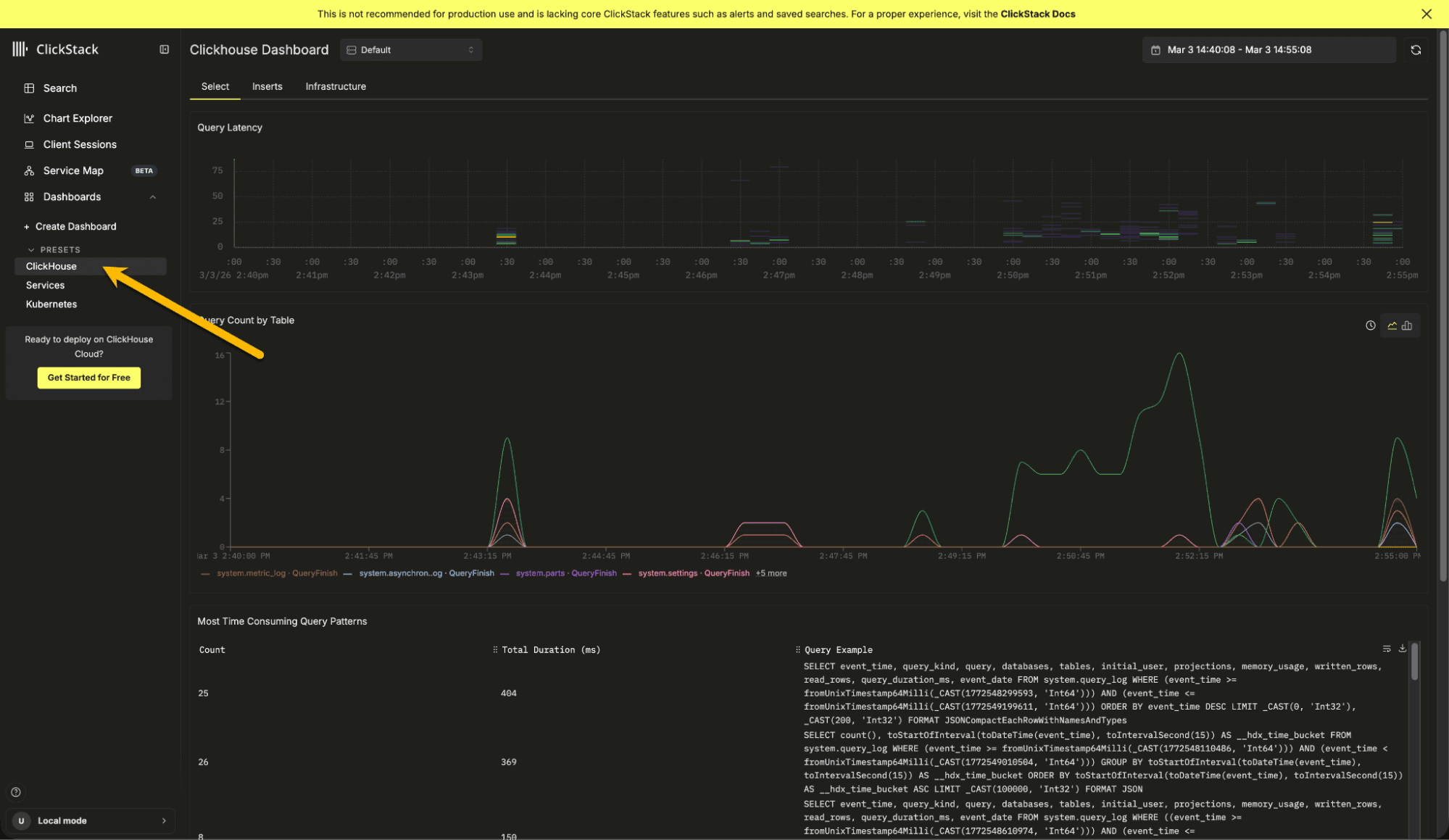
To continue exploring ClickStack and learning its features, we recommend trying it with one of our sample datasets. These include sample observability data from the OpenTelemetry demo, along with examples for exploring session replay functionality and monitoring your local infrastructure and ClickHouse instance.
Conclusion
With ClickStack now embedded directly in ClickHouse, getting started with observability is as simple as installing the database itself. There is no additional setup, no separate services to run, and no external UI to deploy. Within seconds, you can begin exploring logs, traces, metrics, and even ClickHouse's own internal behavior.
Our hope is that this distribution lowers the barrier to entry and makes it easier to discover the value of ClickStack using your own local datasets. It provides a practical environment for learning the product, running demos, training teams, experimenting with queries, and understanding how ClickHouse behaves during development.
We look forward to seeing how the community uses it, and contributes to its evolution.
Get started today
Interested in seeing how ClickHouse works on your data? Get started with ClickHouse Cloud in minutes and receive $300 in free credits.
Sign up