50.6k
50.6k


Summary
ClickHouse now has an official integration with Apache Airflow, making it easier for teams to orchestrate and manage ClickHouse data workflows wherever they run Airflow. Many ClickHouse customers are already using the new Apache Airflow provider in production today.
Introduction
Many ClickHouse users rely on Apache Airflow, the open source standard for orchestrating data pipelines to schedule ingestion, transformations, and recurring analytical jobs. Until now, connecting the two usually meant installing a community plugin or writing custom integration code.
Airflow now has an upstream ClickHouse provider: apache-airflow-providers-clickhousedb. It uses ClickHouse Connect over HTTP(S), works with Airflow’s common SQL operators, and includes a ClickHouse hook for bulk and client-specific operations. This post shows how to install it, configure a connection, and run the same workflow on a self-managed Airflow setup or a managed platform like Astronomer.
Community origins
Before this release, the ClickHouse community solved this problem on its own. Anton Bryzgalov (bryzgaloff) created the airflow-clickhouse-plugin back when Airflow had no native way to talk to ClickHouse. He maintained it for years, evolving it into the de facto standard for the Airflow and ClickHouse community, and one of the top 1% downloaded packages on PyPI. Its conventions even shaped the internal tooling our own data warehouse team built. Contributions like these are why the ClickHouse ecosystem is what it is today. Thank you, Anton.
For teams that want an officially maintained integration, the provider is a natural upgrade path. It's where our investment and new features will land, and moving over is mostly mechanical. Install the provider, point your connection at the HTTP(S) port, and use the standard SQLExecuteQueryOperator in your DAGs. If you are interested in migrating to the officially supported provider, follow this migration guide.
Why an official provider
We ship new ClickHouse features constantly, and an official provider living upstream lets the integration keep pace with the database instead of always playing catch-up.
A few decisions shaped the implementation:
- Built on ClickHouse Connect. The provider connects over the HTTP interface using
clickhouse-connect, the Python client we maintain in-house. When the client gets faster or gains features, the provider inherits them. - Airflow's common SQL framework. The provider exposes ClickHouse through
apache-airflow-providers-common-sql, so the standardSQLExecuteQueryOperatorhandles DDL, DML, and analytical queries. No ClickHouse-specific operator to learn. - A hook for everything else. For bulk inserts, streaming, or ClickHouse-specific client calls,
ClickHouseHookgives you direct access, including abulk_insert_rowsmethod that uses the native columnar insert path.
How customers use Airflow with ClickHouse
Many of our customers run Airflow with ClickHouse today. The pairing shows up across nearly every industry we serve, and in our own stack.
The relationship with Astronomer runs both directions, too. Astro Observe, their data observability product, is built on ClickHouse Cloud, handling billions of Airflow workflow events to power real-time pipeline insights for Airflow users. The team behind the platform that runs Airflow for thousands of companies chose ClickHouse for its own analytics.
Chartmetric, which tracks more than 12 million artists across streaming and social platforms, pairs Airflow-orchestrated pipelines with ClickHouse Cloud, including a playlist cache pipeline that ingests over 15 million rows every five minutes.
"At SecurityHQ, we use Apache Airflow to orchestrate security detection workflows on top of ClickHouse, processing 4 billion+ security events a day. The official ClickHouse provider lets our Airflow tasks read and write detection data directly at that volume, using the orchestration tools our team already relies on, without adding custom glue code or another system to maintain."
Vikramaditya Tatke, Lead Data Engineer, SecurityHQ
We run the same pattern ourselves. Our internal data warehouse is built on ClickHouse Cloud with Airflow scheduling the insert jobs across 76 DAGs across 40+ data sources, moving around 6 billion rows a day. The entire company relies on it, from leadership reviewing weekly metrics to product, sales, and support teams answering day-to-day questions, and increasingly the agentic workflows we're building on top of our own data. Airflow is the component that keeps it all fed.
Getting started with Apache Airflow
If you're running open source Airflow, the provider installs like any other:
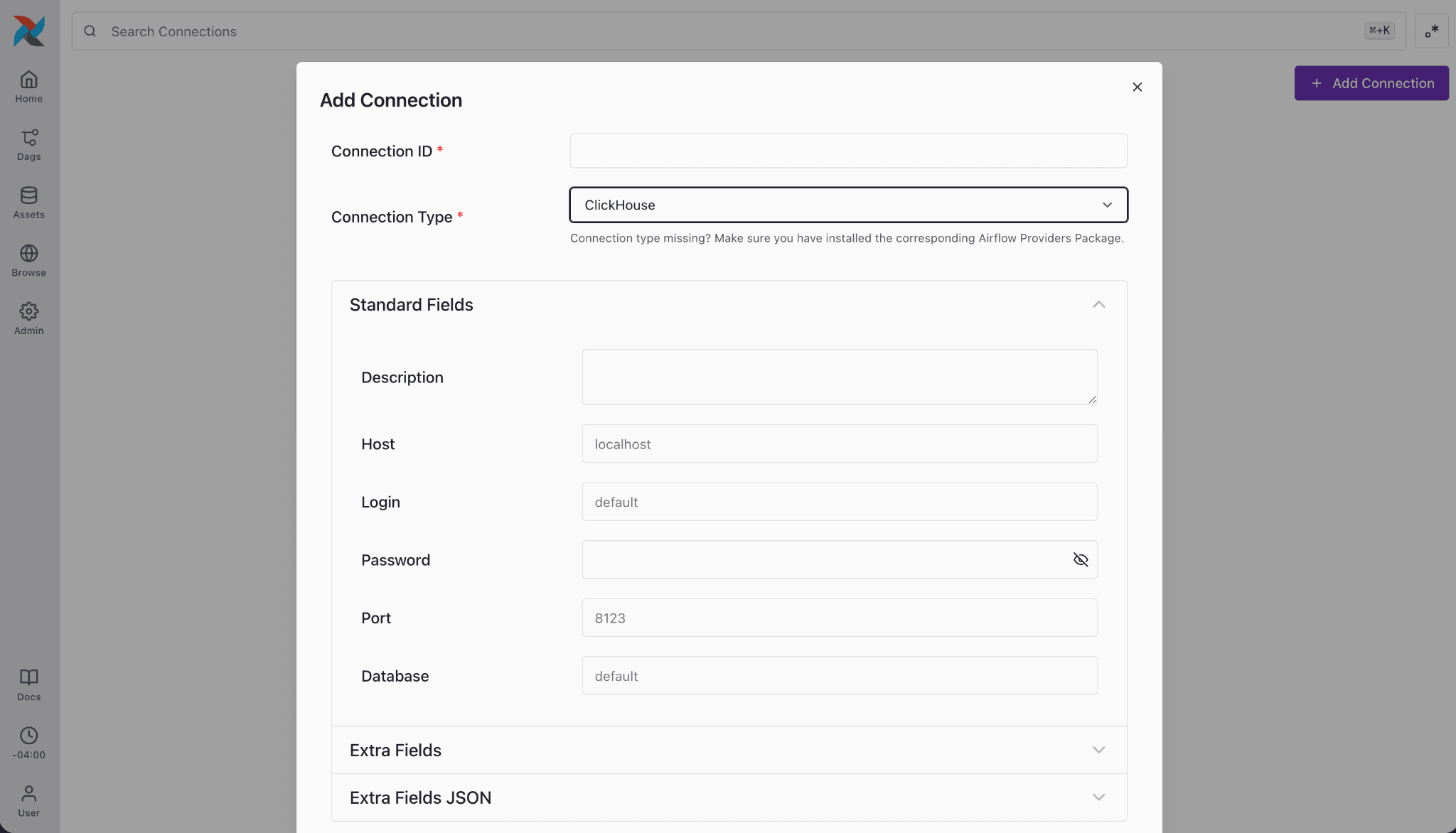
pip install apache-airflow-providers-clickhousedbIt pulls in apache-airflow-providers-common-sql and clickhouse-connect automatically. Next, create a connection. The provider registers a clickhouse connection type, so you can configure it in the Airflow UI under Admin > Connections, or define it as an environment variable:
export AIRFLOW_CONN_CLICKHOUSE_DEFAULT='{
"conn_type": "clickhouse",
"host": "abc123.clickhouse.cloud",
"port": 8443,
"login": "default",
"password": "secret",
"schema": "my_database",
"extra": {"secure": true}
}'For ClickHouse Cloud or any TLS-enabled cluster, set secure to true and use port 8443.
From there, a DAG is just standard Airflow:
from datetime import datetime
from airflow import DAG
from airflow.providers.common.sql.operators.sql import SQLExecuteQueryOperator
with DAG(
dag_id="clickhouse_example",
start_date=datetime(2026, 1, 1),
default_args={"conn_id": "clickhouse_default"},
schedule="@daily",
catchup=False,
) as dag:
create_table = SQLExecuteQueryOperator(
task_id="create_table",
sql="""
CREATE TABLE IF NOT EXISTS events_daily (
day Date,
user_id String,
events UInt64
) ENGINE = MergeTree()
ORDER BY (day, user_id);
""",
)
aggregate = SQLExecuteQueryOperator(
task_id="aggregate_events",
sql="""
INSERT INTO events_daily
SELECT toDate(ts), user_id, count()
FROM events
WHERE toDate(ts) = yesterday()
GROUP BY toDate(ts), user_id;
""",
)
create_table >> aggregate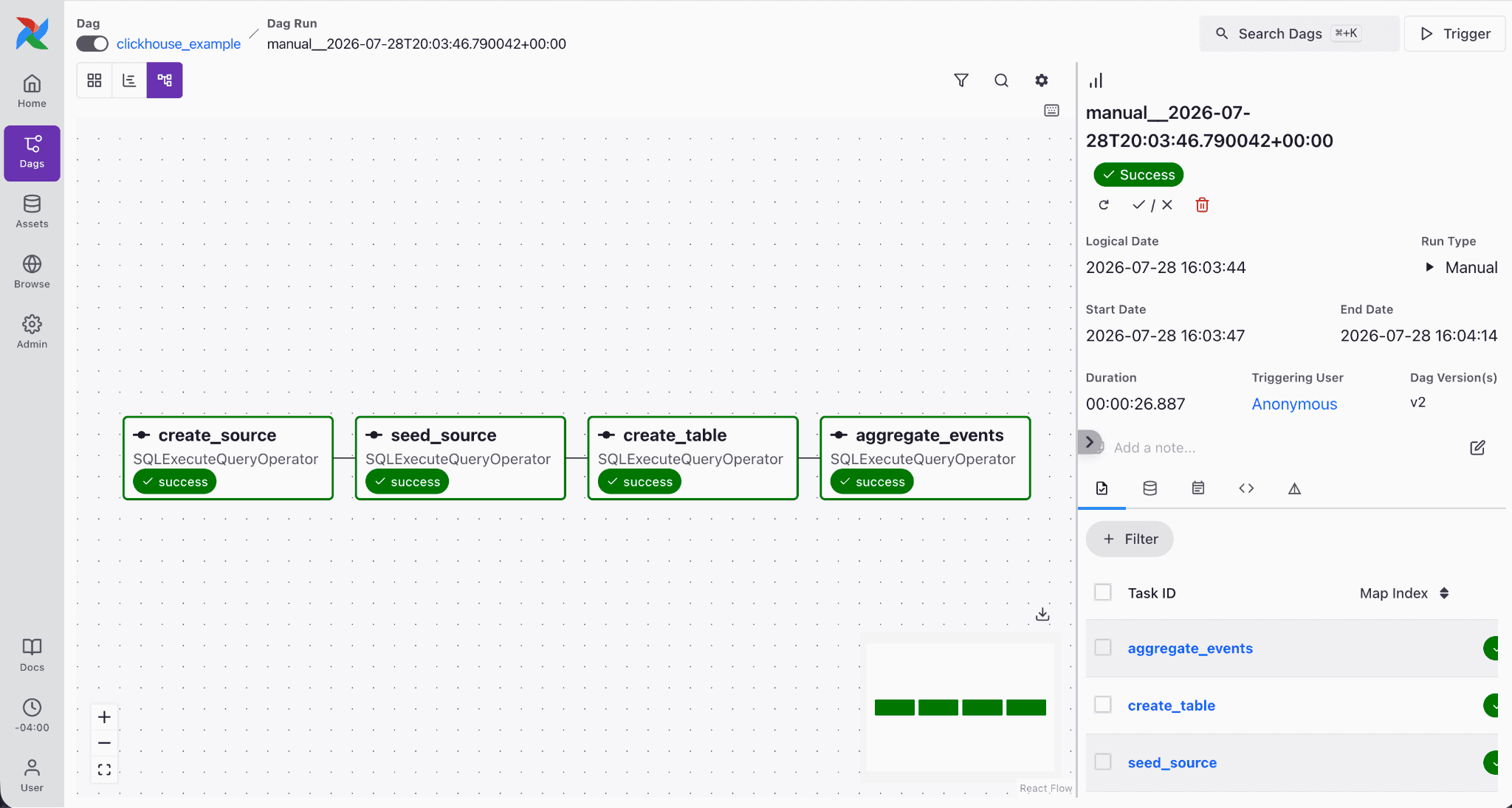
For workloads that don't fit a SQL operator, ClickHouseHook gets you to the underlying client:
from airflow.providers.clickhousedb.hooks.clickhouse import ClickHouseHook
hook = ClickHouseHook(clickhouse_conn_id="clickhouse_default")
hook.bulk_insert_rows(
table="events",
rows=[("user1", "click"), ("user2", "view")],
column_names=["user_id", "action"],
batch_size=1000,
)The full walkthrough, including session settings, per-task database overrides, and connection options, is in our docs. If you'd rather see it live, Bentsi Leviav demoed the provider as part of the ecosystem talk at Open House 2026, our user conference back in May.
Getting started with Astronomer
Astronomer is the managed Airflow platform many of our customers run in production, and the Astro CLI is the fastest way to get a local Airflow environment running. The provider works out of the box.
First, install the CLI and scaffold a project:
brew install astro
astro dev initAdd the provider to the requirements.txt in your new project:
apache-airflow-providers-clickhousedbThen start Airflow locally:
astro dev startThis spins up the Airflow components in containers on your machine. Once it's up, open the Airflow UI at localhost:8080, head to Admin > Connections, and create a connection with the ClickHouse type, pointing at your ClickHouse Cloud service or self-hosted cluster (remember secure: true and port 8443 for TLS).
Drop the DAG from the section above into the dags/ folder and it'll appear in the UI, ready to trigger.
If you're running on Astro, there's an even more turnkey path for the connection. The Environment Manager in the Astro UI lets you create the ClickHouse connection once, store the credentials in Astro's managed secrets backend, and share it across every deployment in your workspace, with per-deployment overrides where you need them. The Astro CLI can pull those same connections into your local environment, so you configure ClickHouse once and use it everywhere, local or hosted.
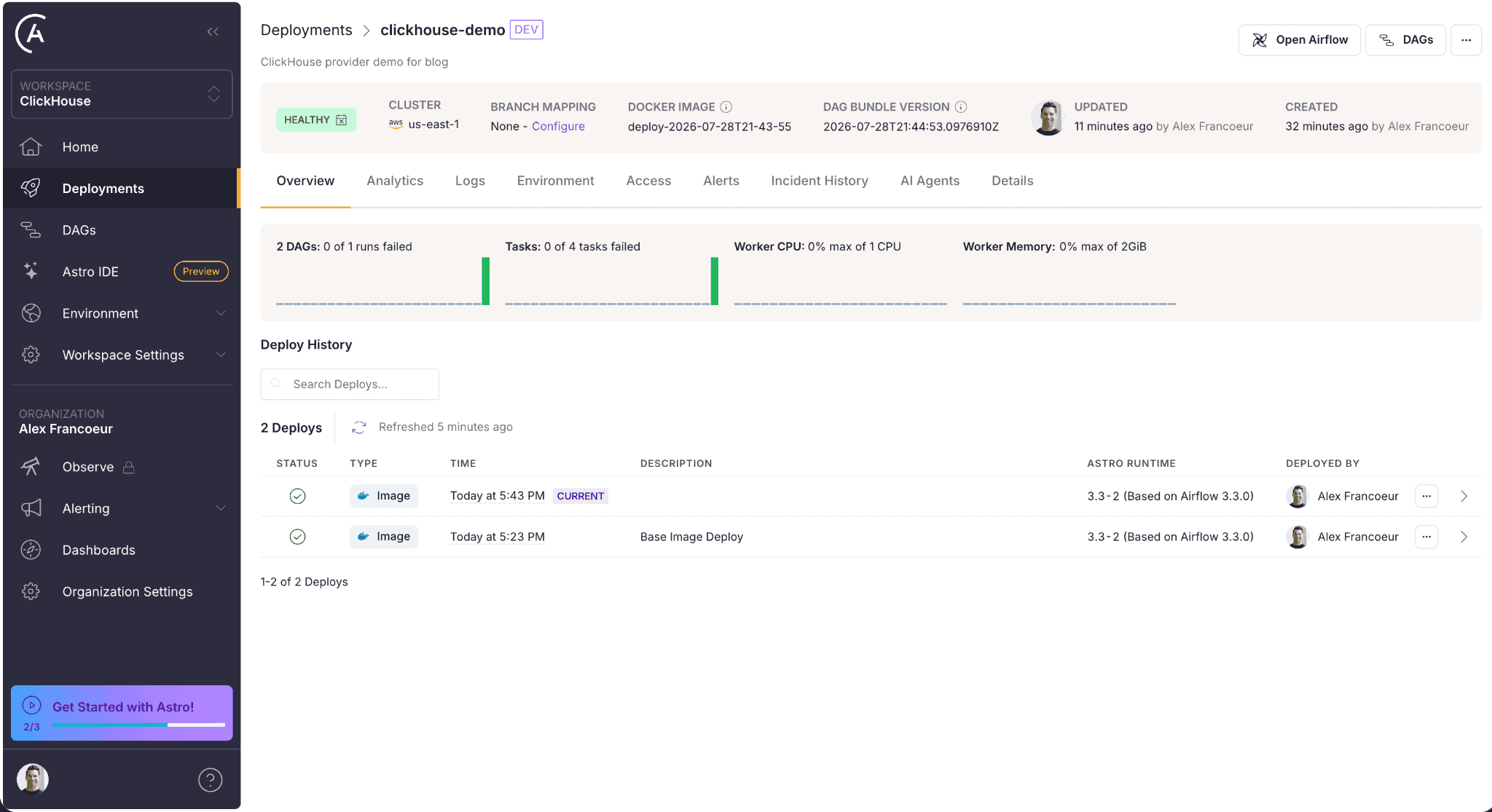
When you're ready for production, astro deploy ships the same project, provider and all, to your Astro deployment. Nothing about the ClickHouse setup changes between local and production.
What's next
The provider is available today and is already being used in production at scale by early adopters. We'll be prioritizing new capabilities based on what the community asks for, so if there's something you need, open an issue or a PR and let us know.
If you're orchestrating ClickHouse with Airflow today, we'd love to hear how it's going. Come say hi in the ClickHouse Community Slack, and if you're new to ClickHouse, you can get started with ClickHouse Cloud in minutes with $300 in free credits. We can't wait to see what you build with it.
Get started today
Interested in seeing how ClickHouse works on your data? Get started with ClickHouse Cloud in minutes and receive $300 in free credits.
Sign up