50.6k
50.6k

Introduction
Imagine you create a temporary table, then run a query to read from it one second after, and it fails saying the table does not exist.
This isn't a bug in the usual sense. For services with more than one replica, your ClickHouse temporary tables and named sessions only exist on the replica they were created on. It's possible that subsequent queries get load balanced to a different replica and then it's like it was never created.
This is why we built replica-aware routing: so you always have access. Replica-aware routing does one simple thing: it sends your requests to the same replica. Alongside temporary session and table access, it opens up the door for experiences like read-after-write consistency.
Today we want to show you how to use it, how we built it, and of course, when to reach for it. Replica-aware routing is now available in Public Beta to Enterprise customers, coming to an org near you.
How it works
Let's put it in the use case of read-after-write consistency. If you're using HTTP, all you have to do is send your queries with a header of your choice. For native, all you need to do is overwrite the SNI value.
### Replica-aware routing over HTTP
# Write, tagged with a routing key
echo "INSERT INTO events VALUES (now(), 'signup')" | curl \
-H 'X-ClickHouse-User: default' \
-H 'X-ClickHouse-Key: <password>' \
-H 'X-ClickHouse-Replica-Tag: amy_test' \
'https://<host>:8443/' -d @-
# Read it back on the same replica, using the same tag
echo 'SELECT count() FROM events' | curl \
-H 'X-ClickHouse-User: default' \
-H 'X-ClickHouse-Key: <password>' \
-H 'X-ClickHouse-Replica-Tag: amy_test' \
'https://<host>:8443/' -d @-
### Replica-aware routing over native
# Write with routing key
clickhouse client --user default \
--password <password> \
--host <host> \
--query "INSERT INTO events VALUES (now(), 'signup')" \
--secure \
--tls-sni-override jan_key.sticky.<host>
# Read with routing key
clickhouse client --user default \
--password <password> \
--host <host> \
--query 'SELECT count() FROM events' \
--secure \
--tls-sni-override jan_key.sticky.<host>That's it 🙂 The requests carry the same X-ClickHouse-Replica-Tag or SNI override, so they land on the same replica, and the read sees the write, even if the other replicas are still catching up on replication. Use a different value and it hashes independently, and may land somewhere else.
When should you reach for it?
Like any tool, replica-aware routing is worth pulling out for specific jobs. There are three that come up again and again.
You are using temporary tables or named sessions. Session-scoped objects only exist on the replica that made them. Reuse one routing key for the whole session and your queries execute on the same replica.
You want your replica caches to stay warm. When the same replica keeps serving the same workload, its local caches stay warm: filesystem cache, decompressed blocks, lazily loaded primary keys and indexes, the query cache. (Honest take: our distributed cache is the better long term answer for this, but there is still valuable cache in the replica's memory.)
Consistency with read after write. On a multi-replica service, a write on one replica may not be visible on the others until replication catches up. With replica-aware routing, you can read your own write even while the other replicas are still catching up. This is quite handy for interactive apps and for ETL jobs that validate an insert before moving on. Related to this, if you have changed your schema and it hasn't synced across the replicas, using replica-aware routing will ensure you insert to the new schema to avoid an error.
How we built this
Looking for a key to hash
Our proxy layer is built on Istio and Envoy. Istio (more precisely Istio Pilot) manages the configuration, and Envoy is the data plane, which is the proxy that actually moves the bytes.
Our initial approach to sticky routing was with URL-based subdomains. However this method did not scale because of certificate limitations from our cert provider. After brainstorming, we came across the idea that if we ran an L7 proxy instead of an L4 one, Envoy can read into the request itself, like a query parameter, and route based on that. L4 proxies don't work because Envoy only sees TCP packets.
The first approach was via session_id but moved off of it because ClickHouse only allows a single query at a time within one session. That is definitely not ideal!
As an alternative to the session_id, we went with a header that ClickHouse simply ignores. We use the X-ClickHouse namespace for ClickHouse-specific settings. Customers pass a value via the header → Envoy uses it for consistent hashing → the request routes to one of the replicas.
You can test this out yourself. The command below calls your instance repeatedly and prints the hostname of the replica that served it. With HTTP-based sticky routing enabled, you will always see the same replica. Make sure you have at least two replicas in your cluster first. If you only have one, the demo is a lot less impressive 😉
while true; do
echo 'select hostname()' | curl \
'https://abcdefghij.eu-west-1.aws.clickhouse.cloud:8443' \
-H 'X-ClickHouse-Replica-Tag: some-string' \
-H 'X-ClickHouse-User: YOUR-USER' \
-H 'X-ClickHouse-Key: YOUR-PASSWORD' \
-d @-
doneNative support
But we couldn't stop with just HTTP. Our customers also connect via the native connection.
Recall the original limitation: provisioning a new cert for every instance that uses sticky routing does not scale. But what if we could just reuse the cert we already have?
The ClickHouse client provides a way to override the Server Name Indication (SNI).
clickhouse client --help | grep tls-sni-override
# --tls-sni-override arg Override the SNI host name used for TLS connectionsWhat if during your TLS connection, you could validate the global cert, but use the SNI for routing? This is exactly the idea behind our native support.
while true; do
clickhouse client \
--host abcdefghij.eu-north-1.aws.clickhouse.cloud \
--secure \
--tls-sni-override some_string.sticky.abcdefghij.eu-north-1.aws.clickhouse.cloud \
--query 'select hostname()'
done--host is the host we will validate in the cert. --secure indicates that this connection should use TLS. --tls-sni-override is what we use for routing. The client will validate the regional certificate. In this case, we also send the SNI value which Envoy then hashes and uses for routing. This is the same ring-hash-on-hostname mechanism as the original approach with a new trick: --tls-sni-override decouples the hostname we route on (the SNI) from the hostname we validate the cert against (--host).
This is what this looks like in Golang:
tlsConfig.ServerName = sniOverride
// disable the default check. If we don't disable then our
// client will try to match some_string.sticky.abcdefghij.eu-north-1.aws.clickhouse.cloud
// which the cert does not cover
tlsConfig.InsecureSkipVerify = true
tlsConfig.VerifyPeerCertificate = func(rawCerts [][]byte, _ [][]*x509.Certificate) error {
// get all the certs
certs := make([]*x509.Certificate, 0, len(rawCerts))
for _, raw := range rawCerts {
cert, err := x509.ParseCertificate(raw)
if err != nil {
return err
}
certs = append(certs, cert)
}
// error if no certs
if len(certs) == 0 {
return fmt.Errorf("no certificate presented by %s", dialHost)
}
// check the --host instead of the SNI value
// pool is for intermediate certs
opts := x509.VerifyOptions{DNSName: dialHost, Intermediates: x509.NewCertPool()}
for _, cert := range certs[1:] {
opts.Intermediates.AddCert(cert)
}
// validate the leaf cert, which
// abcdefghij.eu-north-1.aws.clickhouse.cloud
_, err := certs[0].Verify(opts)
return err
}Now you have two ways to use replica-aware routing. One over HTTP with a header, the other natively with the SNI override.
A few things to keep in mind
A couple of honest caveats so there are no surprises in production.
- Stickiness is best-effort, not a guarantee. Anything that reshapes the service could break the routing and have the queries land on a different replica. This includes upgrades, restarts, and scaling in or out. When that happens, a key can move to a different replica, and any temporary tables or session settings you were relying on will need to be recreated. A quick
SELECT hostName()always tells you where you are. - It is not workload isolation. Replica routing controls which replica handles a request, but that replica still serves other traffic.
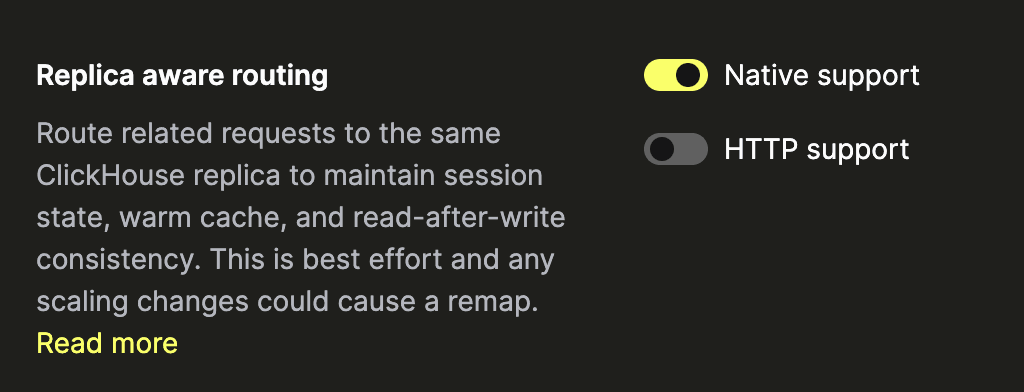
- Enterprise only. This feature is rolling out to Enterprise tier plans, available via your service settings page. If it hasn't hit your account yet, feel free to open up a support ticket to get it turned on earlier.
TLDR
Now, if you just want the gist of it, here you go :) Replica-aware routing routes your queries to the same replicas. You can access it via HTTP or native connection if you're on an Enterprise tier account, both on standard ClickHouse Cloud accounts and BYOC. Just remember stickiness is best-effort. See the documentation for more info. Happy querying!
Get started today
Interested in seeing how ClickHouse works on your data? Get started with ClickHouse Cloud in minutes and receive $300 in free credits.
Sign up