50.5k
50.5k
ClickHouse Cloud now speaks SCIM 2.0. Your identity provider becomes the source of truth for who is in your organization and what they can do, no manual invites, and no orphaned accounts after someone leaves.
SAML SSO solved authentication: Members in your organization are able to sign in to ClickHouse Cloud with their corporate identity. But it left membership as a separate, manual job. Someone joins the team, and an admin has to remember to invite them. Someone changes teams, and their ClickHouse role has to be updated by hand. Someone leaves, and their access lingers until an admin notices, which is the part that keeps security teams awake.
SCIM provisioning closes that gap. ClickHouse Cloud exposes a standard SCIM 2.0 endpoint (RFC 7644), so your IdP pushes membership changes to us as they happen. Assign someone to the ClickHouse app in the IdP eg: Okta and they appear in your organization. Unassign them and they're removed. Move them between groups and their ClickHouse roles follow.
Setting it up
SCIM builds on SAML, so start with a configured SAML connection. From your organization settings page, open SAML & SCIM settings and switch to the SCIM configuration tab.
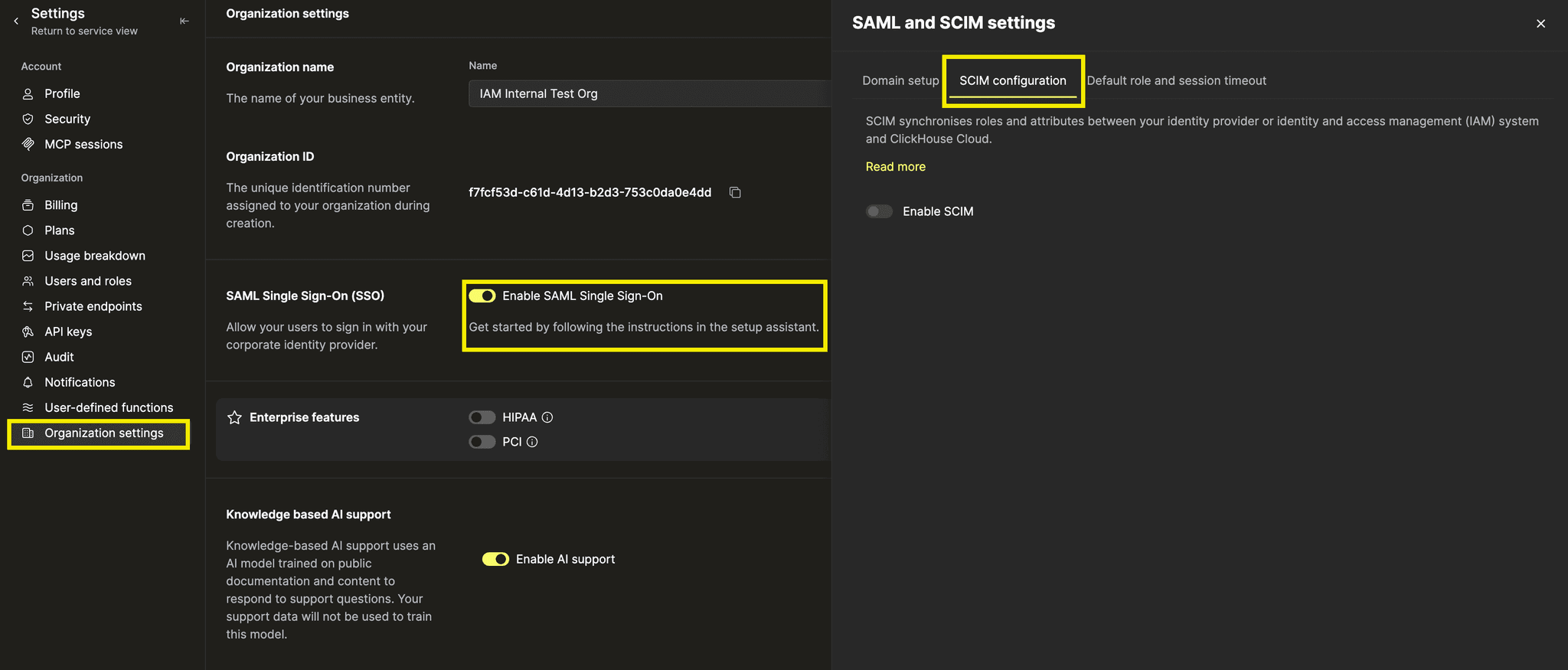
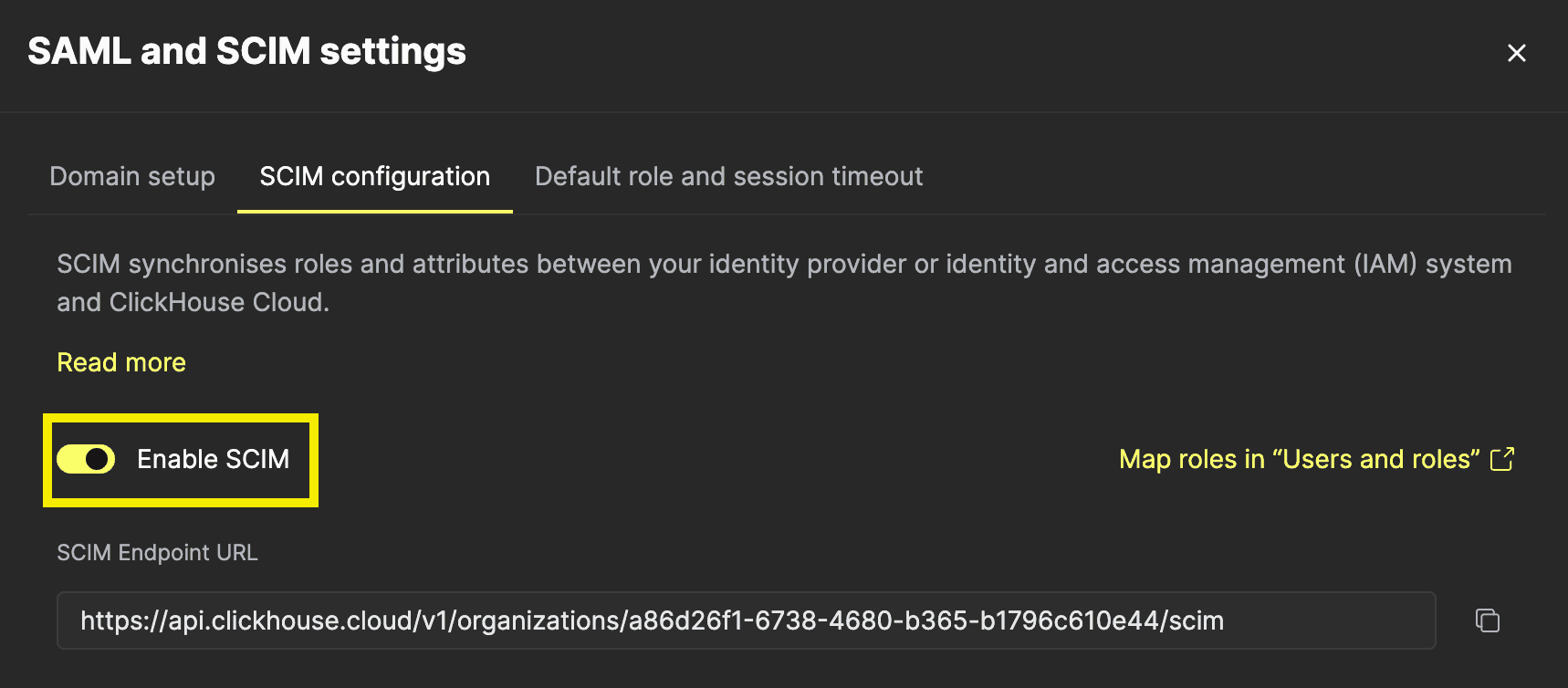
Turn on Enable SCIM. Two things appear: your SCIM Endpoint URL, and an API keys panel.
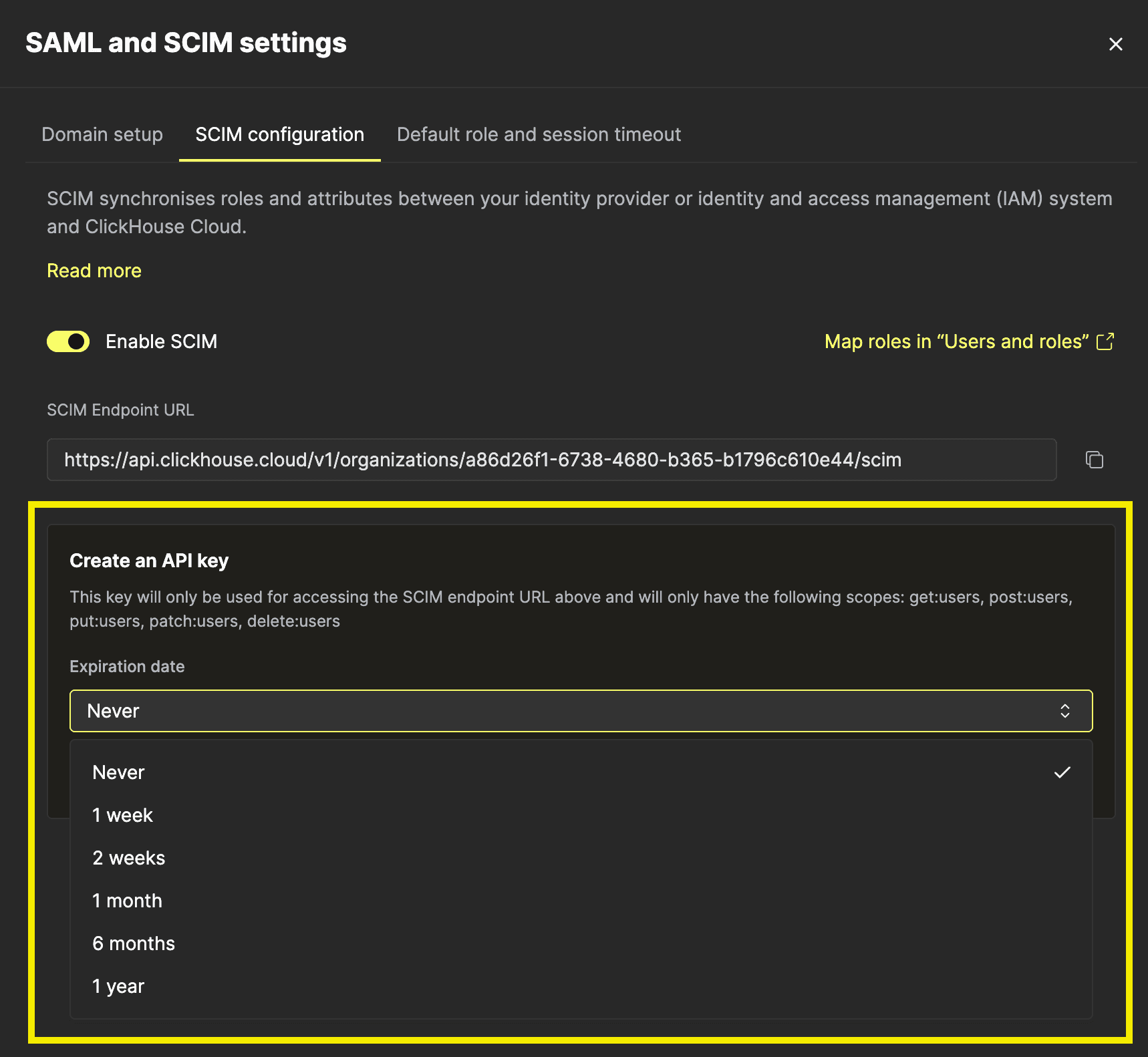
Click + Generate new key and choose an expiration, anything from a week to never. The key is scoped to the SCIM endpoint alone; it cannot read your data, manage services, or touch billing.
You get a Key ID and a Key Secret. Copy both now, or download the credentials file. The secret is shown once and never again. Paste them into your IdP: most providers, including Okta and Microsoft Entra ID, accept them as HTTP Basic credentials (key as username, secret as password). For providers that only offer a single bearer-token field, use Bearer <keyId>:<keySecret>.
You can hold up to two keys at a time, which is enough to rotate without a gap in provisioning.
Mapping groups to roles
SCIM also keeps permissions aligned as users move between groups, without requiring administrators to update roles manually.Provisioning users is half the value. The other half is getting their permissions right without a human in the loop.
ClickHouse Cloud represents your IdP groups as SCIM Groups backed by custom roles if your IdP supports group push. Okta's Push Groups, Entra ID's group provisioning — pushing a group creates or links a matching custom role, and its members get that role.
To connect an IdP group to a role you already have, go to Users and roles → Roles. Once SCIM is active, each custom role gains a SCIM group column. Set the group name there to match what your IdP sends.
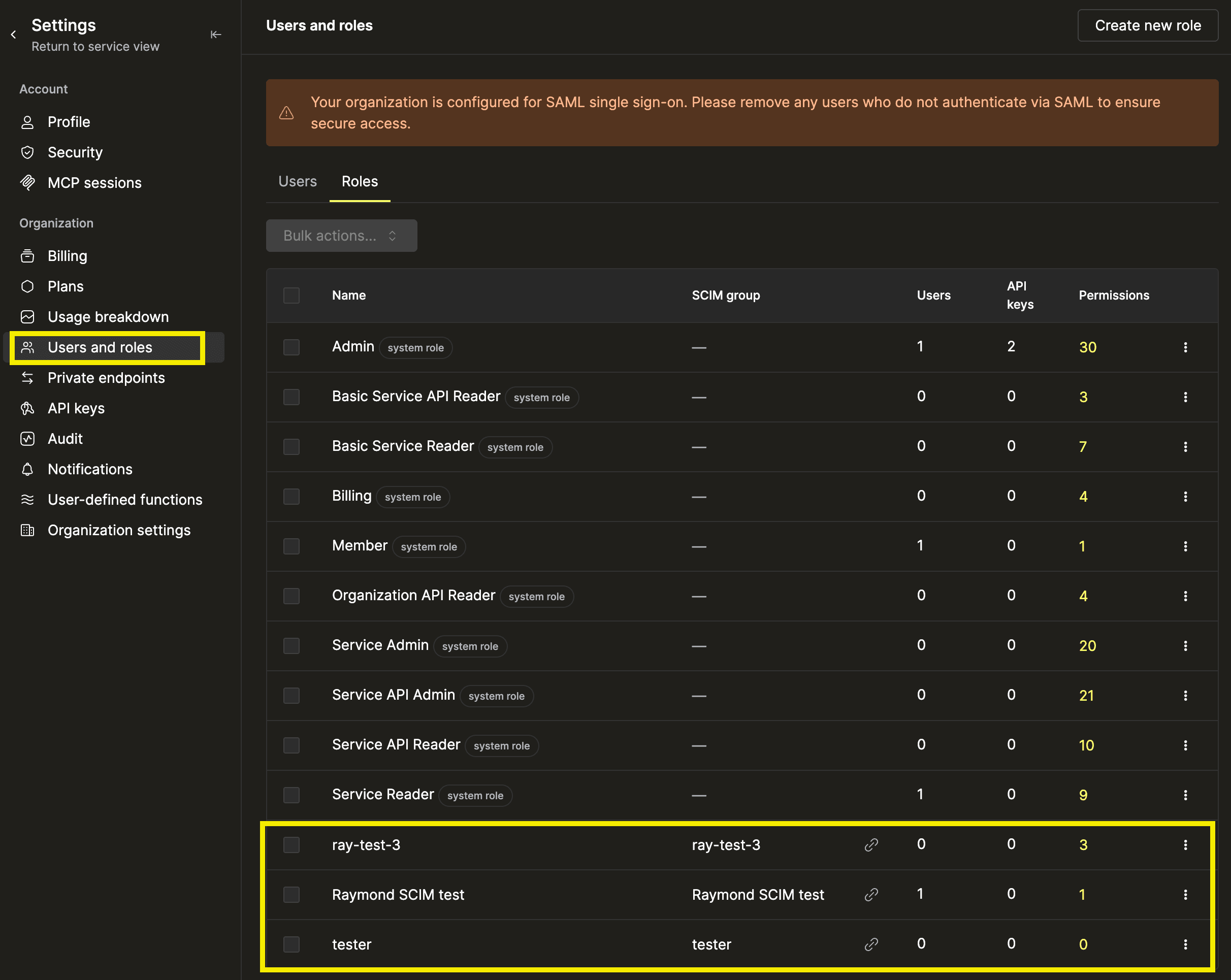
Once your IdP has written to a mapping, ClickHouse tracks it by the group's stable external ID rather than its name, so renaming a group in Okta doesn't break the link. Linked mappings show a link icon and become read-only in the console, the IdP owns them from that point on.
Users provisioned always provisioned with default assigned roles configured on your SAML settings.
What SCIM does and doesn't manage
SCIM is deliberately scoped. There are a few things to know before setting up SCIM:A few boundaries are worth knowing before you wire it up:
- SAML is required. SCIM cannot be enabled without an active SAML connection, and removing that connection revokes every SCIM key and turns provisioning off immediately.
- Only verified domains. Users can only be provisioned onto email domains verified for your SAML connection. An IdP cannot provision someone onto a domain you don't control.
- Custom roles only. System roles such as Admin are invisible to SCIM and cannot be assigned through it. A misconfigured or compromised IdP group cannot make someone an organization admin.
- Only SSO users. SCIM sees the SSO directory. Members you invited manually outside SAML are not managed or listed by it.
- No password sync. Authentication stays with your IdP; ClickHouse never receives or stores credentials for SSO users.
Deprovisioning users works by sending a PATCH or PUT setting active: false or DELETE. Every provisioning/deprovisioning action is written to your organization's audit log.
Availability
| Plan | SAML SSO | SCIM provisioning |
|---|---|---|
| Basic | — | — |
| Scale | — | — |
| Enterprise | Included | Included |
SCIM provisioning is generally available now for Enterprise and BYOC organizations, with no opt-in beyond enabling it. Because it's standard SCIM 2.0, it works with any compliant identity provider; we test the full lifecycle end to end against Okta and Microsoft Entra ID.
Directory management is the kind of work that should be invisible. With SCIM, your identity provider stays the single place you manage access, and ClickHouse Cloud keeps up on its own.