50.2k
50.2k

Summary
ClickHouse is now a native connection in Notion Custom Agents. Connect with OAuth, then ask your data questions in plain language and run read-only queries without leaving Notion.
We are building toward agentic analytics and the Agentic Data Stack. The ClickHouse Remote MCP server connects ClickHouse to the tools where developers and data teams already work.
ClickHouse is now a native, preconfigured connection in Notion Custom Agents. There is no MCP server to deploy and no URL to paste. Connect a Notion Custom Agent to ClickHouse Cloud with OAuth, and the agent can explore your data, run read-only queries, and surface service and cost information without leaving Notion. This is the first native ClickHouse connector inside Notion, and part of the first House Mates partner cohort.
Add ClickHouse to a Notion Custom Agent
Notion supports MCP connections out of the box, so adding ClickHouse takes a few clicks.
In Notion, create a Custom Agent from the Agents section in the sidebar. Open the agent’s Settings, go to Tools and Access, and select Add connection. Choose ClickHouse from the list, click Connect, and complete the OAuth flow with your ClickHouse Cloud credentials. Access is scoped to the organizations and services your account can already reach.
Prerequisites: You need a ClickHouse Cloud service with the Remote MCP server enabled and a Notion workspace on the Business or Enterprise plan.
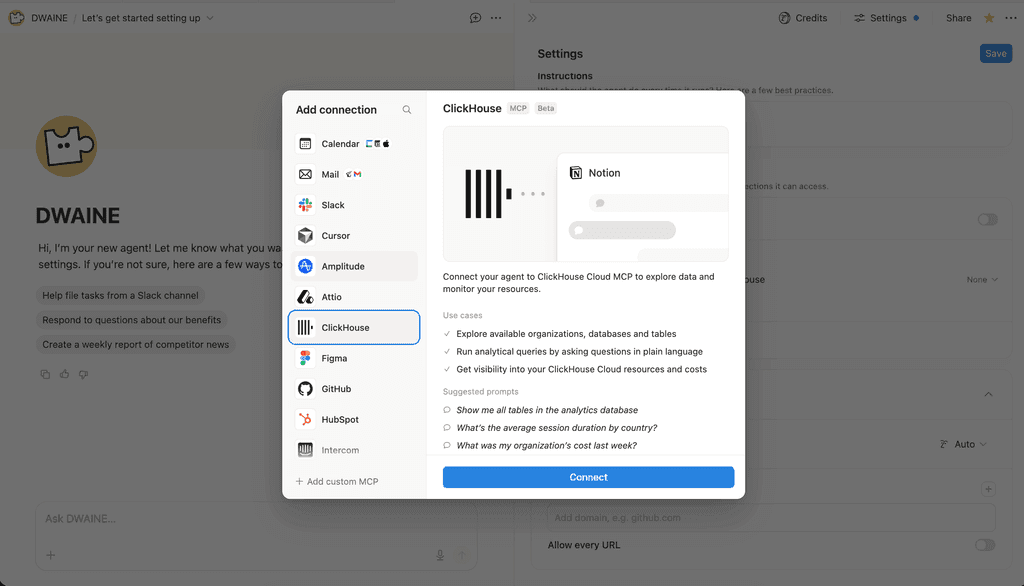
ClickHouse is a preconfigured connection in Notion Custom Agents.
Choose which tools the agent can use
After connecting, expand the ClickHouse connection and toggle on the tools this agent can use. Every tool exposed by the ClickHouse Remote MCP server is read-only. For each tool, you decide whether the agent runs it automatically or asks for approval first.
The 14 tools cover what an agent needs to explore and report on your data. It can list databases and tables, run SELECT queries against ClickHouse and Managed Postgres, and pull organization and service details, ClickPipes, backups, and cost. See the tool reference for the full list.
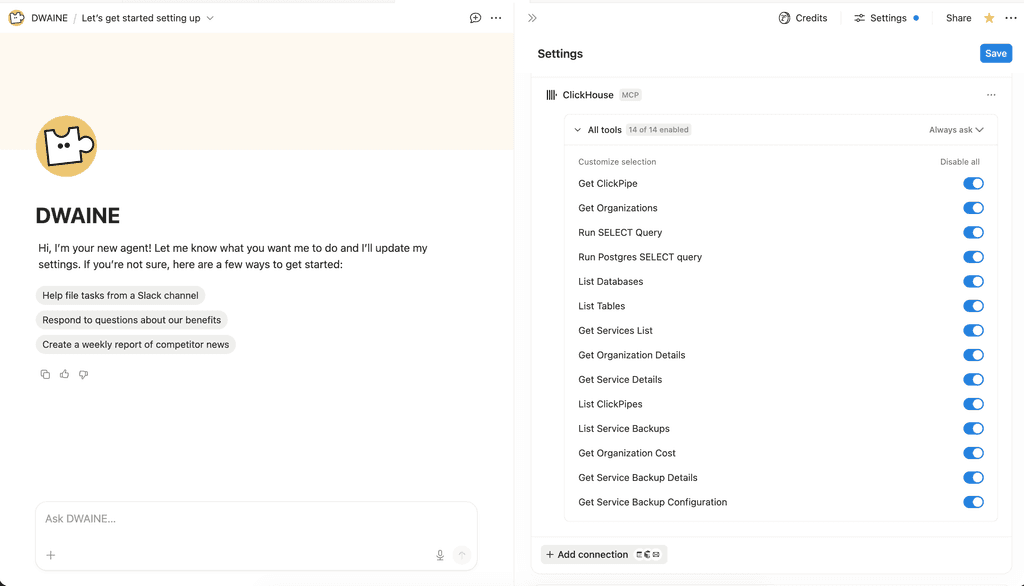
Per-tool toggles. Every tool is read-only, and you choose whether the agent runs it automatically or asks first.
Get started today
Interested in seeing how ClickHouse works on your data? Get started with ClickHouse Cloud in minutes and receive $300 in free credits.
Sign upAsk questions in plain language
Once connected, the agent turns plain-language questions into ClickHouse SQL and runs them. Notion suggests generic starter prompts like “Show me all tables in the analytics database,” “What’s the average session duration by country?” and “What was my organization’s cost last week?”
Your Notion pages and databases supply the context and semantic layers. The agent grounds itself in your schema, ClickHouse runs the query, and returns the answer inside the workspace where your team already works.
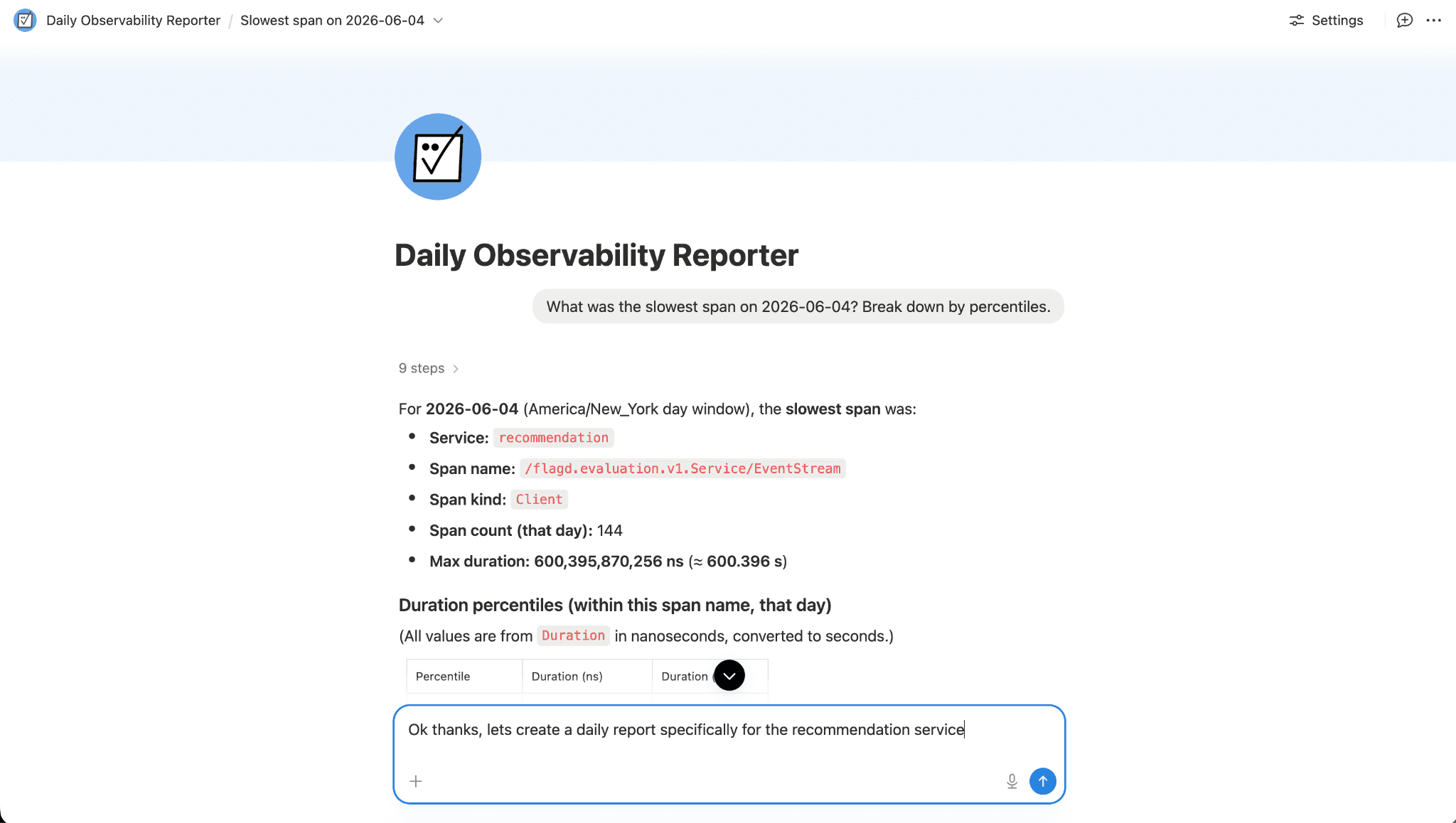
A Notion agent answering a plain-language analytics question, showing the generated SQL and the result table
Build a daily observability report
Custom Agents run on a schedule, so you can turn a one-off question into a recurring report stored in a Notion database. Point a Custom Agent at a Managed ClickStack service and have it summarize your observability data every morning.
Give the agent a job and a trigger: query error rates, p99 latency, and request volume over the last 24 hours, then write the summary to a Notion page. The agent runs the queries against ClickStack, formats the numbers, and updates the page before your team logs on.
No dashboard to open and no query to rerun.
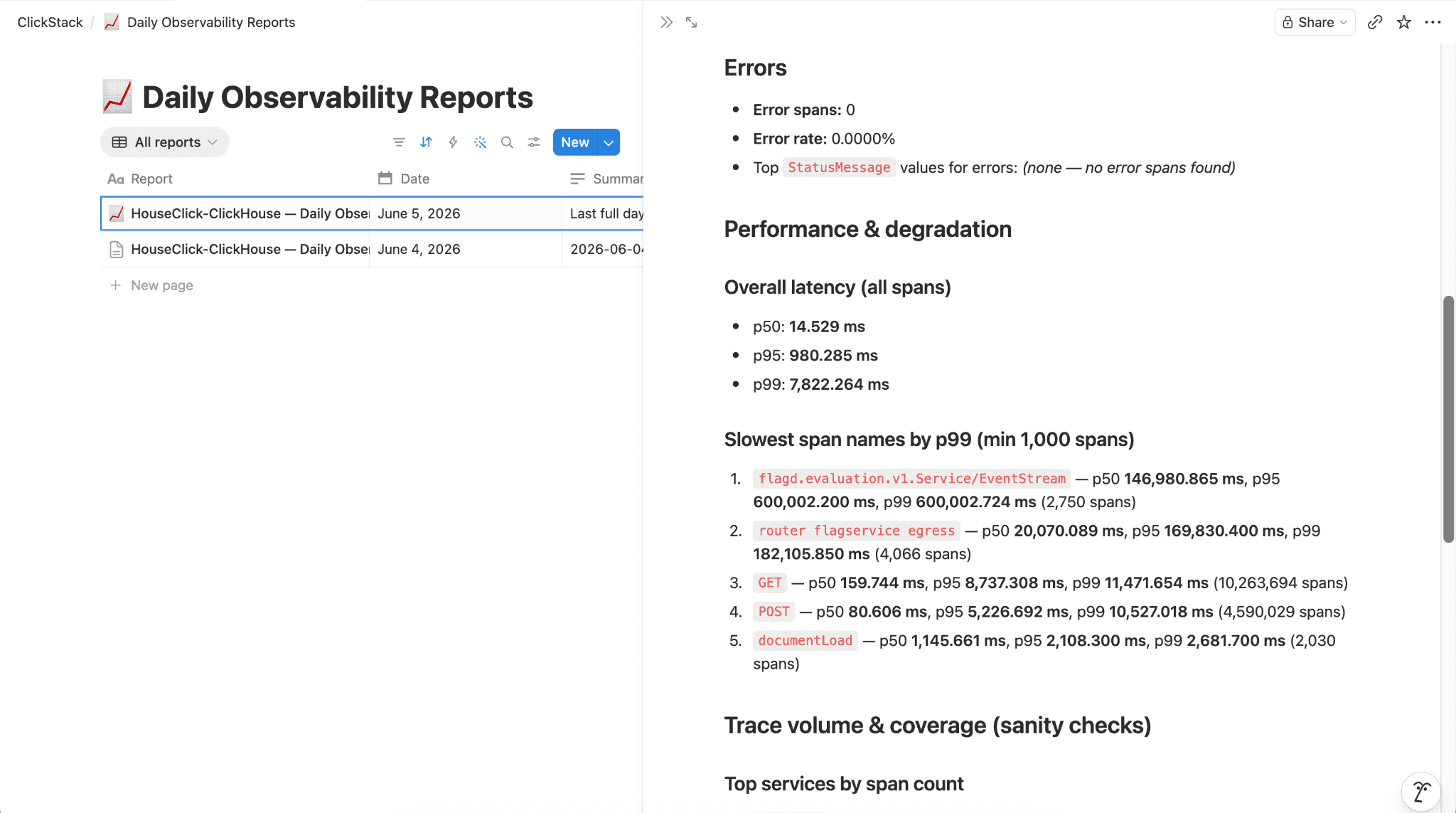
A Notion page with a daily observability report that the agent generated from a ClickStack service
Analytics where your team already works
The native Notion connector brings ClickHouse analytics into the workspace where teams plan, document, and decide. Notion handles context and collaboration; ClickHouse answers the data questions in real time. The connector is in beta today.
Learn more at clickhouse.com/docs/integrations/notion