50.5k
50.5k

Summary
ClickHouse is a launch partner for the Data agent in ChatGPT Work, and the ClickHouse plugin is available in the plugin directory shared by ChatGPT and Codex. Connect it to ClickHouse Cloud with OAuth, then ask questions about your data in plain language and turn the answers into reports and interactive dashboards.
We're building toward agentic analytics and the Agentic Data Stack. The ClickHouse Remote MCP server connects ClickHouse to the tools where developers, analysts, and business teams already work.
On September 10, 2026, OpenAI introduced the new Data agent, which brings agentic dashboards, expanded admin controls, and improved data connections in ChatGPT Work. The ClickHouse plugin is one of the data connections it launches with. It packages the Remote MCP server and the open-source ClickHouse Agent Skills into a single listing that both ChatGPT Work and Codex surface from their shared plugin directory. Connect it to ClickHouse Cloud with OAuth, and ChatGPT Work can explore your schemas, query your data, and build dashboards from the results.
Add ClickHouse to ChatGPT
In ChatGPT Work, open Plugins, find ClickHouse, and select Install plugin. ChatGPT Work initiates the connection flow; select Connect, then sign in with your ClickHouse Cloud credentials. The OAuth flow scopes access to the organizations and services your ClickHouse Cloud user can see, so there's no API key to create and nothing to paste into ChatGPT Work. Workspace admins can also make the plugin available to eligible members or install it for them from Workspace settings under Plugins.
Prerequisites: You need a ClickHouse Cloud service with the Remote MCP server enabled and a ChatGPT workspace with plugins enabled. To enable the server in an organization, open your service in the ClickHouse Cloud console, select Connect, then MCP, and toggle it on, as shown in the setup guide. The endpoint is https://mcp.clickhouse.cloud/mcp.
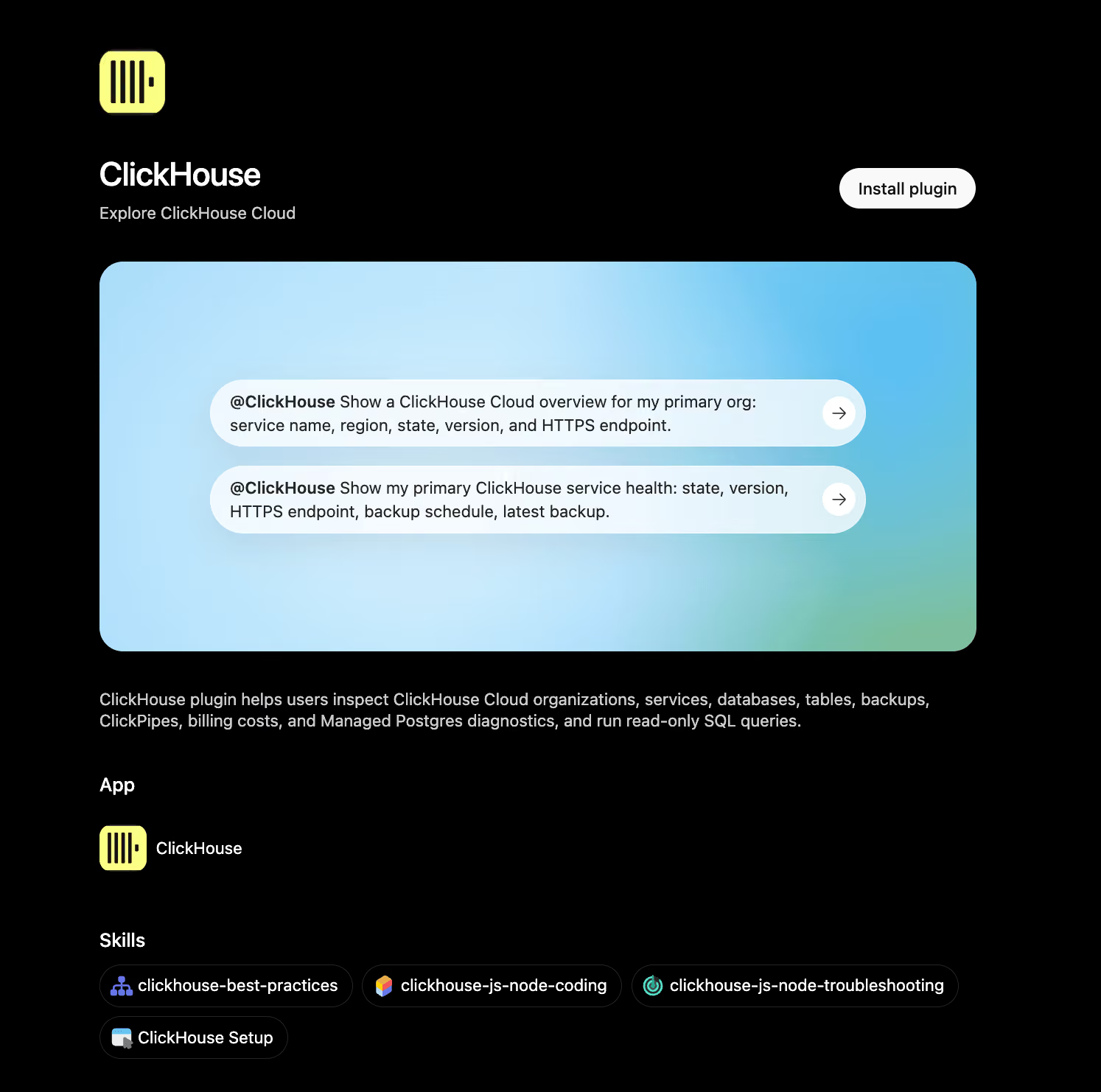
The ClickHouse plugin in the ChatGPT plugin directory.
What's in the plugin
The plugin has two parts. The Remote MCP server is fully managed in ClickHouse Cloud and exposes 13 tools for listing databases and tables, inspecting schemas, running SELECT queries, and reading service, backup, ClickPipes, and billing information. Every tool is read-only and carries readOnlyHint: true in its MCP metadata, so nothing in the plugin can modify data or change a service's configuration.
The second part is ClickHouse Agent Skills, the Apache 2.0-licensed skills we maintain on GitHub. They encode the ClickHouse best practices our engineers and community have learned, covering schema design, query optimization, and data ingestion, so the model follows them when it writes SQL for your questions. In Codex, where the same listing appears, the skills also guide the code Codex writes against your service, from table design to ingestion, while the MCP server itself stays read-only.
Ask questions in plain language
Once connected, mention the ClickHouse plugin in a chat and ask. "Which databases and tables do I have on my production service?" calls list_databases and list_tables. "What was the average session duration by country for the last seven days?" becomes a SELECT with a GROUP BY, run through run_select_query, and the agent works from the result. Follow-ups build on the same context, so "break that down by device type" runs as a second query in the same conversation. Every query runs on your ClickHouse Cloud service, so the answer is as fresh as your ingestion.
The plugin also covers the service itself. "What did my organization spend last week?" calls get_organization_cost, and "which ClickPipes are configured on this service?" calls list_clickpipes.
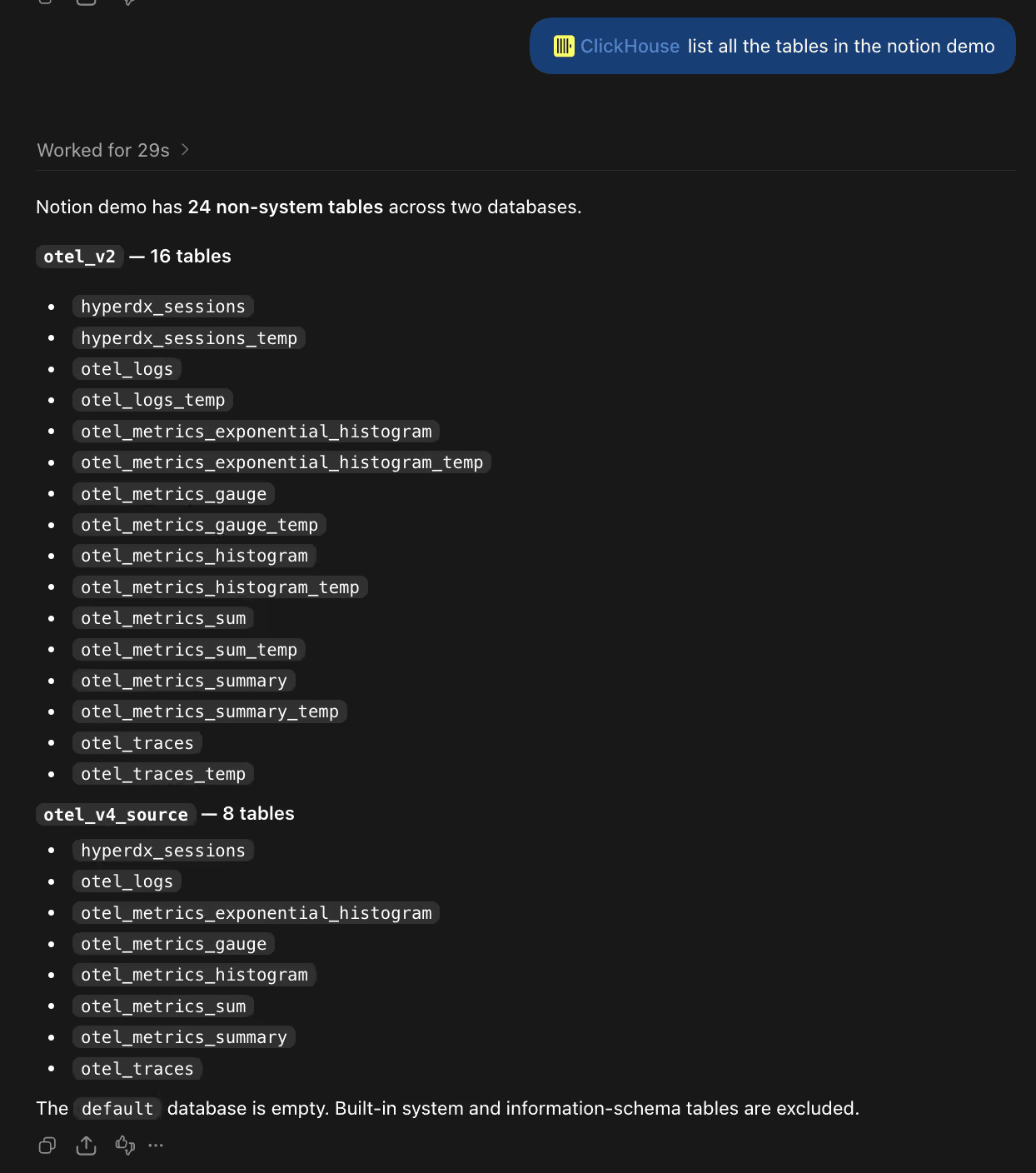
Asking ChatGPT a question that the ClickHouse plugin answers with a query against ClickHouse Cloud.
From answer to dashboard
Ask ChatGPT Work to "turn this into a dashboard for the growth team," and the Data agent builds an interactive dashboard from the query results, styled to match your company's brand. Because the plugin is read-only, a dashboard in ChatGPT never becomes a path to write into ClickHouse, and access stays scoped to the organizations and services the connected ClickHouse Cloud user can see.
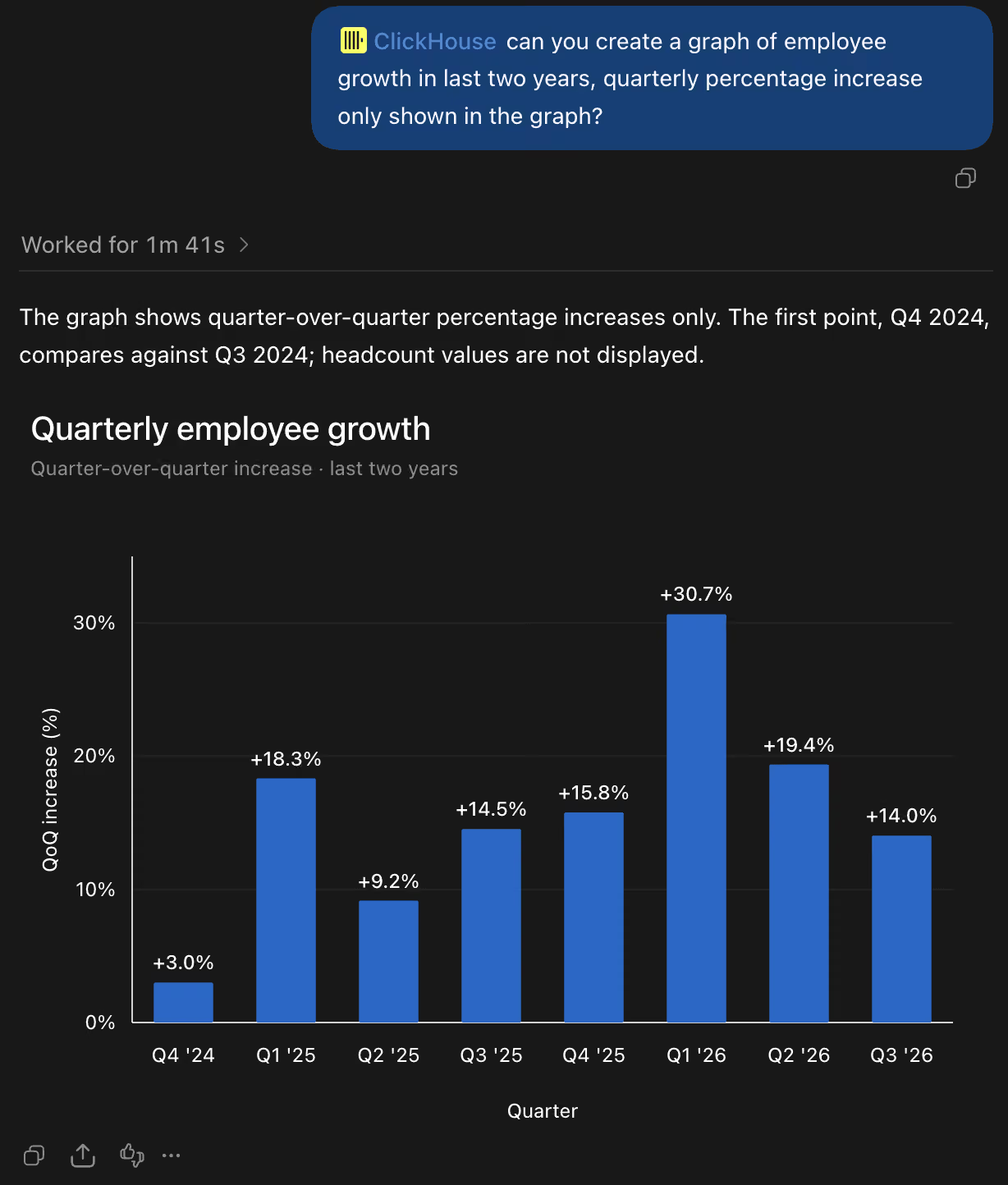
A dashboard in ChatGPT Work built from ClickHouse data.
"Businesses need to see what's happening and act fast with insights. Connecting ClickHouse to ChatGPT Work puts real-time analytics right in front of all business users making decisions big or small. They can explore their data, ask questions in plain language, and get answers straight from ClickHouse, then bring those answers into the reports and dashboards their teams use."
Ryadh Dahimene, Director of Product Management - AI/ML, ClickHouse
“Real-time data is most useful when the people making decisions can explore it themselves. Our work with ClickHouse helps business teams understand what’s changing and build their own dashboards using natural language, without writing SQL or waiting for a new report.”
Arpan Shah, General Manager, Technology Vertical, OpenAI
Real-time analytics where the questions get asked
An agent rarely stops at one query. A request like "what changed in signups last week" becomes a chain of queries that lists the tables, checks the columns, samples a few rows, aggregates, compares with the prior week, and drills into the region that looks off. If each of those queries is slow, the conversation stalls, and the person goes back to filing a ticket. ClickHouse is built for sub-second analytical queries over billions of rows of continuously ingested data, which is what keeps that chain interactive. OpenAI itself runs ClickHouse for petabyte-scale observability.
ChatGPT Work handles the conversation and the dashboards; ClickHouse answers the data questions, scoped to what the connected user is allowed to see. The plugin is listed in the ChatGPT Work and Codex plugin directory, and availability depends on your ChatGPT plan and workspace settings.
Learn more at clickhouse.com/docs/products/cloud/features/ai-ml/mcp/remote-mcp, or tell us what you build in the ClickHouse community Slack.
Get started today
Interested in seeing how ClickHouse works on your data? Get started with ClickHouse Cloud in minutes and receive $300 in free credits.
Sign up