50.5k
50.5k
Summary
- ClickHouse now has an official ADBC driver, the modern, Arrow-native alternative to ODBC and JDBC for analytics and AI applications.
- Zero-conversion, end-to-end columnar data movement: results leave ClickHouse as Apache Arrow and arrive in your application as Apache Arrow, with no row-oriented round trip in between.
- Brings ClickHouse to languages without an official client, including Ruby, R, and C, through a single Rust-built driver rather than a separate implementation per language.
- Install with one command via
dbc, the ADBC driver package manager, distributed through the ADBC Driver Foundry in partnership with Columnar.
ADBC is a modern database access standard from the Apache Arrow project, and today we are announcing the official ClickHouse driver for it. Whether you are building a data science pipeline in R, a Ruby web application that queries analytics, or a C application collecting IoT sensor data, you now have a single, standards-compliant driver that works across all of them.
What is ADBC?
ADBC (Arrow Database Connectivity) is the modern alternative to ODBC and JDBC for analytics and AI applications. It's a multi-language API spec and driver standard that delivers data in Apache Arrow columnar format. Older standards like ODBC and JDBC gave the software industry a common way to talk to databases in a row-oriented world; ADBC brings that standardization to the columnar world that modern analytics now runs on.
DataFrames, analytic databases, and many other modern data tools work best with columnar data. A database like ClickHouse can produce query results natively in columnar format, but older connectivity standards force those results into a row-oriented format before they reach the client, where they often have to be reconstructed into columnar format again. ADBC removes those conversions entirely: results come back in Apache Arrow format, the universal in-memory columnar representation used across much of modern data infrastructure.
ADBC is also cross-language by design. A database vendor can build one driver, and any language with ADBC bindings can use it. For mainstream ecosystems like Python, Go, Java, and JavaScript, where ClickHouse already has official clients, ADBC gives Arrow-native tools a standard columnar interface. For languages like Ruby, R, and C that do not have official ClickHouse clients today, it also provides first-class database access without requiring a separate driver for each language.
In 2026, ADBC has gone mainstream. dbt's new Rust-based engine (dbt Fusion) exclusively uses ADBC for database connectivity. Microsoft Power BI now defaults new connections to ADBC, with full migration from legacy ODBC drivers by early 2027. Tools such as Polars, pandas, and dlt all natively support ADBC.
A driver is a shared library that implements the ADBC standard for one particular database, translating between the common ADBC API and that database's own protocol. Because every ADBC-aware tool loads drivers the same way, a single driver is sufficient to make a database usable from any language or tool that supports ADBC.
Today, we're announcing a new ADBC driver for ClickHouse. ClickHouse was an early adopter of Apache Arrow, adding it as a supported input and output format back in 2020. This driver carries that support the last mile: end-to-end, zero-conversion Arrow connectivity from the database all the way into the applications built on top of it.
We're partnering with Columnar to distribute the driver through the ADBC Driver Foundry, which provides precompiled, signed driver binaries. Users can install the ClickHouse driver with a single command and load it directly in any tool that supports ADBC.
"AI coding tools and agentic applications are changing what database connectivity needs to optimize for. It is not enough to execute a query quickly; results need to move back into the application quickly and in the format modern tools actually use.
Apache Arrow gives us that shared columnar format, and ADBC gives us the standard connectivity layer for it.
ClickHouse has been a leader in adopting Arrow and ADBC, and this driver is an important step toward making columnar connectivity the default for analytical systems."
— Ian Cook, Co-founder and CEO, Columnar
ClickHouse ADBC driver
For ClickHouse, the pairing is natural: we store data in columns, execute in columns, and already support Apache Arrow as an output format. ADBC completes that chain, keeping data columnar from the database all the way to your application.
Most databases still handle data in rows internally, converting to Arrow only at the client boundary. Other drivers add an intermediate staging step to get from rows to columns. ClickHouse is different. Data leaves the database as Arrow and arrives in your application as Arrow, with no conversion and no staging. Whether you are loading results into Polars or pandas, running dbt Fusion models, or streaming large result sets, end-to-end columnar means less overhead and faster data from the moment the query completes.
The driver is written in Rust and connects via ClickHouse's HTTP interface, with TLS supported out of the box. To connect, you pass a clickhouse:// URI to the ADBC driver manager, which automatically detects and loads the right driver regardless of whether you're using ClickHouse Cloud or self-hosting.
We built the driver in Rust for good a reason. The primary motivating use case was dbt Fusion, dbt Labs' new query execution engine, which uses ADBC as its database connectivity layer. Rust gives us a single, high-performance implementation that compiles to a native binary. Interpreted languages like Ruby and R benefit from compiled performance at the connectivity layer rather than paying an interpreter tax. It also means one codebase serves every language ADBC supports, rather than maintaining separate drivers for each.
dbt Fusion is the reason the driver exists, but it is not the only reason to use it. Any tool or language that speaks ADBC can connect to ClickHouse through this driver, whether that is a data science notebook in R, a Ruby web application querying analytics data, or an AI agent that needs fast columnar result retrieval.
ClickHouse <- ADBC -> dbt Fusion
dbt Fusion is dbt Labs' new execution engine, and the primary reason we started investing in the ClickHouse ADBC driver. Fusion is built on dbt Core v2, the open source Rust reimplementation of dbt Core. Core v2 carries the same dbt workflow you already know but rebuilt in Rust. Fusion also extends that foundation with a SQL language server, VS Code integration, and additional tooling. The dbt-clickhouse adapter supports Fusion and your existing models and profiles carry over.
Because Fusion's engine is written in Rust and the ClickHouse ADBC driver is too, the integration is native all the way through. There is no interpreter overhead at the connectivity layer, and data comes back as Arrow record batches that Fusion's engine can work with directly.
If you are already running dbt models against ClickHouse and want to try Fusion, the ClickHouse ADBC driver is the connectivity piece you need. Fusion distributes the driver directly, so there is no separate dbc installation step. Just point your project at ClickHouse with a clickhouse:// URI and your models run with Fusion handling execution.
When to use ADBC
The ADBC driver is the right choice in three situations:
First, if you are already working within the Arrow ecosystem. Polars and pandas both have native ADBC support, which means query results arrive as record batches and slot directly into your DataFrames without a conversion step.
Second, if your language does not have an official ClickHouse client. ADBC opens up support for languages we do not have official clients for today. Ruby, R, and C users can now integrate ClickHouse into their stack through a single, standards-compliant driver. Because that driver is written in Rust, interpreted languages also benefit from compiled, native performance at the connectivity layer.
Third, if you are building AI agents or automated data pipelines. Agents typically make a series of tool calls, each fetching and processing data before passing results to the next step. When those tools are Arrow-native, columnar retrieval removes conversion overhead at every step and keeps data moving efficiently through the pipeline.
When to use a language client instead
Not all Arrow types map to ClickHouse types and vice versa, so if you need full access to ClickHouse's type system you may hit edge cases. ADBC also does not currently support async APIs. If you want to map rows to objects, use an ORM, or write application logic against individual records, reach for an official client. ADBC is designed for bulk data movement and interoperability, not row-by-row manipulation.
Ruby quick start
To follow this guide, you will need a ClickHouse Cloud service. If you do not have one, sign up for a free trial. It takes around two minutes.
Once your service is running, copy the hostname and credentials from the ClickHouse Cloud console. You will use these in the connection steps below.
Get started today
Interested in seeing how ClickHouse works on your data? Get started with ClickHouse Cloud in minutes and receive $300 in free credits.
Sign up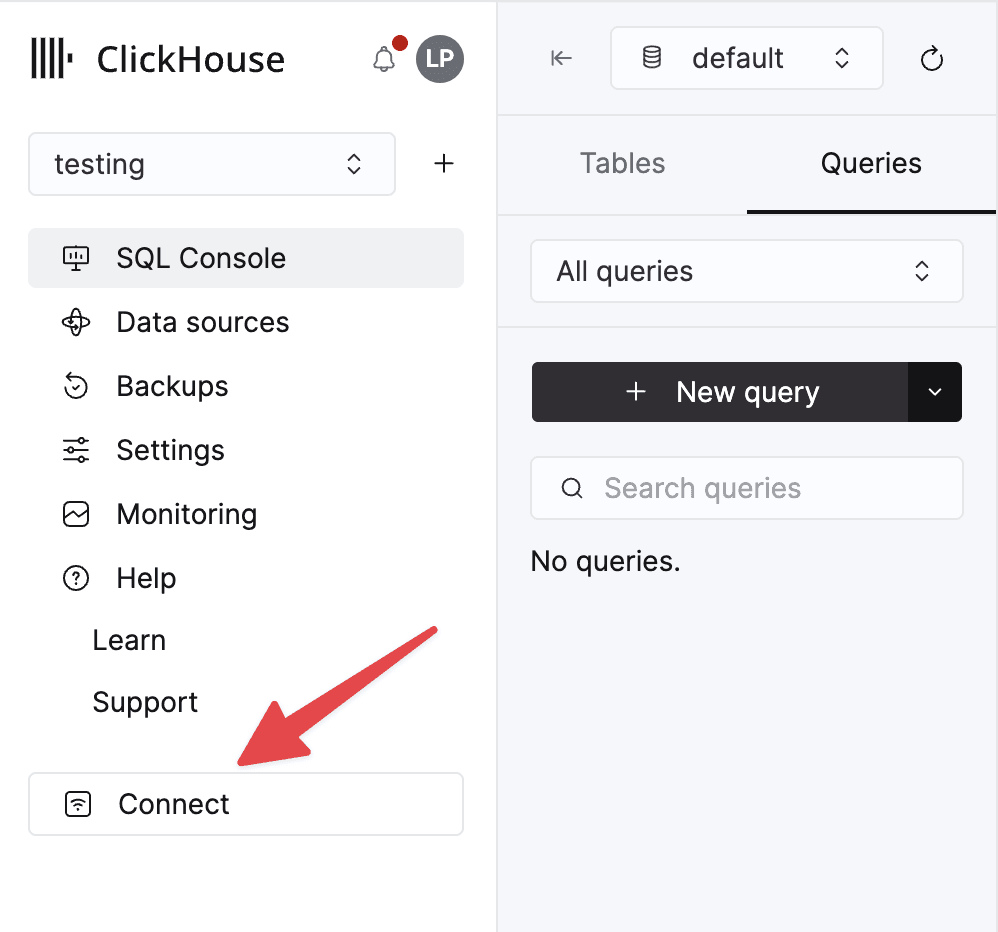
Once you have your credentials, the next step is to install the driver. The ClickHouse ADBC driver is distributed as a precompiled binary through the ADBC Driver Foundry. To install it, you first need dbc — a package manager for ADBC drivers built by Columnar. It handles downloading, verifying, and configuring the right driver binary for your platform.
Installing dbc:
# macOS / Linux
curl -LsSf https://dbc.columnar.tech/install.sh | sh
# Homebrew
brew install columnar-tech/tap/dbc
# Windows (PowerShell)
powershell -ExecutionPolicy ByPass -c irm https://dbc.columnar.tech/install.ps1 | iexThen install the ClickHouse driver:
dbc install clickhouse[✓] searching
[✓] downloading
[✓] installing
[✓] verifying signature
Installed clickhouse 0.1.0 to /Users/<you>/Library/Application Support/ADBC/DriversFor Ruby, make sure the right Ruby version is installed and then add the red-adbc gem, which provides Ruby bindings for the ADBC driver manager:
gem install red-adbcTo verify everything is working, connect and run a test query:
require "adbc"
database = ADBC::Database.new
begin
database.set_option("driver", "clickhouse")
database.set_option("uri", "clickhouse://your-host.clickhouse.cloud:8443")
database.set_option("username", "your_username")
database.set_option("password", "your_password")
database.set_load_flags(ADBC::LoadFlags::DEFAULT)
database.init
database.connect do |connection|
table, = connection.query("SELECT 1")
puts table
end
ensure
database.release
endset_option("driver", "clickhouse") tells the ADBC driver manager to find and load the ClickHouse driver installed by dbc.
set_load_flags(ADBC::LoadFlags::DEFAULT) enables driver discovery. Results come back as an Arrow::Table.
Reading and writing in Ruby with ADBC
To show the power of ADBC in Ruby, we are going to build a quick web analytics pipeline that tracks user page views and surfaces the most active users in real time. This is a pattern common in Rails applications where a background job like Sidekiq batches up activity data and flushes it to ClickHouse on a regular cadence.
The example uses three objects. page_view_events stores every raw event as it arrives. user_activity is a SummingMergeTree table that pre-merges page view totals per user at storage time, keeping the table compact even as event volume grows. A materialized view connects the two and triggers the aggregation on every insert.
We define user_activity as a separate table rather than letting the materialized view manage its own internal storage.
This matters in production: if you ever need to drop or rebuild the view, your aggregated data in
user_activitystays intact. TheTOclause in the view definition is what creates this separation. Run this DDL before writing any data. Materialized views in ClickHouse only pick up inserts that happen after they are created.
Setting up the tables
CREATE TABLE page_view_events
(
user_id String,
page_views UInt32,
event_time DateTime
)
ENGINE = MergeTree()
ORDER BY (user_id, event_time);
CREATE TABLE user_activity
(
user_id String,
page_views UInt64
)
ENGINE = SummingMergeTree()
ORDER BY user_id;
CREATE MATERIALIZED VIEW user_activity_mv
TO user_activity
AS
SELECT
user_id,
sum(page_views) AS page_views
FROM page_view_events
GROUP BY user_id;Writing data
Page view events arrive in batches from the background job. Each batch becomes an Arrow RecordBatch, columns of typed arrays rather than rows. A RecordBatchReader wraps them into a stream that ADBC's bulk ingest API consumes directly, with no intermediate copy.
require 'adbc'
require 'arrow'
# Schema mirrors the page_view_events table columns
schema = Arrow::Schema.new([
Arrow::Field.new("user_id", Arrow::StringDataType.new),
Arrow::Field.new("page_views", Arrow::UInt32DataType.new),
Arrow::Field.new("event_time", Arrow::TimestampDataType.new(:second))
])
database = ADBC::Database.new
begin
database.set_option("driver", "clickhouse")
database.set_option("uri", "clickhouse://your-host.clickhouse.cloud:8443")
database.set_option("username", "your_username")
database.set_option("password", "your_password")
database.set_load_flags(ADBC::LoadFlags::DEFAULT)
database.init
database.connect do |conn|
# Three batches of page view events arriving from the background job
incoming = [
{ users: ["Mark", "Luke", "Jim"], page_views: [12, 45, 8] },
{ users: ["Ian", "Peter"], page_views: [33, 7] },
{ users: ["Mark", "Eva"], page_views: [19, 62] }
]
# Build a RecordBatch per batch. Data stays columnar throughout.
batches = incoming.map do |data|
Arrow::RecordBatch.new(schema, data[:users].size, [
Arrow::StringArray.new(data[:users]),
Arrow::UInt32Array.new(data[:page_views]),
Arrow::TimestampArray.new(:second, Array.new(data[:users].size, Time.now.to_i))
])
end
# Wrap all batches in a reader. ADBC streams them as one operation.
reader = Arrow::RecordBatchReader.new(batches, schema)
conn.open_statement do |statement|
statement.ingest("page_view_events", reader, mode: :append)
end
end
ensure
database.release
endReading data
Querying page_view_events with a GROUP BY returns an Arrow table of totals per user.
require 'adbc'
database = ADBC::Database.new
begin
database.set_option("driver", "clickhouse")
database.set_option("uri", "clickhouse://your-host.clickhouse.cloud:8443")
database.set_option("username", "your_username")
database.set_option("password", "your_password")
database.set_load_flags(ADBC::LoadFlags::DEFAULT)
database.init
database.connect do |connection|
# In production, query user_activity (SummingMergeTree) for pre-merged totals.
# sum() handles recently inserted rows not yet merged by ClickHouse.
activity, = connection.query(<<~SQL)
SELECT
user_id,
sum(page_views) AS total_page_views
FROM page_view_events
GROUP BY user_id
ORDER BY total_page_views DESC
LIMIT 10
SQL
puts activity
end
ensure
database.release
endIn production, you would query
user_activityinstead. TheSummingMergeTreepre-merges totals at storage time, keeping reads fast regardless of event volume. Thesum()in either case handles rows ClickHouse has not yet merged.
What's released
The 0.1.0 release of the ClickHouse ADBC driver ships the following:
Columnar query execution
When you query ClickHouse, results arrive as Arrow record batches. If you are working in pandas or Polars, query results come back as Arrow record batches with no conversion step required.
Streaming inserts
If you have Arrow data, you can write it to ClickHouse without SQL. Pass batches of records as you produce them for real-time or ongoing writes. This will keep memory usage flat regardless of data volume. For one-shot loads, point the driver at a target table, bind your Arrow table, and execute. The target table needs to exist before ingesting. Auto-creation is on the roadmap for a future release. If you need this feature for your workflow, please upvote the issue on GitHub.
clickhouse:// URI scheme
Connect with a clickhouse:// URI and the driver manager finds and loads the right driver for you. The scheme defaults to HTTPS. If you need plain HTTP, append ?protocol=http.
What's next
The ClickHouse ADBC driver is under active development. We want to hear how you are using it. Join the conversation in the #adbc channel in the ClickHouse community Slack, or open an issue on GitHub.
On the roadmap:
- Schema and catalog discovery. Browse your ClickHouse tables and columns through the same connection you query with, without a separate tool or query.
- Bulk ingest improvements. Load data without setup overhead. You will be able to create and populate a table in a single call. Point the driver at your data and it handles the schema for you, no CREATE TABLE statement required.
- Usage examples. We are building ClickHouse-specific examples for Ruby, R, C, Polars, and pandas. They will cover real analytics query patterns, how ClickHouse types map through Arrow, bulk inserts at scale, and ClickHouse Cloud connection setup. If you want to see what ADBC enables in practice across your stack, these will be the place to start.
- JSON support. ClickHouse's JSON type does not yet have a standardized Arrow serialization format. Until that mapping is defined at the server level, the driver cannot return JSON columns in a reliable cross-language format. We are tracking the upstream work and will add support once that foundation is in place.