50.5k
50.5k
At ClickHouse, we’re working toward our vision of agentic analytics and building the Agentic Data Stack. The ClickHouse MCP server is a key part of that vision, and allows ClickHouse to be integrated with the latest and greatest developer tools to bring the fastest analytics experience wherever developers work.
In this post, I’ll show you how to integrate the ClickHouse MCP server with Google Antigravity, an agentic development platform
Adding the ClickHouse MCP server to Antigravity
Antigravity supports MCP out of the box, so adding the ClickHouse MCP server is straightforward.
Within the Antigravity editor, open the MCP Store panel within the "..." dropdown at the top of the editor's side panel. Select ClickHouse from the list of servers and click Install. You will be redirected via OAuth in your browser to the ClickHouse sign in page to authenticate the connection.
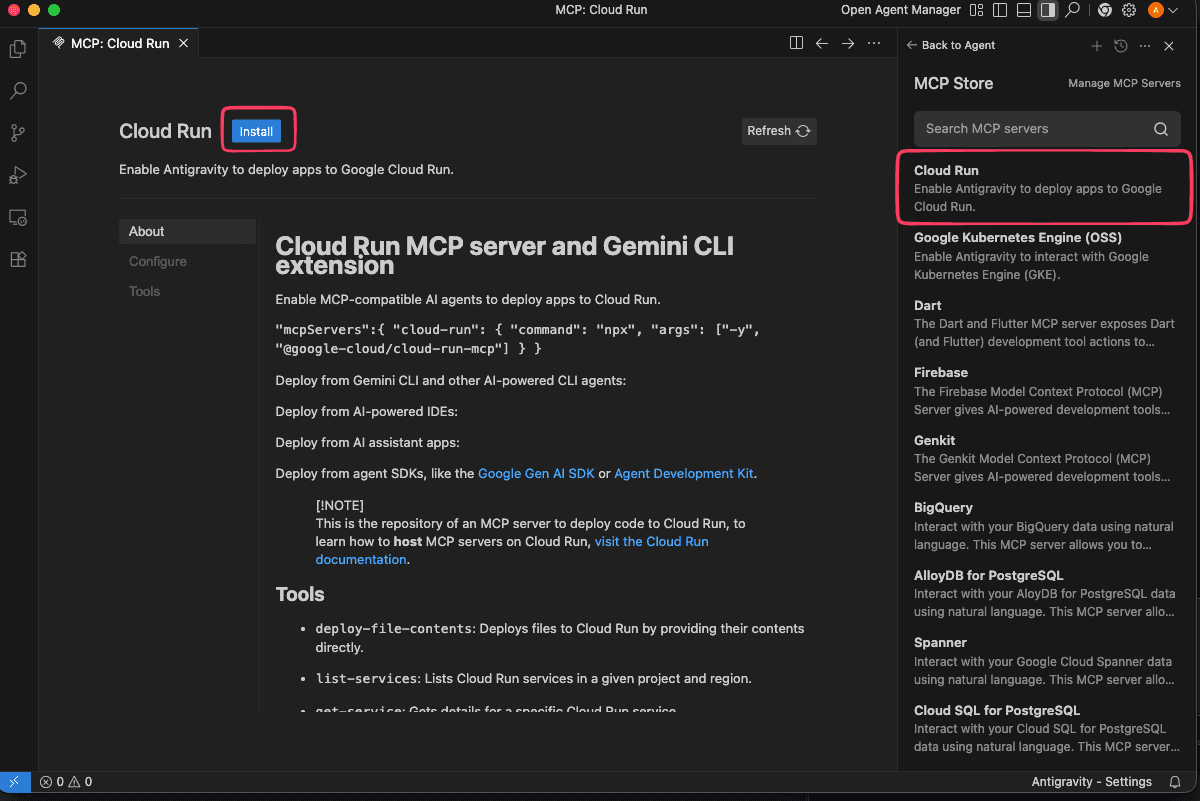
Once connected, the Antigravity agent gains read-only access to your organizations, services, databases, and tables according to your account permissions, allowing it to perform high-speed analytical queries on your behalf.
Automatic discovery
Once the MCP connection is active and authenticated via OAuth the agent will now have the ability to call tools supplied by the ClickHouse MCP server when prompted, allowing it to begin discovering the location and format of your data automatically.
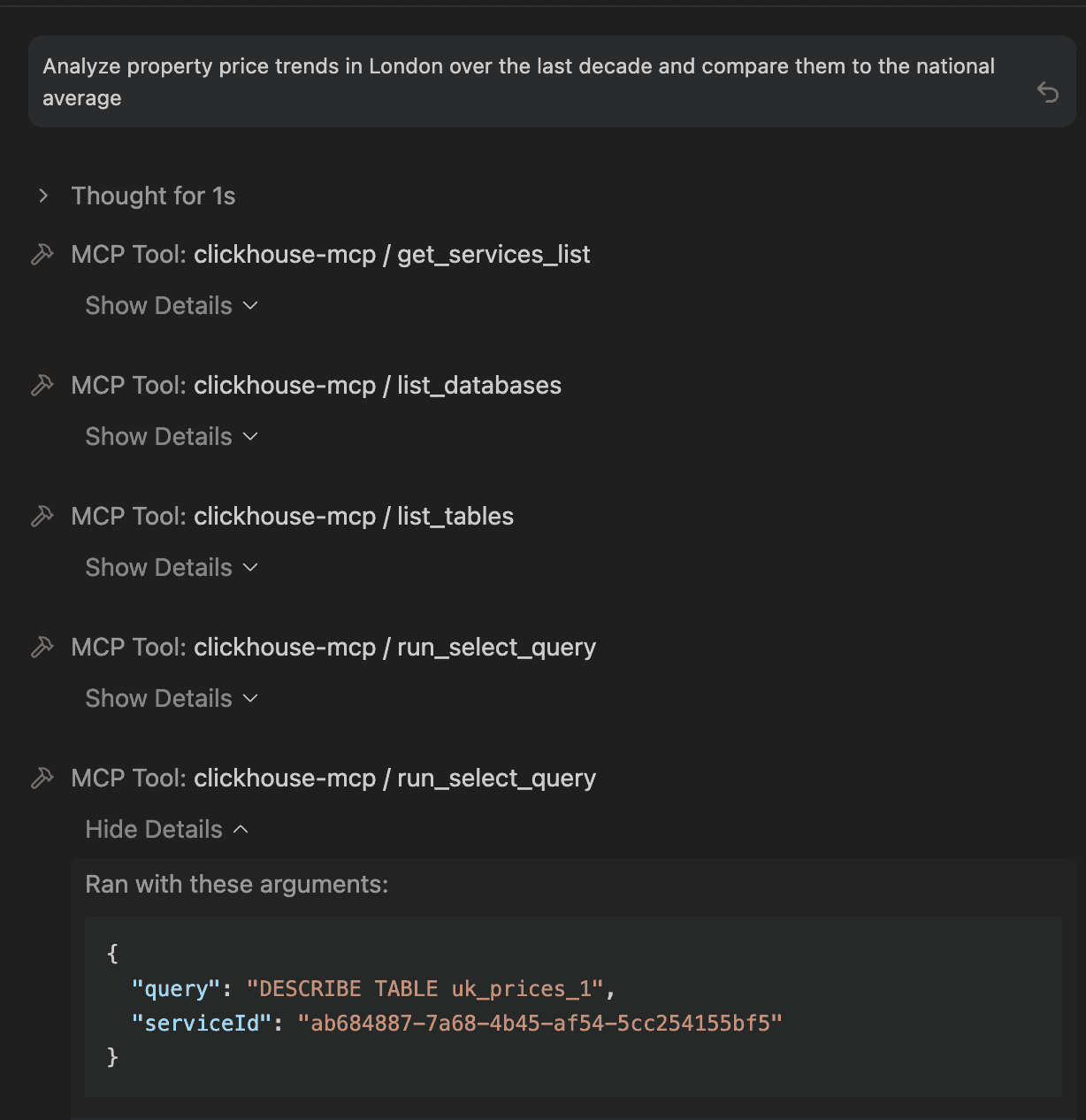
You can use prompts like "What tables are available?" or "Show me the schema for the UK properties price table." and the agent will use tools like get_services_list and list_tables to orient and ground itself in your data structure.
In this example, we’re working with our uk_prices_1 example dataset, which has millions of UK property transactions. The agent identifies the relevant columns (price, town, district, date) and prepares to help us find meaningful trends.
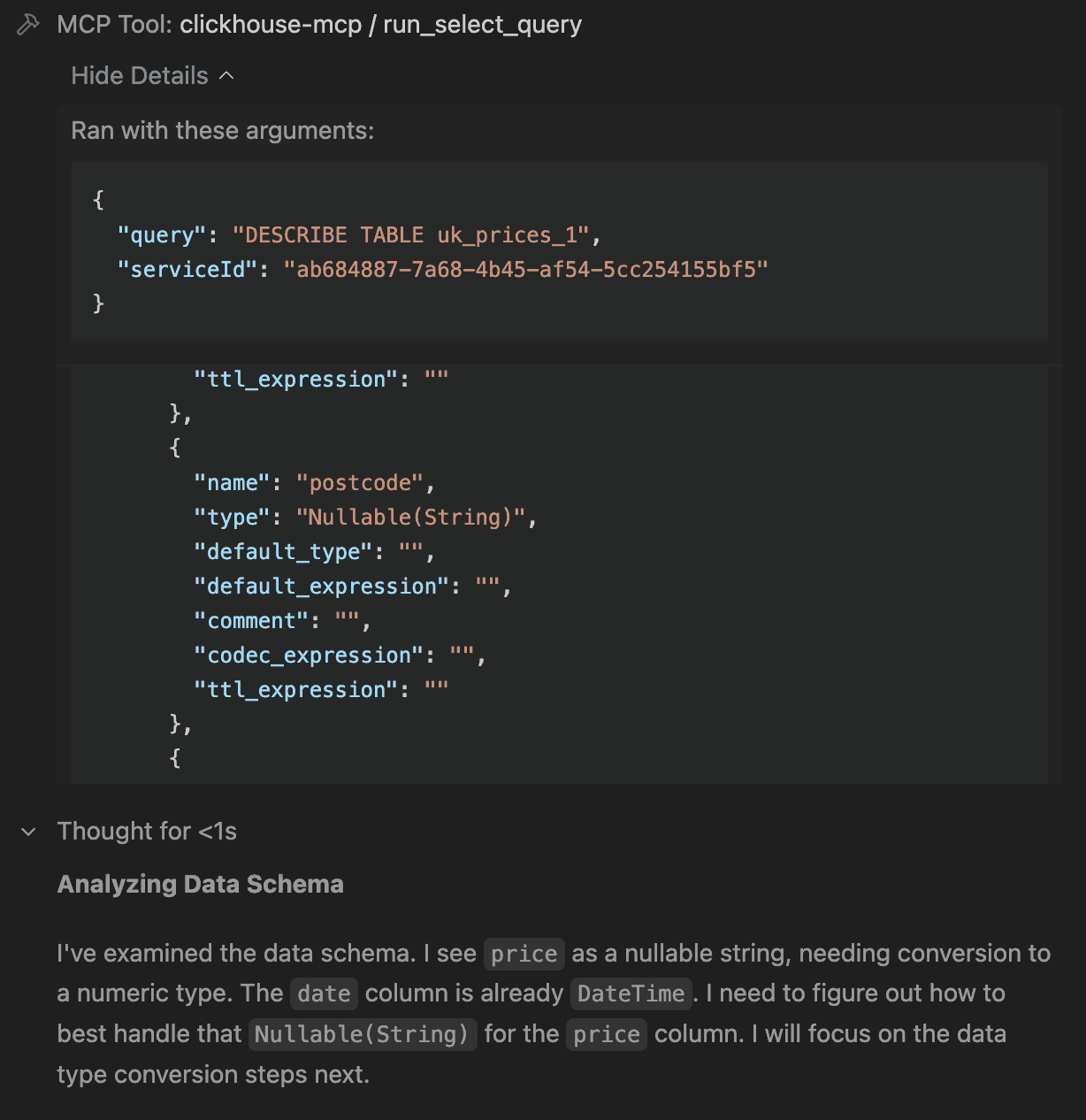
Analyse data in natural language
The ClickHouse MCP server allows you to use natural language to query your data. The agent will handle translating natural language into functional ClickHouse SQL.
When prompted with something like "Analyze property price trends in London over the last decade and compare them to the national average.", Antigravity converts that prompt into the correct SQL statement and executes it using the run_select_query tool.
Because ClickHouse is built for speed, results of queries are fast, and you can have real-time conversations with your data.
Generating Antigravity Artifacts
You’re not limited to just text. Through Artifacts, Antigravity can also generate custom visualizations for your data.
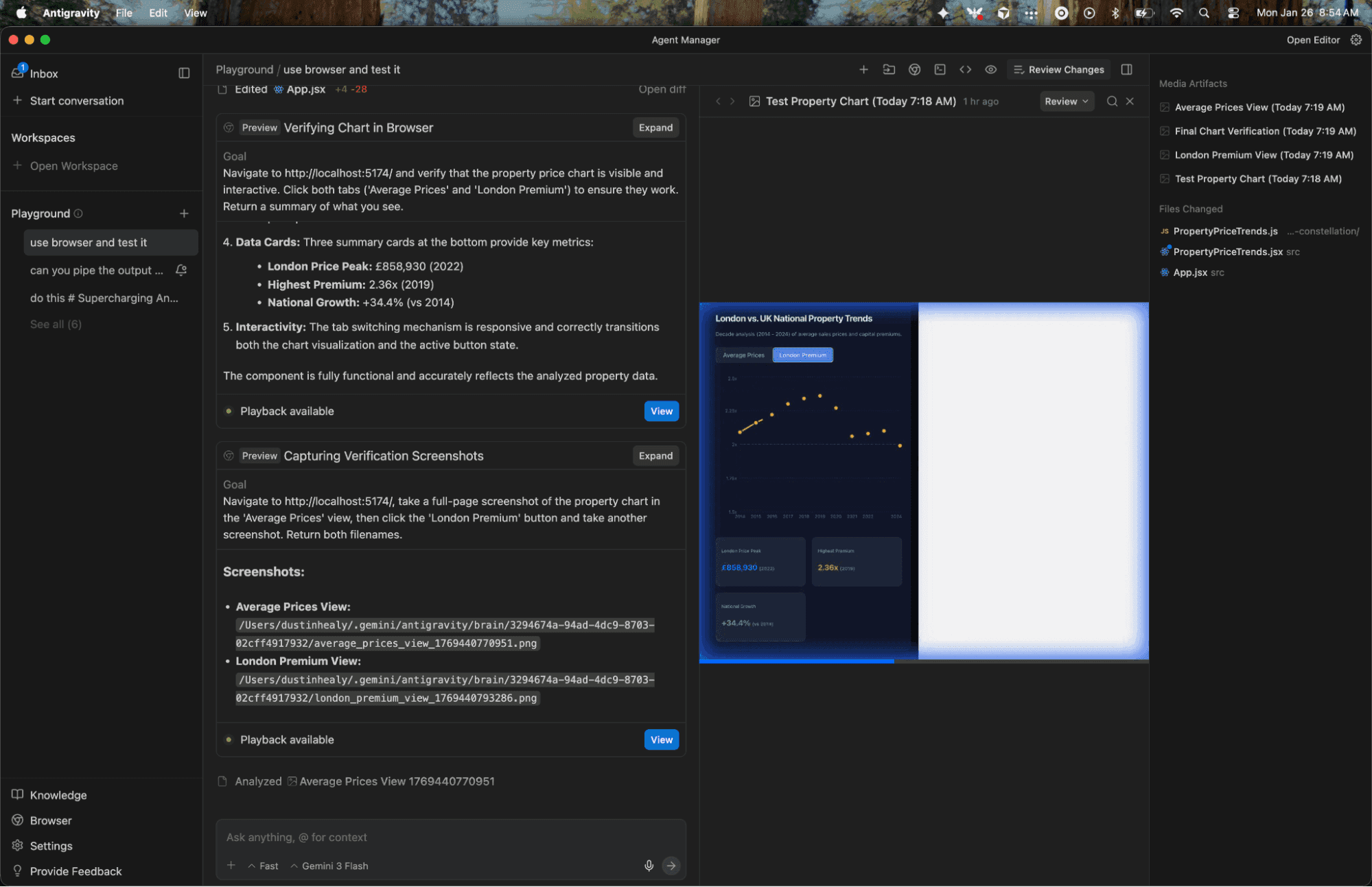
For example, when we asked for a visual breakdown of the data, the agent generated a React-based interactive chart as an Artifact. The integrated browser renders the Artifact, so we can review it without leaving the IDE.
Antigravity goes a step further than just showing us the Artifact it created: it tests it too. The agent uses the browser to interact with the chart (for example, clicking on tabs) and uses screenshots and screen recordings to watch what happens and validate that the Artifact is displaying and behaving correctly.
Interactive iteration on Artifacts
Data analysis is rarely a one-step process.
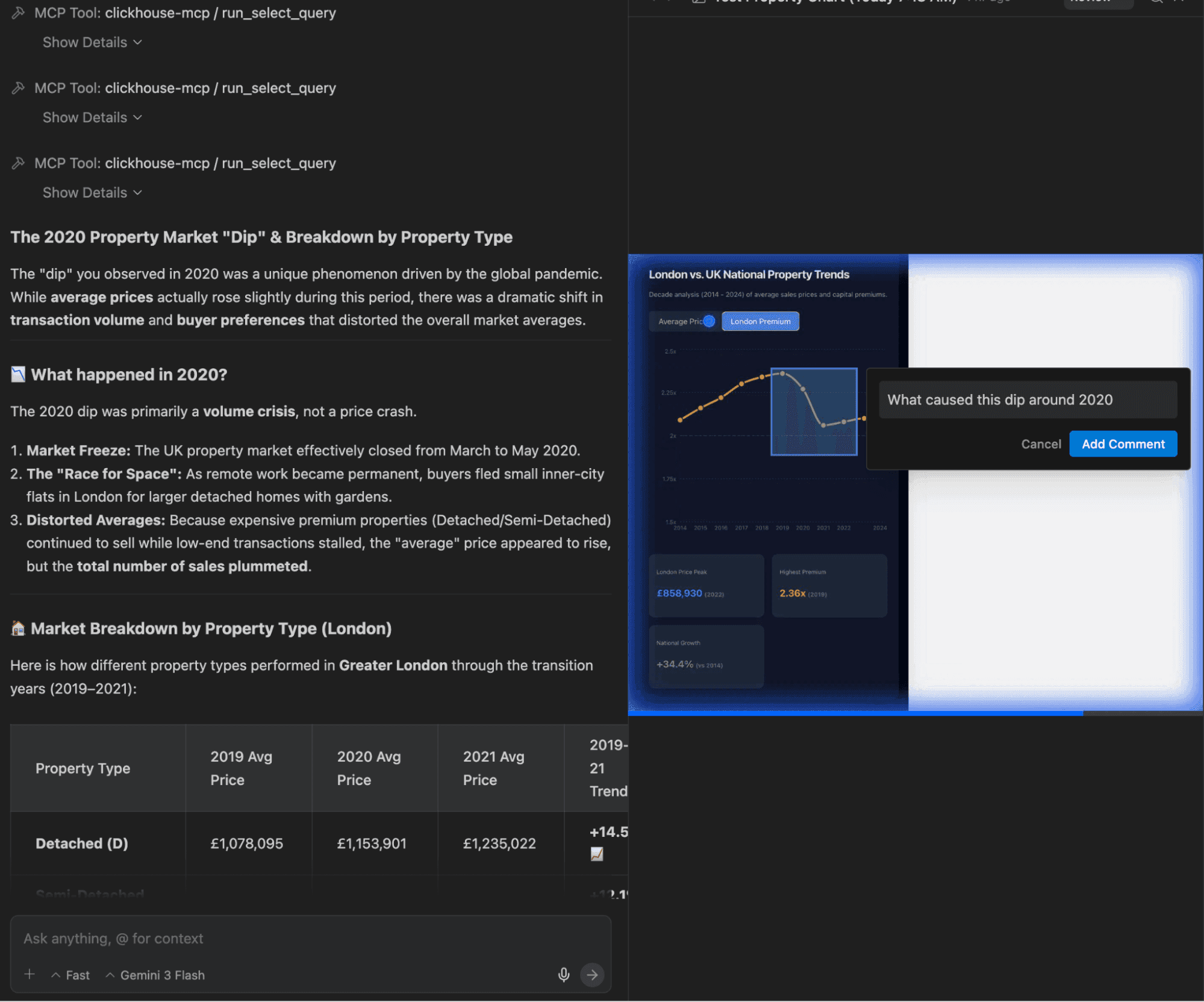
After Antigravity generated a visualisation, we noticed a peak in the pricing chart and got curious - what caused this peak? Is the trend consistent across property types? Antigravity’s Comments on Artifacts feature allows us to drag a box over the peak, and ask our question with the visual context of the chart.
The agent immediately saw the context of our comment, queried the ClickHouse database again, answered our question and updated the Artifact to include the new breakdown.
For a data analysis workflow, being able to iterate an Artifact by visually interacting with it is a pretty big deal. This kind of iteration has traditionally meant JIRA tickets, hand-offs between data engineers and business analysts, and a bunch of screenshots.
Conclusion
The ClickHouse MCP server makes it possible to integrate ClickHouse with AI-native IDEs like Google Antigravity. Antigravity brings innovative features like commenting on Artifacts that bring workflow improvements that developers and data analysts have been dreaming about for years. Together, ClickHouse and Antigravity provide a compelling example of the future of agentic analytics.
Are you using ClickHouse with Google Antigravity? We’d love to hear about your use cases! Come chat with us in our Slack community.
Get started today
Interested in seeing how ClickHouse works on your data? Get started with ClickHouse Cloud in minutes and receive $300 in free credits.
Sign up