50.6k
50.6k
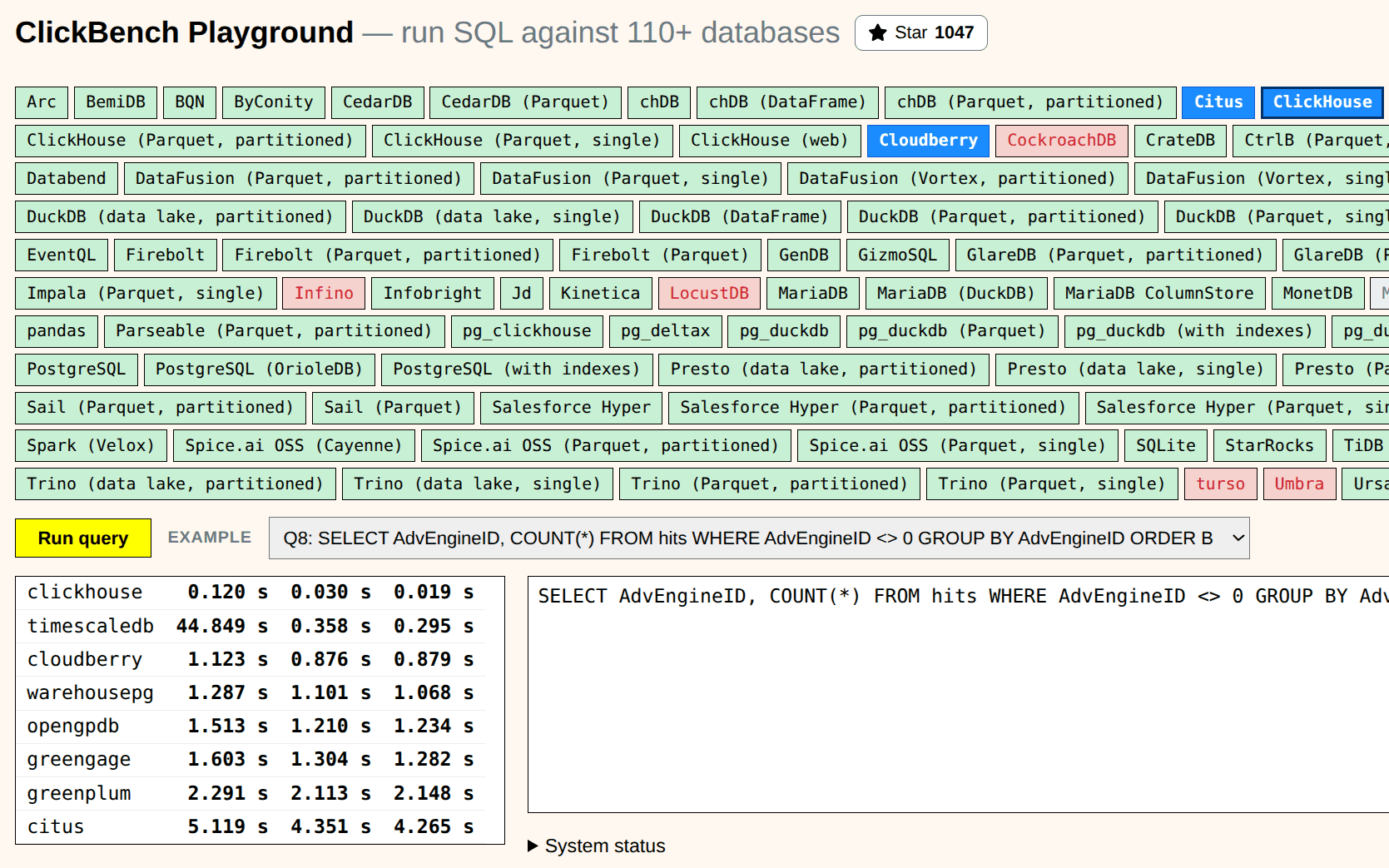
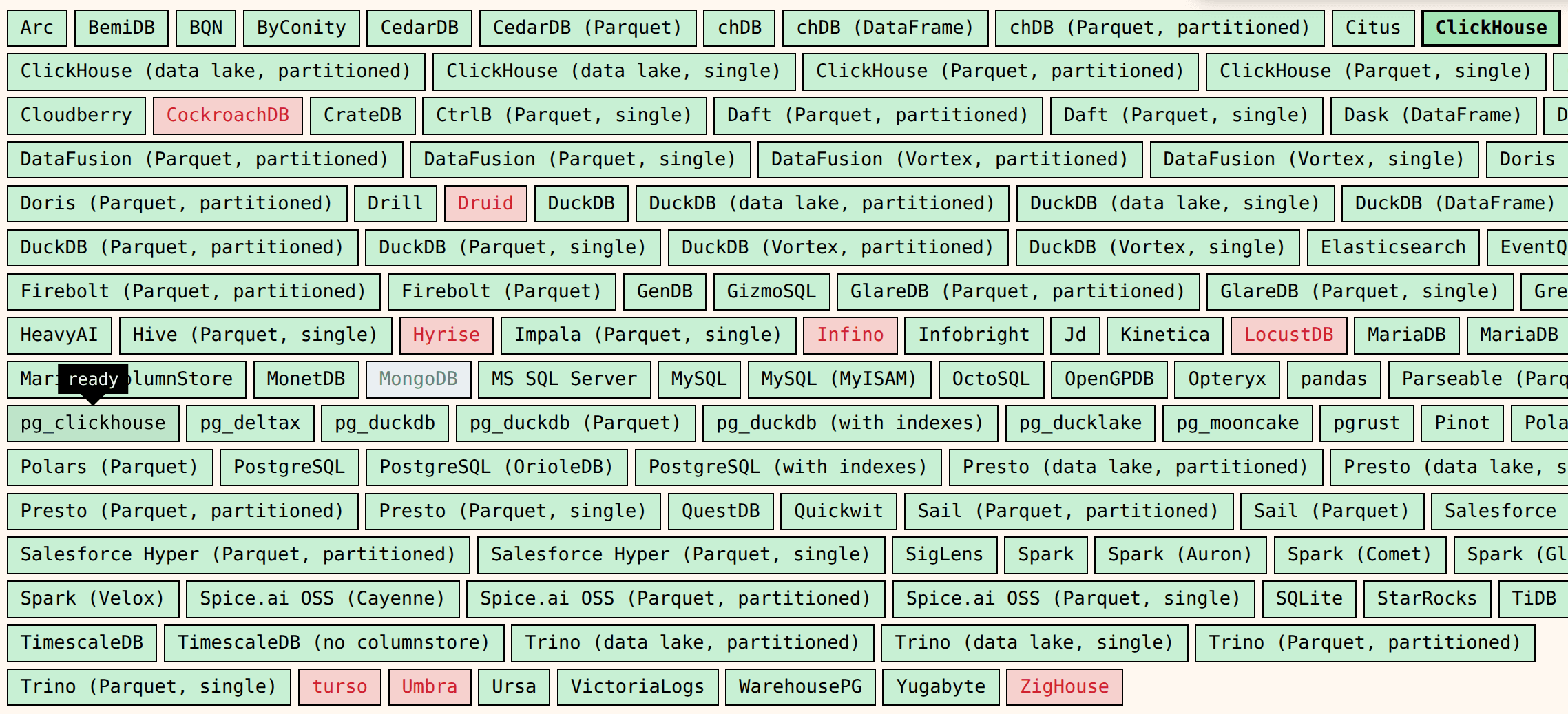
Here it is: benchmark.clickhouse.com/playground. You can choose any of these hundred database systems and run queries. You can create tables and databases, insert data, drop tables, etc. Every database comes with a preloaded dataset of 100 million records, so you can test example queries. It has not only relational databases, but also unusual ones and systems from an entirely different universe, like BQN. And it provides a "competition" mode, where you can select multiple systems and run a race between them or compare results for correctness.
As far as I know, this is the biggest collection of database systems in an interactive playground. There are similar websites where you can query various databases, like sqlfiddle, db-fiddle, and codapi, but none come close to a hundred systems.
How is it possible
ClickBench origins
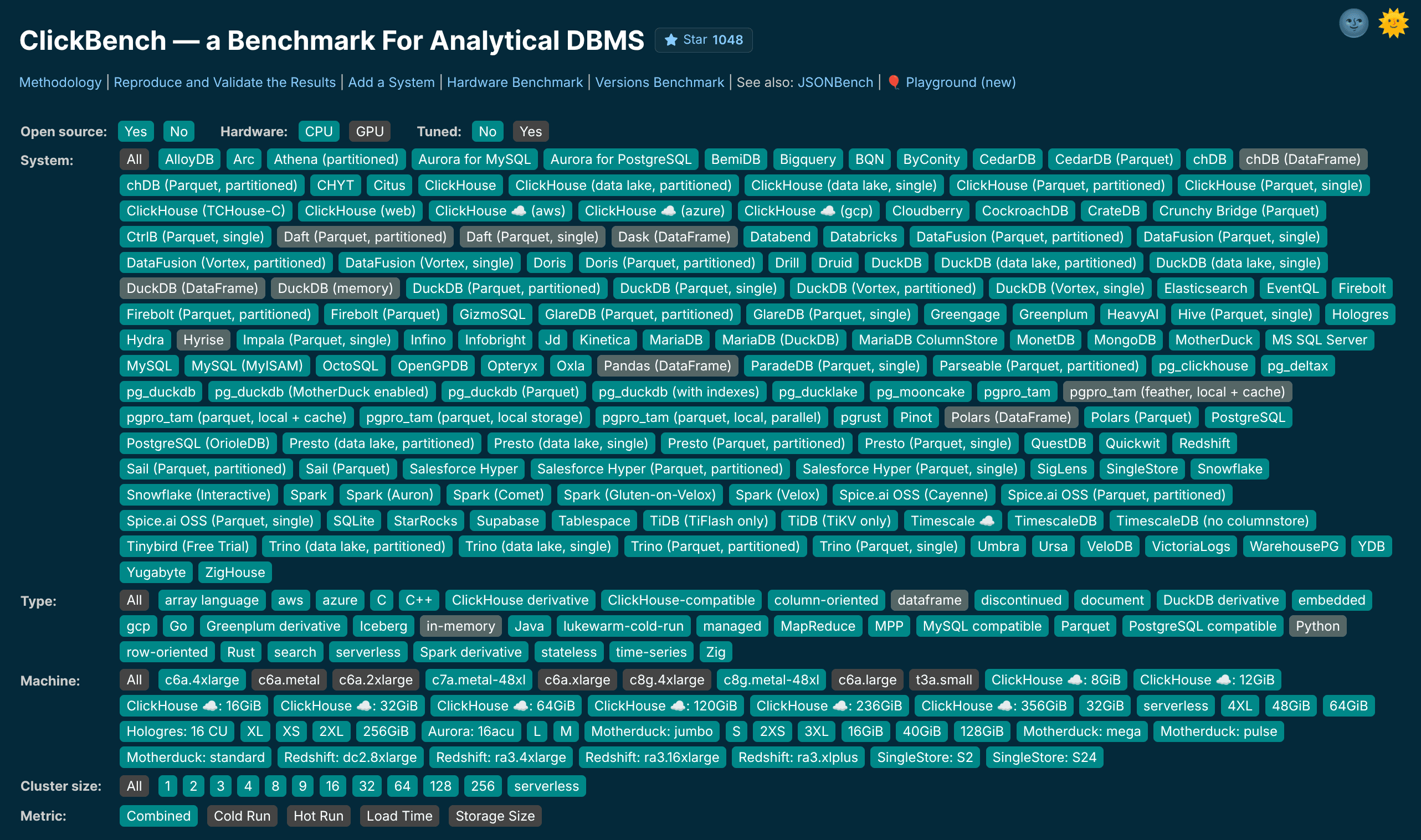
It originates from the ClickBench project. The benchmark was created in 2013 for comparative testing of ClickHouse, and in 2022 it was extended to an open benchmark for analytical databases. I wanted to test as many databases as I could, so the focus was to make adding a new database easier. Every database was represented as a directory with a couple of shell scripts. The main script installs the system, downloads the data, inserts it, runs the benchmark, and outputs the results. The scripts are run manually on a freshly created EC2 machine. And if we need to test a cloud SaaS database, we record a step-by-step instruction instead of a script.
This gives a lot of flexibility. For example, if a system does not work on an Ubuntu EC2 image, you add an instruction to run it in Docker. If it requires a configuration of an obscure JVM version, you put every step in a script. This approach paid off - with minimal code, it made the benchmark more open for contribution, and today it is the most popular open benchmark for testing analytical databases.
Problems with supporting it
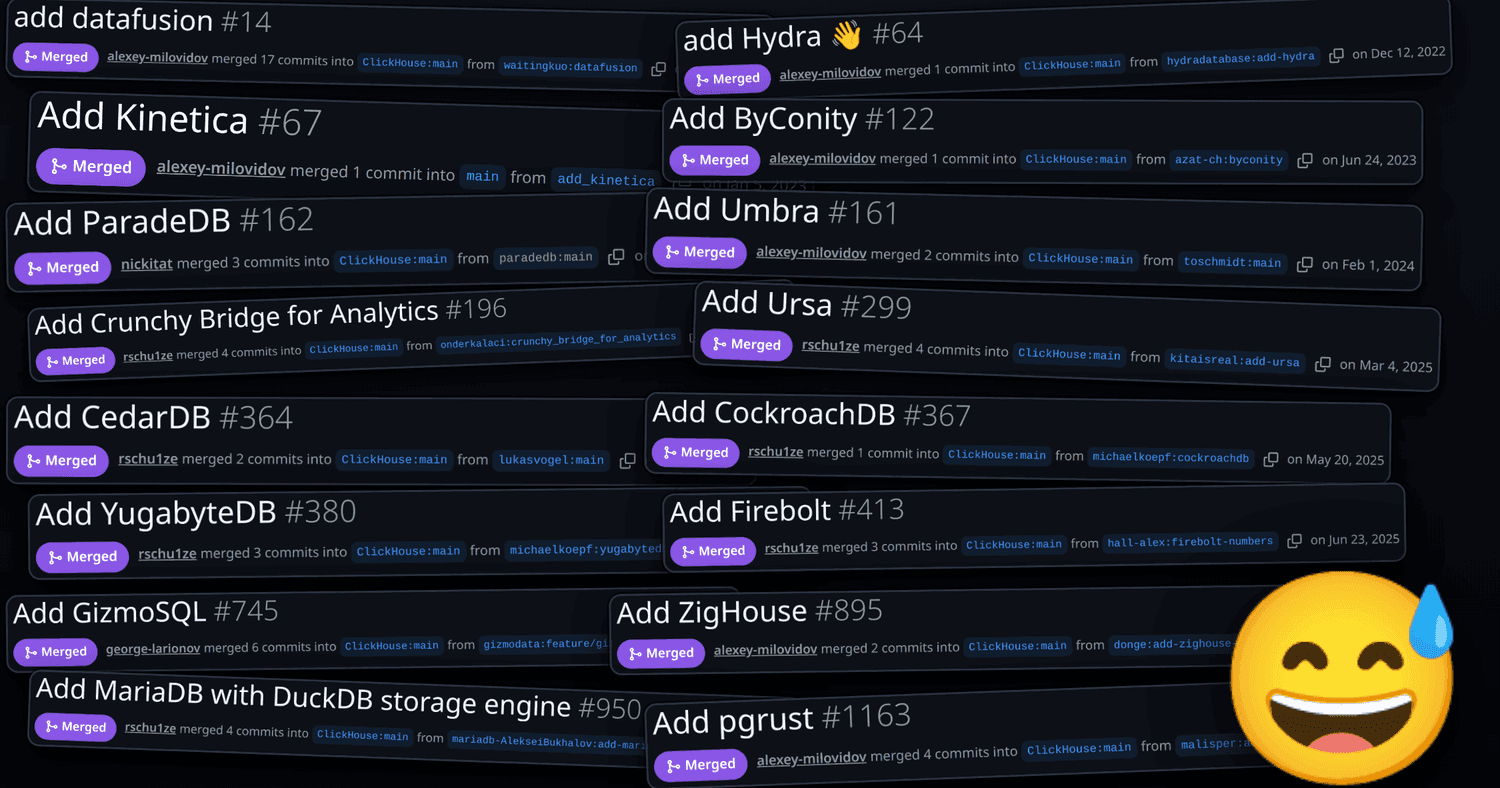
The question is - how to support a hundred shell scripts, how to keep them up to date? It is easy to spin up an EC2 machine once, copy-paste the script, then copy-paste the results, but doing it repeatedly is not nice. Some results may become outdated, and you want to rerun them. And if you want to change just anything in the benchmark - say, try new queries, or change the location where the data is downloaded, you have to repeat all the work.
So I added some automation over time. In summer 2025, I added a cloud-init script that allows launching a machine and running the benchmark script in an unattended way. The script prints logs with a recognized result format and then uploads the logs to the ClickHouse service. Another script finds new results and updates the repository. Then it was a huge and boring task of updating all the scripts to make sure they could still run.
Now, another problem - what if we want to add new queries or datasets to the benchmark, or create a new benchmark on top of all systems? We have a hundred shell scripts, all of which work, but all of which do repetitive things (like downloading the dataset or running queries) a little bit differently. Even a bigger problem - some contenders were cheating on the benchmark by "forgetting" to flush the page cache between queries, or not including some optimization work into the loading time. Thanks to the contributors, when one contender cheated on the benchmark, another caught them. It is easy to cheat on the benchmark with caching, and we decided to restart every system before each cold query result is measured, so the result will be valid. But how to add restarts to a hundred slightly different shell scripts?
We need to refactor them. Let every system provide a set of scripts implementing a common interface. For example, every directory should contain a query script to run a single query, stop, start, check for restarting, etc. Refactoring a hundred shell scripts is well beyond human capabilities, and I tried to do it multiple times - first manually, then with AI. After a few tries, it was done.
This wasn't easy. ClickBench includes not only real databases, but also database engines without a server. Some of them are building blocks for databases, so when someone wants to build a custom SQL engine, they can build it around Datafusion or DuckDB. Some of them are tools or libraries for data analysis, such as Pandas and Polars. To make the benchmark uniform, these embedded systems are wrapped into a Python HTTP server, so that the benchmark can run each query separately.
You can read more about the history of ClickBench in its changelog.
New possibilities
Now we have around 100 database systems, each behind a common interface that lets us load data and query them in the same way. The table structure and the way for loading data might be different for every system, but it is behind the same interface. The set of benchmark queries can also be slightly different - to accommodate various quirks and shenanigans.
I was eager to try various things.
What if we increase the dataset size ten times? How will the result change? I found that one of the entrants does not allow large datasets at all - they set up the threshold on the dataset size for the non-commercial version just to fit our benchmark. We don't judge.
What if I change the benchmark 43 queries to 100 queries and include more queries with JOINs, window functions, and correlated subqueries? I found that some of the top entrants were over-optimizing for the default queries and went non-competitive with a wide range of queries.
What if I create a test that runs all the queries concurrently and measures the QPS? Also, surprising results - while ClickHouse tops the results, some systems stop working with any reasonable parallelism.
What if I run the benchmark on a very small or a very large AWS instance? I've added machines as small as those with 2 GB of memory and as large as those with 192 CPU, plus both AMD64 and ARM machines. I found that ClickHouse passed the benchmark on the smallest machine on the first try (because ClickHouse is a production-grade system) while other systems failed (many new systems overoptimize for specific benchmarks without much production usage).
What if I keep all the systems running and allow you to query them? This is the idea of ClickBench Playground.
ClickBench Playground
How to host a hundred different databases, so it is not too expensive and fairly secure? Let's consider various options...
We can host them on AWS EC2 machines. ClickBench uses c6a.4xlarge as the most popular machine. It has 32 GB RAM and costs $0.6120 per hour. Keeping all systems running will cost around $536,112 per year - that's too expensive. I don't want to spend half a million on my little experiment.
Even with this option, it's not realistic to just keep all the machines running - most of the systems will break, and it's not possible to configure every database in a way that it will not crash, not end up in an infinite loop, not OOM, and not eat all disk space. There is one such system that you can configure this way - it is ClickHouse, but I don't know any other.
We can create machines on demand, so the systems that no one is interested in will not be run. This is also not an option for multiple reasons. Either we will have to restrict the usage of the Playground under login, or the systems will be spun up by various bots who navigate to the website. If the machine has to be recreated, how quickly can we launch it? Launching an EC2 instance on AWS takes from about half a minute to several minutes - too long for an interactive service. Actually, it depends on the OS image (Linux does some work at startup, which can be trimmed away). We can take machine snapshots, but it does not help much - restoring from a snapshot is slow on AWS, because the pages are internally fetched from S3. We can use hibernation - it is supported on AWS, but I doubt I want to configure it. When the machine breaks, we still have to recreate it from the snapshot or from scratch, so hibernation does not buy much.
Someone might recommend spot EC2 instances (the instances you buy with a lower price, which is decided by the demand, and which can be taken away at any time) and use autoscaling groups, but that someone might be an AWS consultant.
We can use AWS Lambda. But it does not work for multiple reasons. It has a limit on the image size (both options - .zip and container image have a small limit), and most of the benchmark entrants are larger than this limit. Even larger is the benchmark dataset that has to be preloaded. AWS Lambda can mount EFS (an NFS-like filesystem), but not S3 - FUSE doesn't work in Lambda. And EFS is as slow as S3 when it isn't in the same AZ. Moreover, Lambda has a poor user experience - working with it is like building a ship in a bottle - you stuff things into a container and get cryptic error messages (though this is partially solved by AI). More seriously, with Lambda, you can have runaway costs higher than with a fixed number of EC2 machines.
We can use ECS (a container service) or EKS (a Kubernetes service). Neither of them works for numerous reasons. One reason is that many entrants already require Docker to run, but it does not mean that the benchmark runs in Docker - it means that we run a usual machine, install Docker, and run the system inside it. Either it will need another refactoring or using Docker inside Docker. Does it work in ECS - I don't know. Another blocker is that while Docker supports snapshots with an experimental CRIU implementation, it is not supported by either ECS or EKS. Snapshots are essential because loading datasets takes a lot of time, and even starting up a database could take a lot of time. Neither EKS, ECS, nor Lambda allows for saving costs compared to EC2 machines, assuming the same run time.
This leads to another option - create a single large machine and host all the systems there. But it will be a mess. How could we isolate all the different systems so they don't bump into each other? One database can crash, another balloon memory, and the third could go into an endless loop, burning CPU. Compared to ClickHouse, most databases are not memory-safe, have a ton of vulnerabilities, and in a very short time, someone hacks them to create a reverse shell and take over the machine.
Docker does not provide enough isolation, though it can limit CPU, memory, and disk, and can be hardened with gVisor. But the Docker in Docker thing breaks it - either it needs "privileged" mode and does not work with gvisor, or it needs exposing the host's dockerd into a container, which immediately makes it insecure. I also ruled out Kubernetes. I know some friends who love Kubernetes because they are in an abusive relationship with its complexity.
The solution is proper virtualization. We can use QEMU or Firecracker VMs. Firecracker is a wrapper over KVM that provides a configuration and management API. As AWS EC2 is already a virtual machine, is it possible to run more virtual machines inside a virtual machine? This can be solved with nested virtualization, but AWS didn't support it for most of the time, and today it is supported only on one rare machine type (though GCP supports it more universally). But AWS also provides machines of "metal", which don't use virtualization - every largest machine size is also available in the "metal" variant, like "r6i.metal" - and we can run our small virtual machines there. To put it shortly, we are building a cloud inside a cloud.
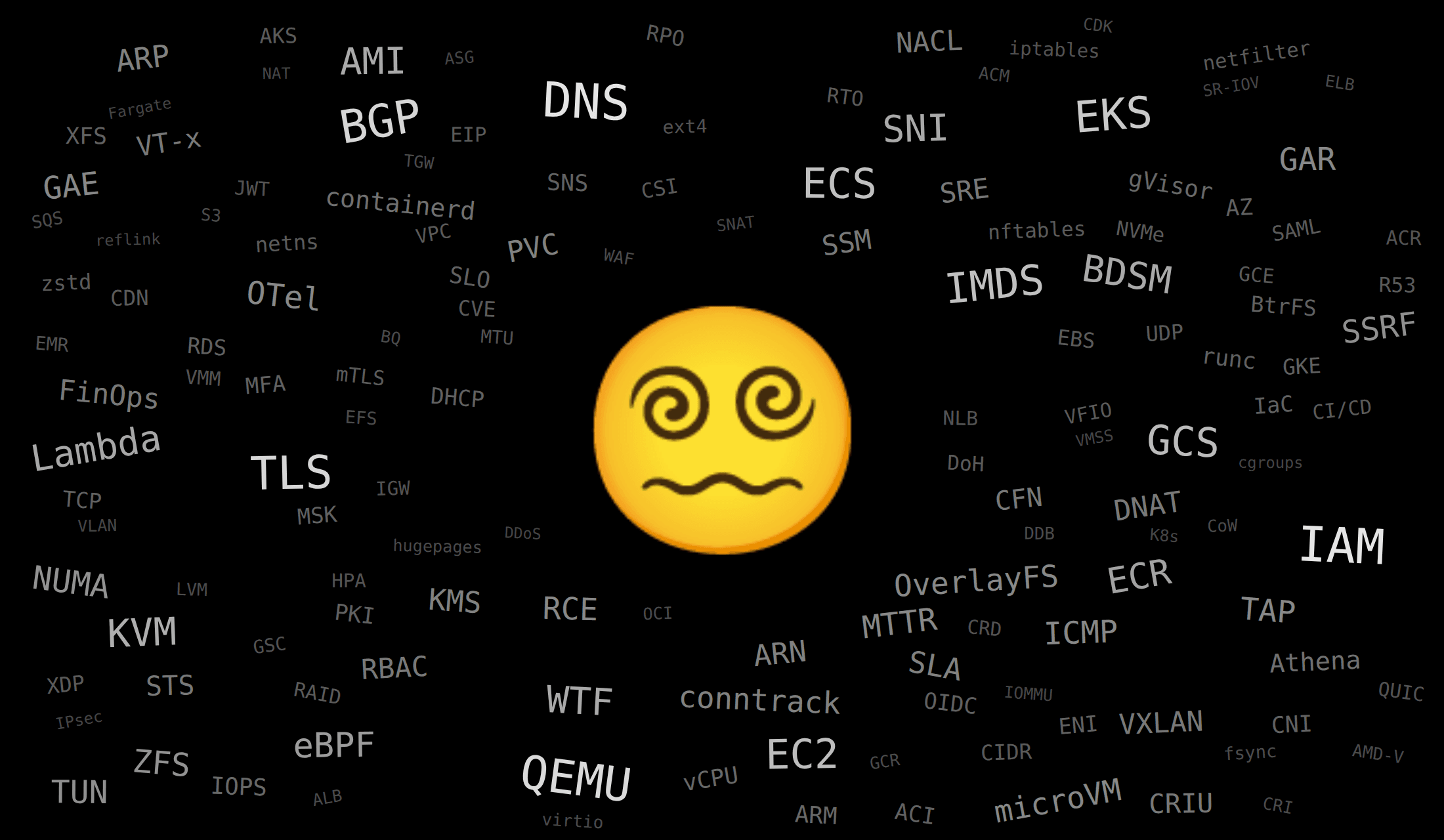
How to allocate resources for virtual machines? Even the largest host machine does not have enough CPU and Memory to host all virtual machines with their requirements (e.g., 100 machines with 16 GB of RAM, 2 vCPU, and 200 GB of disk space).
CPU
It is the simplest option. We limit every machine to 4 CPU cores. If all the machines consume CPU at the same time, it will be oversubscribed and shared fairly among them by the host OS scheduler. We also add a watchdog that kills machines that consume CPU for a long time.
Memory
This is more complex because some systems don't fit even into 16 GB of memory. I want to host even "dataframe" type of systems like Pandas and Polars, which load the whole dataset in memory. Here are a few interesting tricks and observations. Firecracker creates a memory mapping, but the host system allocates physical memory lazily, so the virtual machine can see 16 GB of physical memory, but if the machine actually uses less, the host system will use less. For systems that need more than 16 GB of memory, we can enable swap space. This sounds strange (swap is slow), but the trick is that the swap is created on the virtual disk of the guest machine. The virtual disk on the guest machine is mapped to the physical disk of the host machine, but the fsync calls are configured in a way that the pages that the virtual machine wants to flush remain in memory (not written to disk) on the host machine. So the swap space of the guest machine is mapped to the page cache of the host machine, and as long as the total memory space of the host machine is not contended, the guest machine will work as fast as if it had a larger memory amount. This makes the memory resource also elastic, like the CPU, and I found this trick quite funny. Also, when all the machines want a lot of memory at once, the host's OOM killer will kill some of them.
Disk space
We want to snapshot all the systems after they have loaded data, so they are ready for queries. This includes the size of the loaded dataset, which could be from ten to hundreds of gigabytes for each, plus the memory image, which is 16 GB or more, depending on the swap usage. At run time, we also want to allocate gigabytes of space, ready to be used by each system. Overall, it is 200 GB for the image with dataset files and 200 GB for the system image, multiplied twice for snapshots and for run time, and in total it will be around 100 TB.
At first, I attached a large EBS volume (it's a network block device, virtualized and visible as a disk on the EC2 machine), but it was obnoxiously slow - to the point I couldn't develop the service. EBS volumes in AWS have an option to set up higher IOPS and throughput, but it is expensive. So I decided to use a machine with real disks (e.g., r6id.metal). But its disk size is only 7.5 TB - not enough for our needs.
First, I used ext4 with "sparse" files - this is the way to not take space for zero pages in files. Good for compressing memory snapshots. (Also, you should make sure that the guest's physical memory is zero-initialized. Typical Linux machine works in a way that the physical memory contains whatever it has, and only virtual memory is zero-initialized at first access. We configured a guest Linux kernel with specific options (init_on_free=1)). The guest's filesystem images are also created as sparse files: truncate -s 200G, mkfs.ext4 -E lazy_itable_init=1,lazy_journal_init=1. Also note that sparse files stop being sparse during copying. To prevent that, use cp --sparse=always, which recreates "holes" for spans of zeros. Also, we had to sync + drop_caches + fstrim before creating a snapshot, so that the snapshot does not have unnecessary things in memory.
Then I discovered another filesystem feature, "reflinks". It means that ranges of one file can link to another file, and be copy-on-write on modification. The host filesystem that I used by default, ext4, didn't support reflinks, so I switched to XFS. We use reflinks to avoid duplication between the snapshot and the runnable image - so we don't need to physically copy anything at machine startup.
The problem was that it was not enough to fit everything into 7.5 TB. I decided to recreate everything using a compressed filesystem. Which Linux filesystem supports both reflinks and compression? XFS doesn't support compression. The only remaining options are BtrFS and, probably, ZFS. Initially, I didn't trust BtrFS because I thought it was some sort of parody attempt to reimplement ZFS, but worse. But it supports both compression and reflinks, so I didn't have much choice, and I don't worry at all about the data in Playground.
At first attempt I found that the compression does not work (it determines if the file is compressible by its first bytes, which were non-representative for the guest's filesystem snapshots). After mounting it as btrfs defaults,noatime,compress-force=zstd:6,nofail and doing btrfs filesystem defragment -r -f -czstd -t 128M, the result: all hundred systems fit into 7.5 TB, and starting from a snapshot is fast.
Network
The Playground needs Internet access during the creation of images - to download the system, do apt-get or docker pull, etc. This could be dangerous, but moderately - the installation instructions are committed to the ClickBench repository on GitHub after review, and the image creation is done once. So I decided to give Internet access during the installation phase, but remove it for queries. So when the image is built, and the system is restored from the snapshot, it has no Internet access.
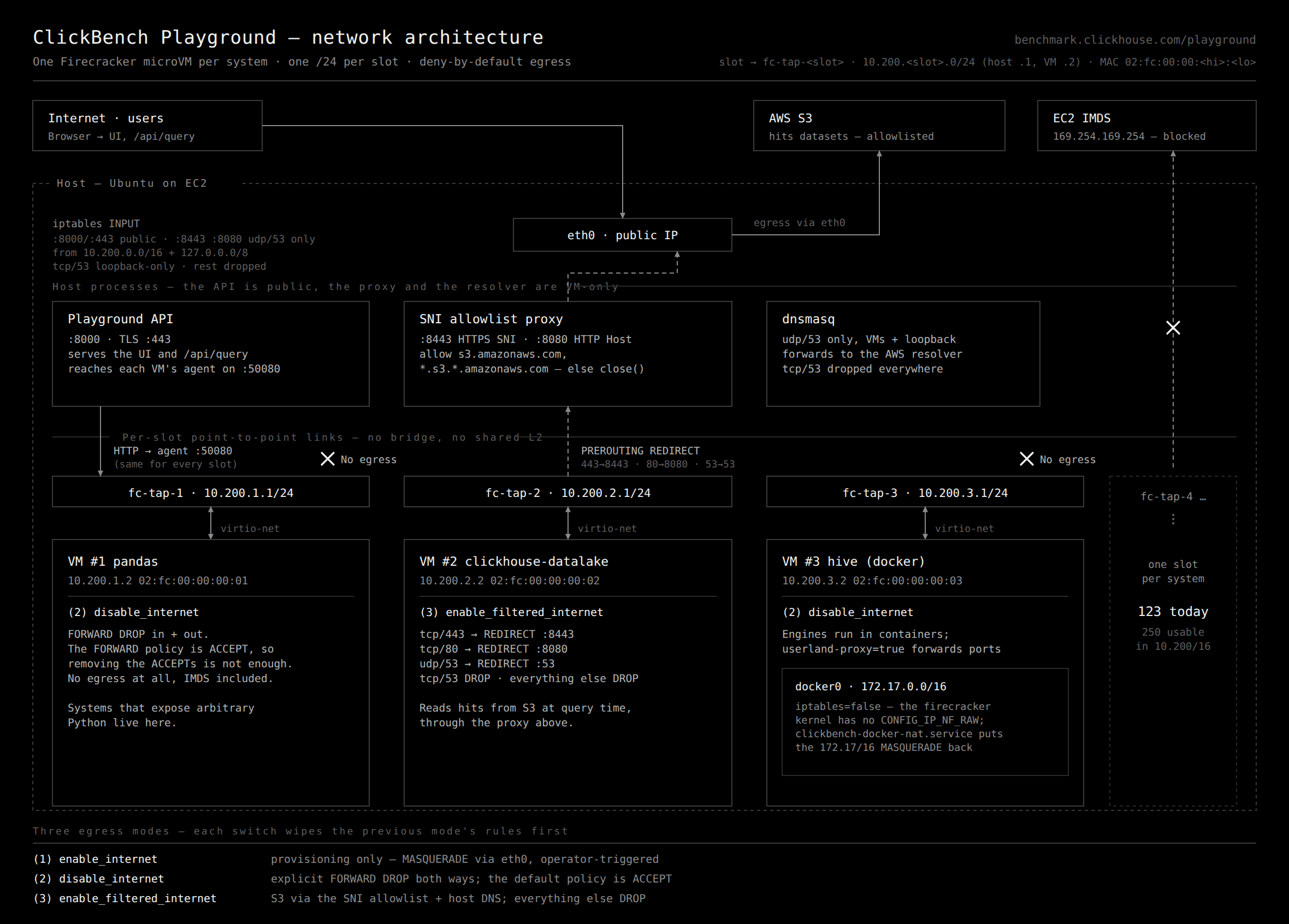
ClickBench has most of the entries with local datasets and a few with remote option - they are named "data lake" (processing of Parquet files from S3) and "web" (processing datasets hosted on an HTTP server). I want all options working in the Playground. But it needs a way to give our VMs Internet access, even for queries. But this is dangerous, because along with the Internet access, they might get access to services running on localhost on the host machine, so they will be able to manipulate it and "escape" the containment. Also, Internet access on the host machine will give access to IMDS (AWS metadata service, which EC2 machines can query for various info, including authentication tokens). I didn't give the EC2 machine any IAM (authorization) role, and I don't have any authentication tokens on the host machine, but still, I don't want guest databases to query the host's machine IMDS.
To give Internet access, every machine gets its static IP address from a private network range and a virtual network device. On the host side, it is a tap device. The host has routing rules configured with iptables that take packets from the tap device and send them to the Internet, and vice versa. We can say that we implemented an Internet Gateway and NAT inside our machine.
How to limit access to resources at runtime, so that machines can use s3.amazonaws.com, but not attacker-command-and-control.xxx and more importantly, not the host's machine services on localhost? For this purpose, we implement a small proxy - every packet is routed to the proxy, and it decides what to do. It needs to allow DNS, HTTP, and HTTPS with an allow-list of hosts. How can we proxy and filter HTTPS without messing up with encryption and certificates for man-in-the-middle? It is possible because even HTTPS traffic has an SNI (server name indication) field in cleartext, containing the requested hostname. If we only read this field and proxy the packets unchanged, it will work in the same way as if the requests originated from the host machine, but were proxied to the guest VM.
There were a few problems with recycling tap devices for inactive images. Another fun fact - sudo in guest machines didn't work without DNS, unless you put the configured hostname in /etc/hosts for reverse DNS lookup.
And also, there was a huge problem with Docker. Docker inside the guest machine wants to mess with its iptables, so it has to be carefully disabled. Also, it required to provide more modules in Linux kernel (overlay, veth, br_netfilter, iptable_nat). To be honest, I don't trust any database that requires Docker to run. Good databases, like ClickHouse, work fine on any system. But I still wanted to support all the other, not-so-good databases.
Cold start time
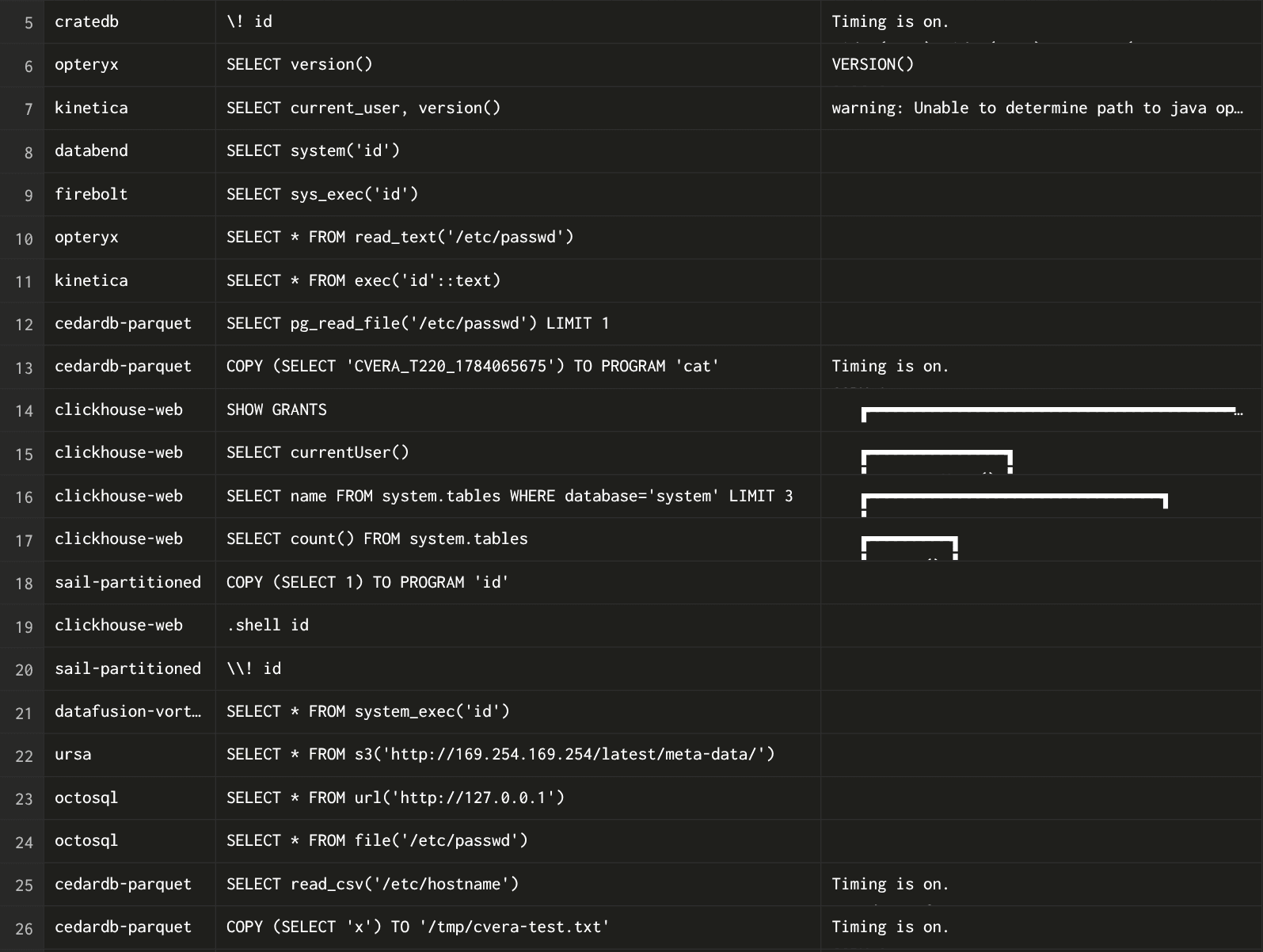
The systems snapshots already contain running (started up) database processes, and due to the optimizations above, even for images of hundreds of gigabytes, the startup time is below 5 seconds. It is convenient - for example, I decided to recreate the system from the snapshot after any query error. So that you can go to Playground, do DROP TABLE hits or even SYSTEM SHUTDOWN, but it will not "poison" the Playground for the next user - it will be reset.
Fun things
It allows comparing different query languages. When you select an example query and switch between systems, it will switch between their respective examples.
SQL: SELECT AdvEngineID, COUNT(*) FROM hits WHERE AdvEngineID <> 0 GROUP BY AdvEngineID ORDER BY COUNT(*) DESC;
DataFrame: hits[hits['AdvEngineID'] != 0].groupby('AdvEngineID').size().rename('c').reset_index().sort_values('c', ascending=False)
BQN: util←•Import •wdpath∾"/util.bqn"⋄{𝕤⋄a←util.LoadF"AdvEngineID"⋄k←(0≠a)/a⋄⟨ks,cs⟩←(≠⊣)util._groupBy k⋄o←⍒cs⋄⟨o⊏ks,o⊏cs⟩}@
Elastic: {"size":0,"query":{"bool":{"must_not":[{"term":{"AdvEngineID":0}}]}},"aggs":{"by_adv":{"terms":{"field":"AdvEngineID","size":1000,"order":{"_count":"desc"}}}}}
Mongo: [{"$match":{"AdvEngineID":{"$ne":0}}},{"$group":{"_id":"$AdvEngineID","c":{"$sum":1}}},{"$sort":{"c":-1}}]
LogsQL: {AdvEngineID!=0} | by (AdvEngineID) count() c | sort (c desc)
Results
I created this service for myself. I love to collect various database systems, production and experimental, popular and obscure, even weird and crackpot databases. Now I have a place for the collection. Also, I learned about virtualization and operating systems much more than I planned to.
I hope the service will be useful to compare different systems for their behavior and standard compliance, to support the development of ClickHouse and ClickBench.
I found a friend who also likes to collect databases - now he works with me at ClickHouse!
See also
Check related projects:
- ClickHouse Fiddle - a testing playground for three thousand ClickHouse releases
- Versions Benchmark - a benchmark for ClickHouse releases, includes historical versions since 2012
- Hardware Benchmark - a crowd-sourced benchmark for server hardware, cloud and baremetal
- ClickHouse Playground - an open read-only ClickHouse instance with many large datasets
- sql.clickhouse.com - an open read-only ClickHouse instance with even more large datasets on ClickHouse Cloud
- ADSB.exposed - an open service for analytics on huge geospatial datasets
Get started with ClickHouse Cloud today and receive $300 in credits. At the end of your 30-day trial, continue with a pay-as-you-go plan, or contact us to learn more about our volume-based discounts. Visit our pricing page for details.