

API reference documentation
For ClickStack Open Source, the full API specification is maintained in the ClickStack UI repository and can be viewed interactively or downloaded as an OpenAPI spec: The following endpoints are available:Authentication
ClickStack Open Source uses a Bearer token for authentication via a Personal API Access Key. To obtain an API key:- Open ClickStack UI at your ClickStack URL (e.g., http://localhost:8080)
- Create an account or log in if needed
- Navigate to Team Settings → API Keys
- Copy your Personal API Access Key
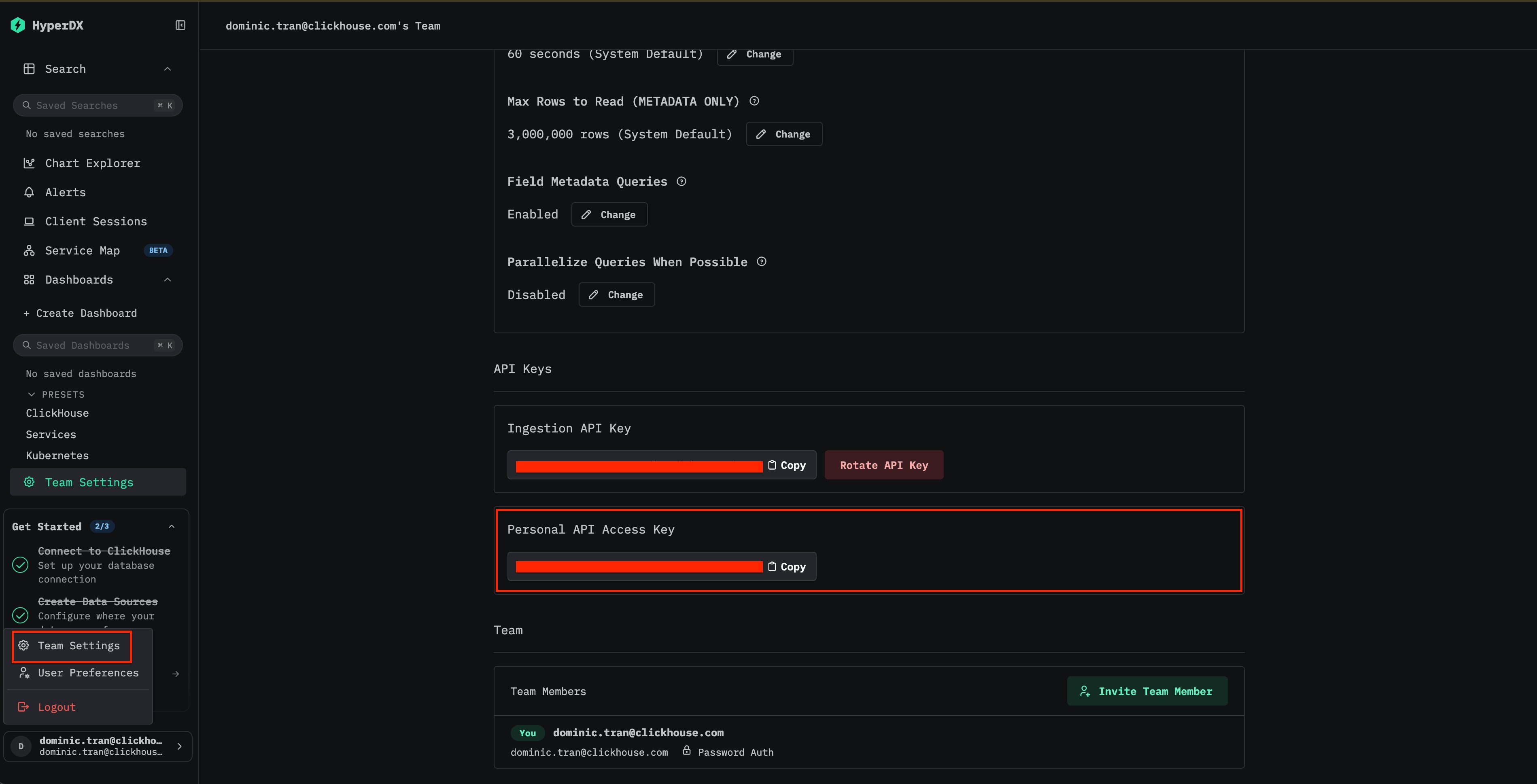
This is different from the Ingestion API Key found in Team Settings, which is used to authenticate telemetry data sent to the OpenTelemetry collector.
8000 by default (separate from the UI on port 8080). When using the all-in-one Docker image, ensure you map this port explicitly:
Authorization header:
Base URL and request format
All Open Source ClickStack API requests are sent to the ClickStack UI API server on port8000: