

1
Gather your connection details
To connect to ClickHouse with HTTP(S) you need this information: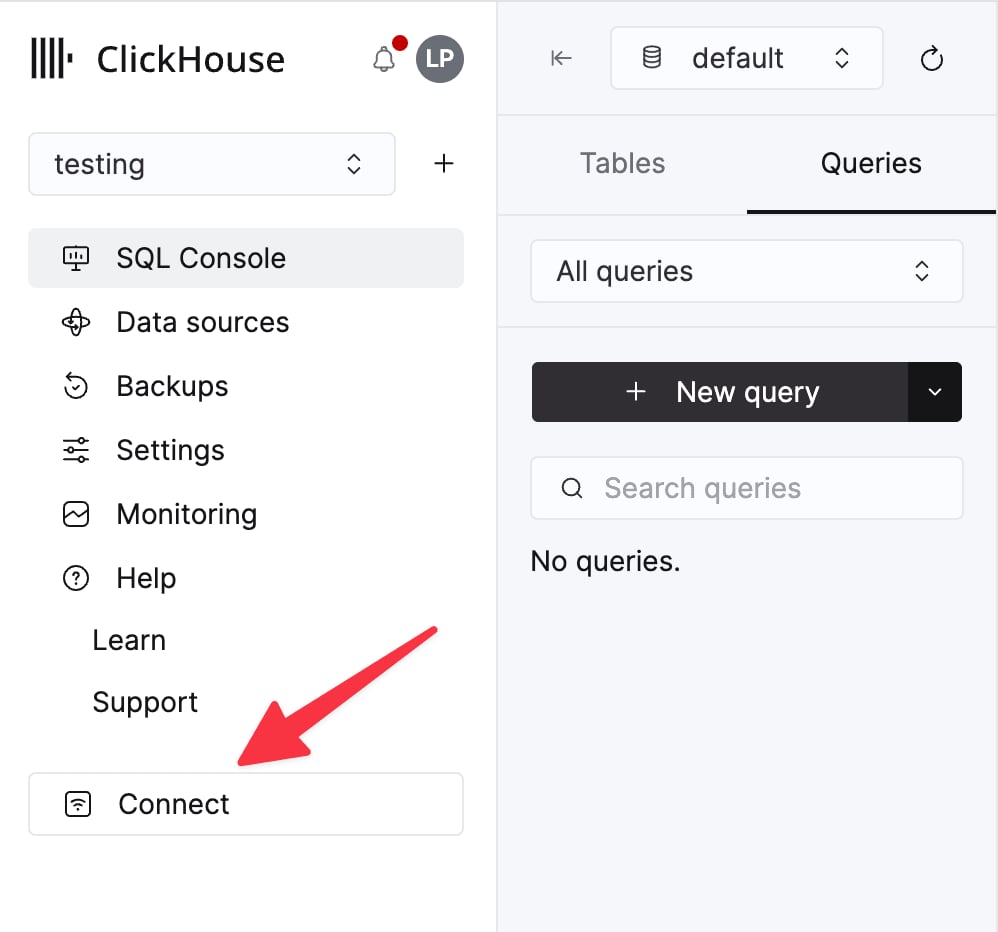
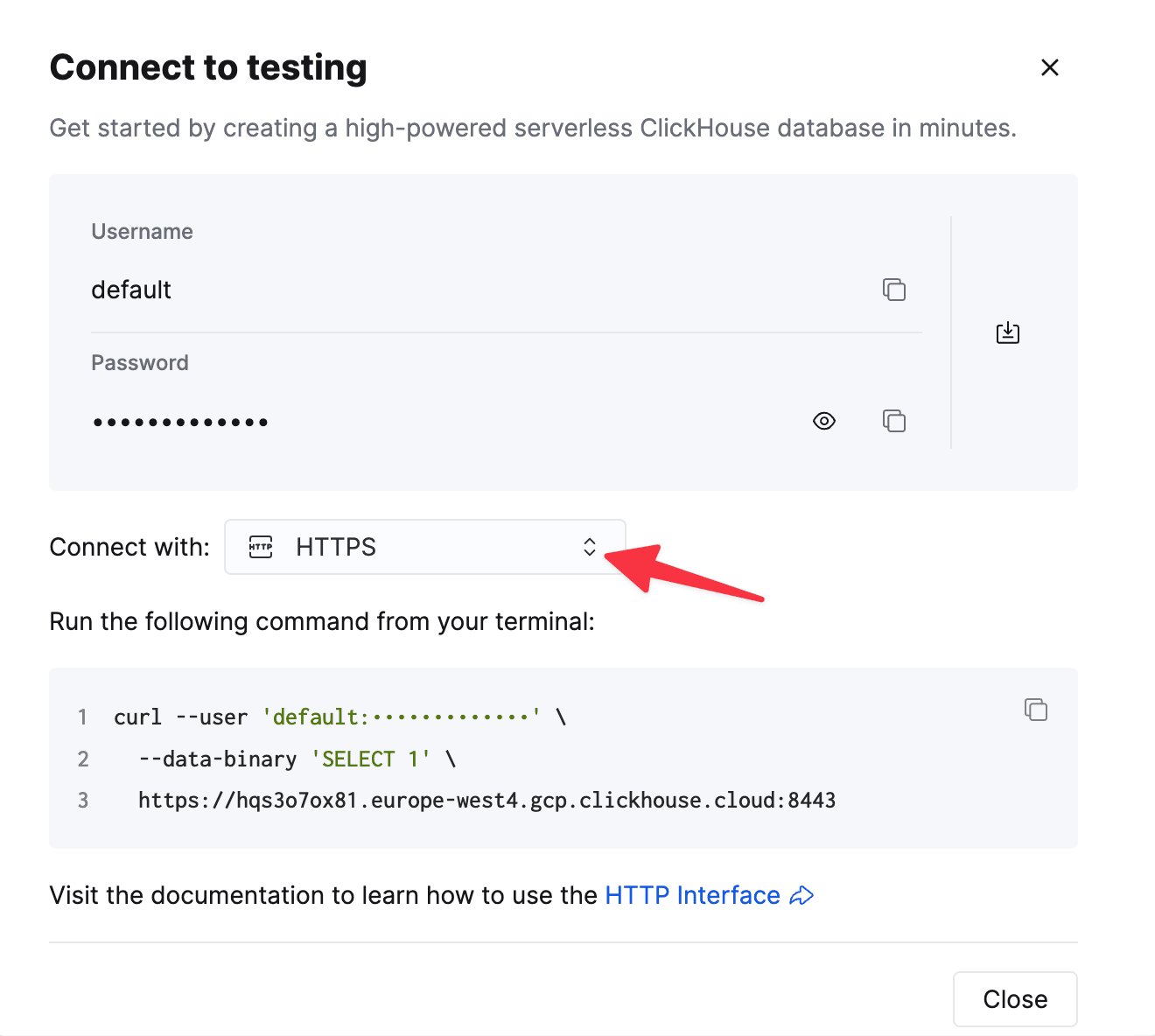
The details for your ClickHouse Cloud service are available in the ClickHouse Cloud console.
Select a service and click Connect:
curl command.8123, or 8443 for ClickHouse Cloud with HTTPS), the user, the password, and the database.2
Create a read-only user
system.columns.3
Add the connector
In arcodash, choose Connect > ClickHouse and enter the host, port, user, password, and database. Turn on HTTPS for ClickHouse Cloud, then run the connection test.
4
Run a query and a check
seconds_since_last_row with the condition > 3600 to alert when a table stops receiving data.Limitations
- arcodash uses the HTTP interface only, not the native port
9000. - arcodash appends a
FORMATclause itself, so queries must not end with their ownFORMAT. - Results are capped at 10,000 rows per query.
- arcodash does not publish fixed outbound IP addresses, so the ClickHouse server must be reachable from the internet.