

@clickhouse/client in TypeScript and clickhouse-connect in Python.
Prerequisites
- A ClickHouse service, either self-managed or on ClickHouse Cloud.
- Node.js for the TypeScript SDK, or Python 3.11 or later for the Python SDK.
1
Gather your connection details
To connect to ClickHouse with HTTP(S) you need this information: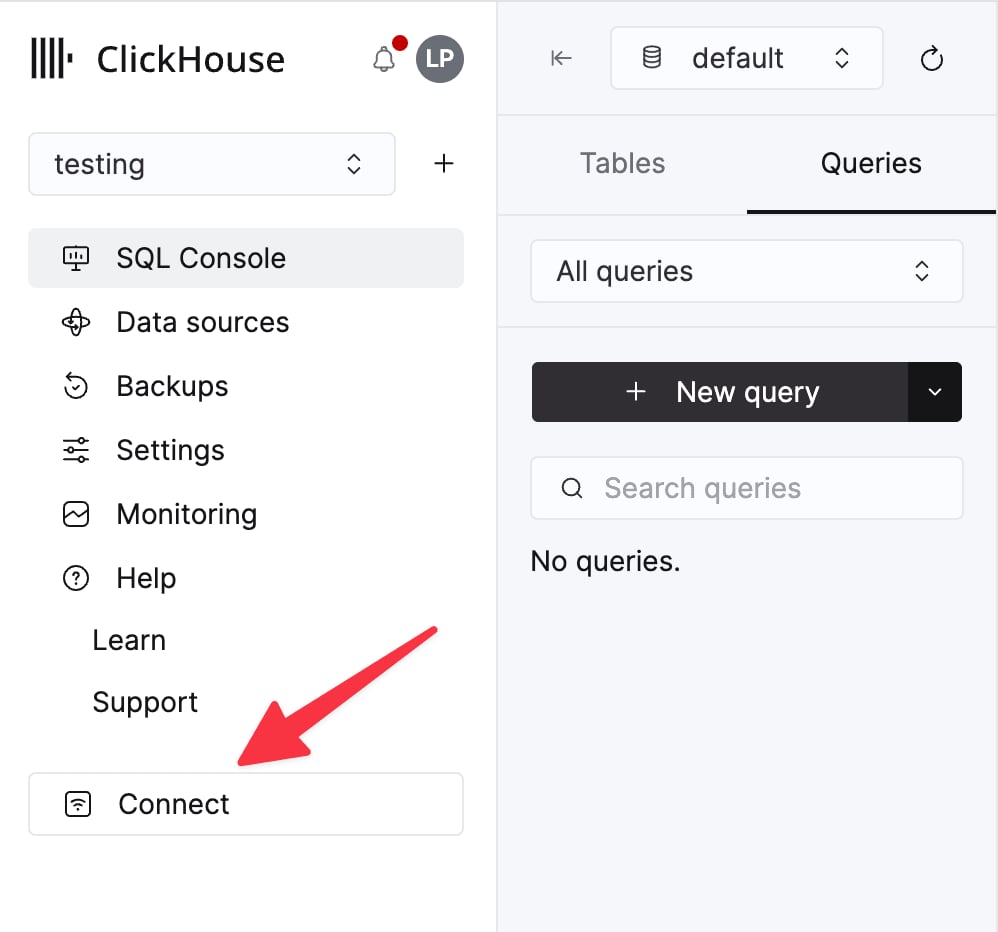
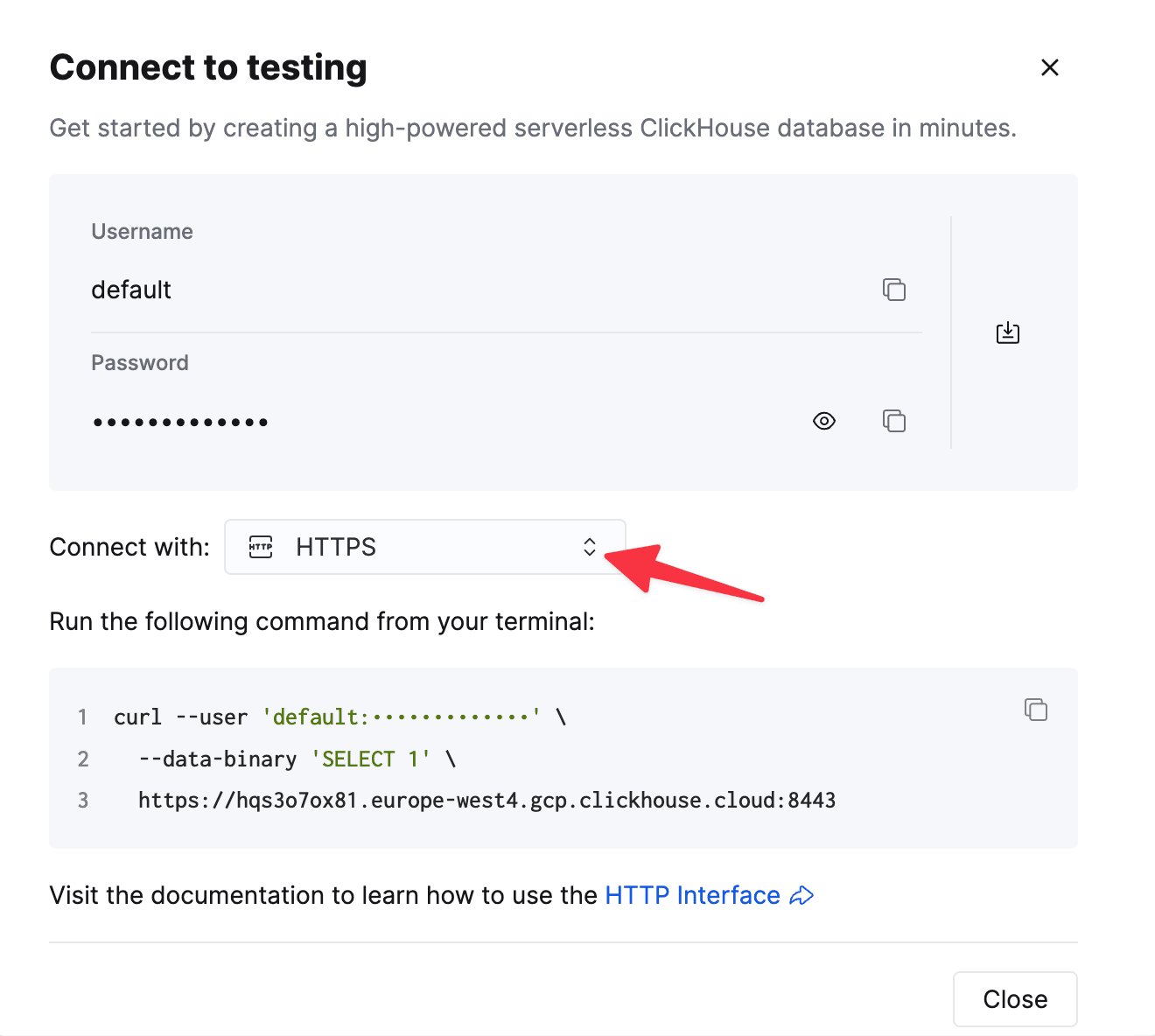
The details for your ClickHouse Cloud service are available in the ClickHouse Cloud console.
Select a service and click Connect:
curl command.2
Install hypequery
- TypeScript
- Python
3
Configure the connection
Add the connection details from step 1 to your application’s environment. The two SDKs read different variables.
- TypeScript
- Python
4
Generate datasets from your schema
The CLI connects to ClickHouse, reads your tables, and writes a dataset definition for each one:This writes Review the generated definitions and rename dimensions and measures to match your product’s language. A curated dataset looks like this:
- TypeScript
- Python
analytics/datasets.ts.- TypeScript
- Python
5
Query a dataset
Select dimensions and measures by name. hypequery validates the request, generates parameterized SQL, and runs it on ClickHouse. Because the dataset declares a
tenantKey, every query must pass the caller’s tenant, and hypequery adds the matching WHERE tenant_id = ... filter. A query without a tenant is rejected:- TypeScript
- Python
Serve datasets to your application and agents
Once a dataset works in-process, you can expose it without writing more SQL:- HTTP endpoints:
@hypequery/servein TypeScript, orhypequery.servein Python, turns each dataset into an authenticated endpoint with input validation and an OpenAPI document. Python APIs mount in FastAPI, Django, or Flask. See Serve and Python serving. - React hooks:
@hypequery/reactgenerates typed TanStack Query hooks for those endpoints, so browser code never holds ClickHouse credentials. See React. - MCP tools for AI agents:
npx hypequery mcpstarts an MCP server that lets agents discover your datasets and query named metrics, instead of running raw SQL. See MCP.