

Prerequisites
We assume you’re familiar with:- ClickHouse Connector Sink
- Confluent Cloud and Custom Connectors.
This page covers uploading the connector to Confluent Cloud yourself. If you don’t need a specific connector version or custom settings, the fully managed connector is simpler to set up.
The official Kafka connector from ClickHouse as a Custom Connector
Installing as a Custom Connector
This is meant to be a quick guide to get you started with the ClickHouse Sink Connector as a Custom Connector on Confluent Cloud. For more details, please refer to the official Confluent documentation.Create a Topic
Creating a topic on Confluent Cloud is fairly simple, and there are detailed instructions here.Important notes
- The Kafka topic name must be the same as the ClickHouse table name. The way to tweak this is by using a transformer (for example
ExtractTopic). - More partitions doesn’t always mean more performance - see our upcoming guide for more details and performance tips.
Install connector
You can download the connector from our repository - please feel free to submit comments and issues there as well! Navigate to “Connector Plugins” -> “Add plugin” and using the following settings:Gather your connection details
To connect to ClickHouse with HTTP(S) you need this information:
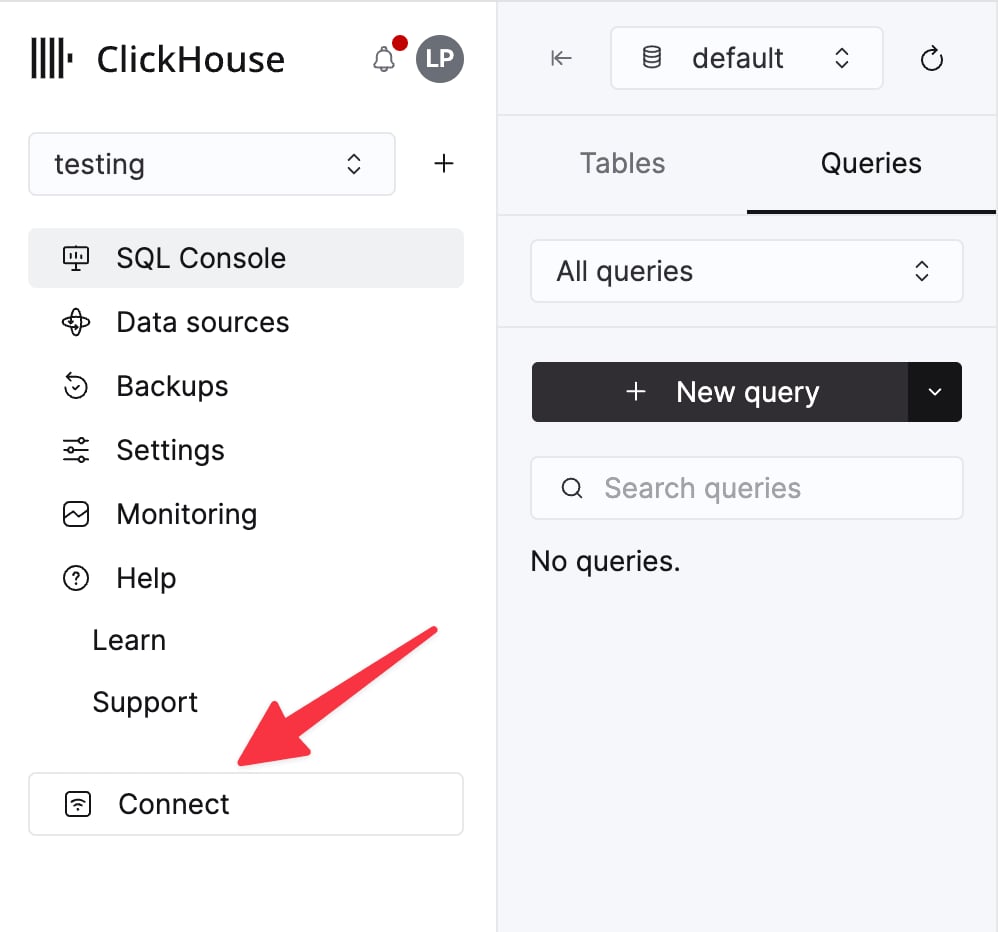
The details for your ClickHouse Cloud service are available in the ClickHouse Cloud console.
Select a service and click Connect:
curl command.
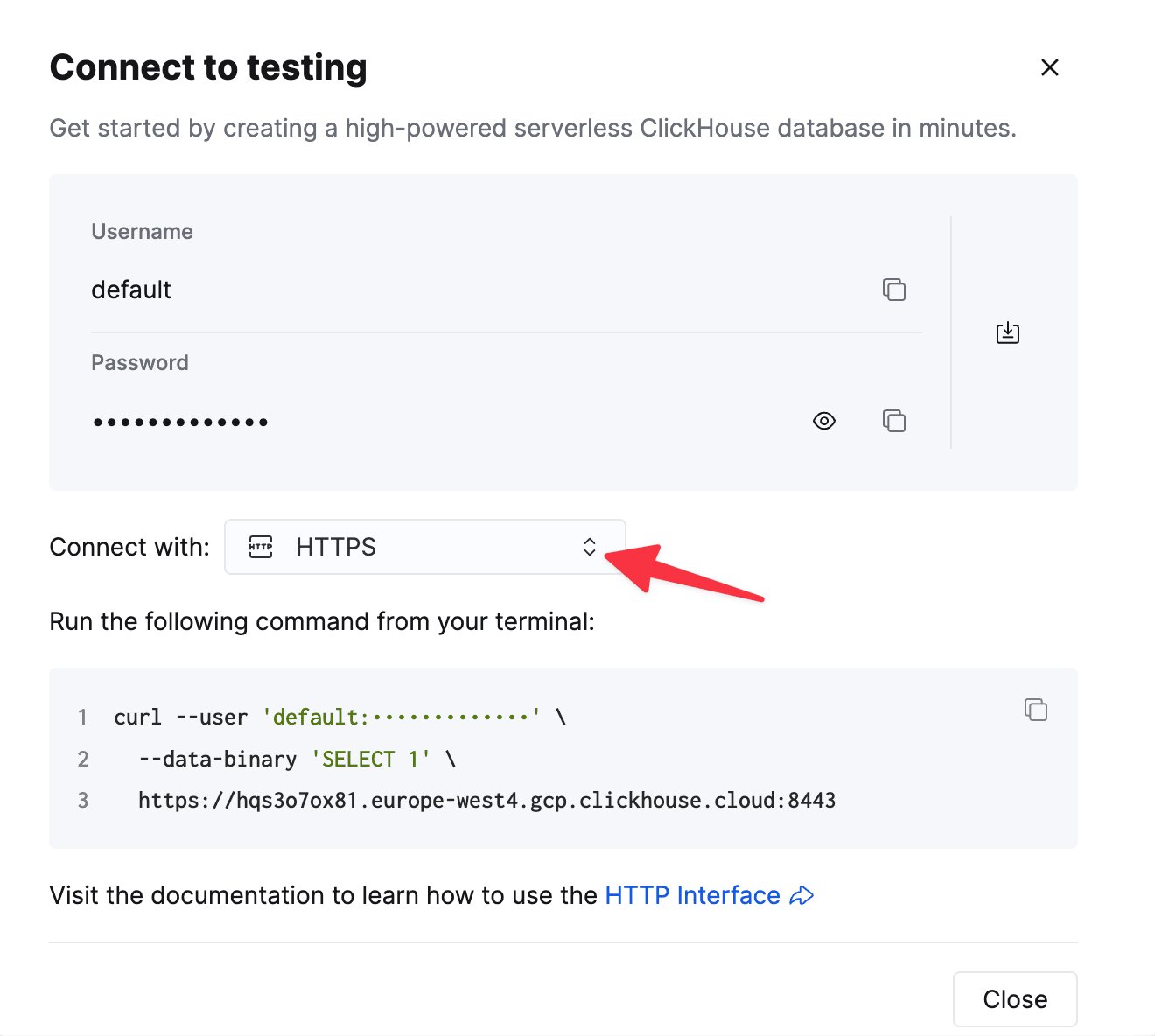
Configure the connector
Navigate toConnectors -> Add Connector and use the following settings (note that the values are examples only):
Specify the connection endpoints
You need to specify the allow-list of endpoints that the connector can access. You must use a fully-qualified domain name (FQDN) when adding the networking egress endpoints. Example:u57swl97we.eu-west-1.aws.clickhouse.com:8443
You must specify HTTP(S) port. The Connector doesn’t support Native protocol yet.
Known limitations
- Custom Connectors must use public internet endpoints. Static IP addresses aren’t supported.
- You can override some Custom Connector properties. See the full list in the official documentation.
- Custom Connectors are available only in some AWS regions
- See the list of Custom Connectors limitations in the official docs