

Overview
Artie is the modern data infrastructure layer for the AI era — a fully managed real-time data streaming platform that keeps production data continuously in sync with your warehouse. As companies activate their warehouses for real-time AI workloads, operational analytics, and customer-facing data products, they’re standardizing on infrastructure that’s fast, reliable, and built for scale. We give companies the kind of streaming pipelines and deep observability that Netflix, DoorDash, and Instacart built in-house, without hiring 10+ engineers and spending 1-2 years on platform work. Artie automates the entire ingestion lifecycle — change capture, merges, backfills, and observability — with zero engineering maintenance and deploys in minutes. Leaders like ClickUp, Substack, and Alloy use Artie not just to solve today’s pipeline issues, but to future-proof their data stack as their AI strategy accelerates.1
Create an Artie account
Visit artie.com/contact and complete the form to request access.
2
Find your ClickHouse credentials
After creating a service in ClickHouse Cloud, find the following required settings:To connect to ClickHouse with HTTP(S) you need this information: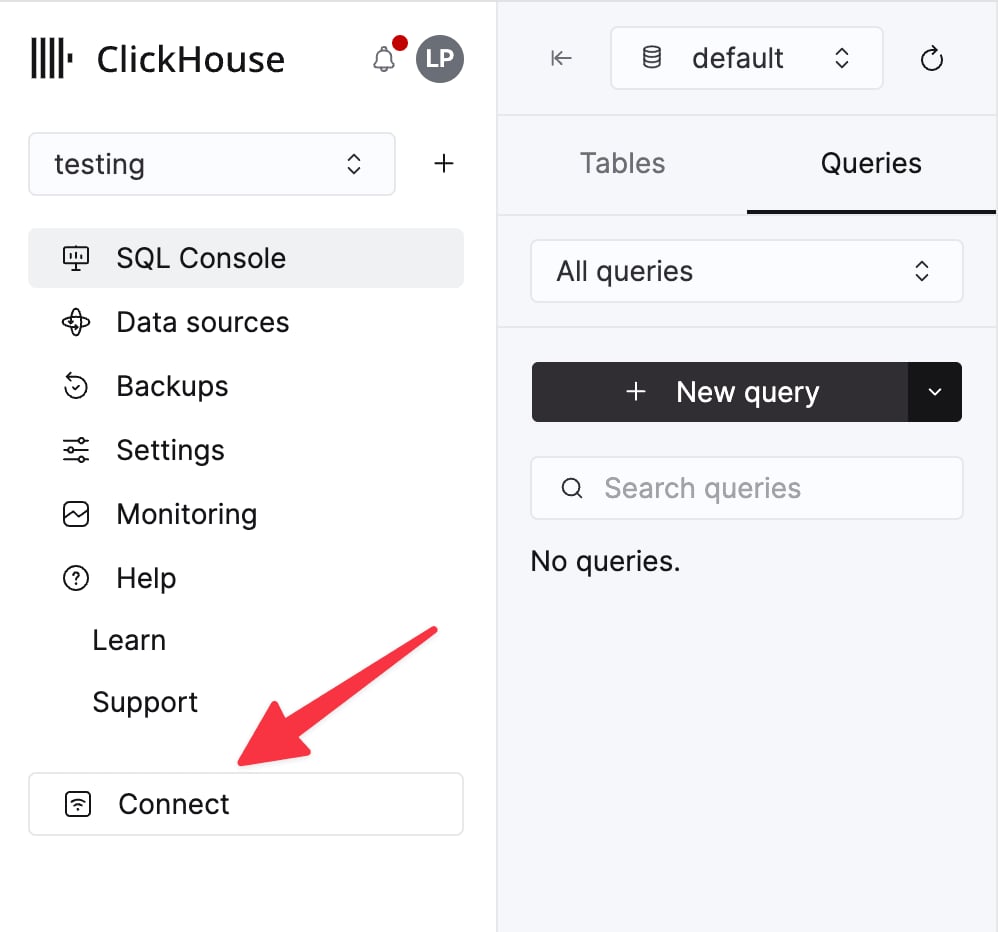
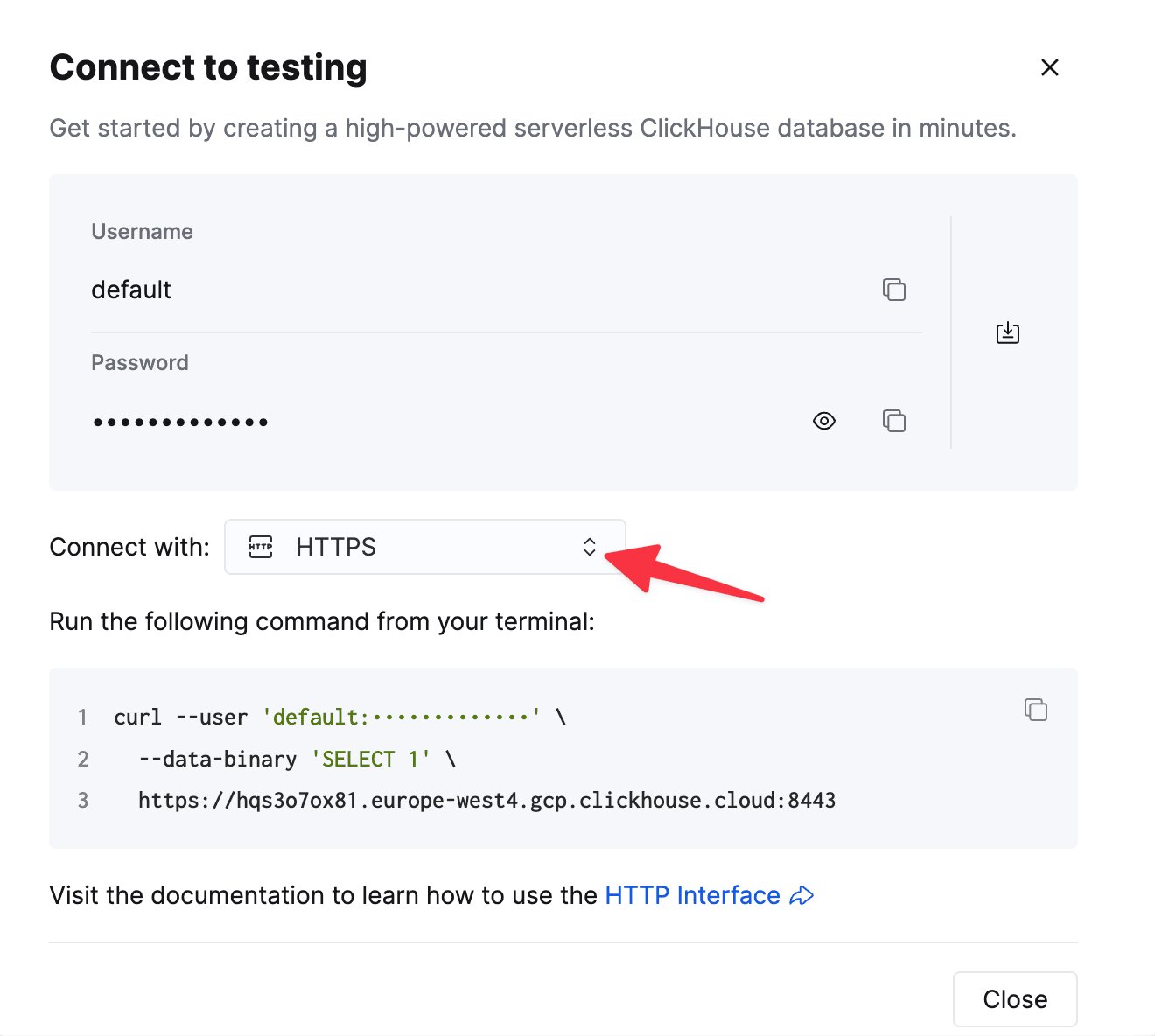
The details for your ClickHouse Cloud service are available in the ClickHouse Cloud console.
Select a service and click Connect:
curl command.3
Create a new pipeline in Artie
Head over to Artie with the information you have gathered from previous steps and create a new pipeline by following a 3 step process.
- Connect your source - Configure your source database (Postgres, MySQL, Events API, etc)
- Choose the tables you want to replicate - Select which tables to sync to ClickHouse
- Connect your destination - Enter your ClickHouse credentials