

Overview
Erathos gives teams visibility and control over every sync job as data moves from SaaS tools, ERPs, and CRMs into ClickHouse. Instead of managing pipelines as opaque, scheduled jobs, Erathos lets you monitor and control syncs in real time, making it easier to catch issues early and keep your warehouse up to date.Connecting Erathos to ClickHouse
1
Find your ClickHouse credentials
After creating a service in ClickHouse Cloud, find the following required settings:To connect to ClickHouse with HTTP(S) you need this information: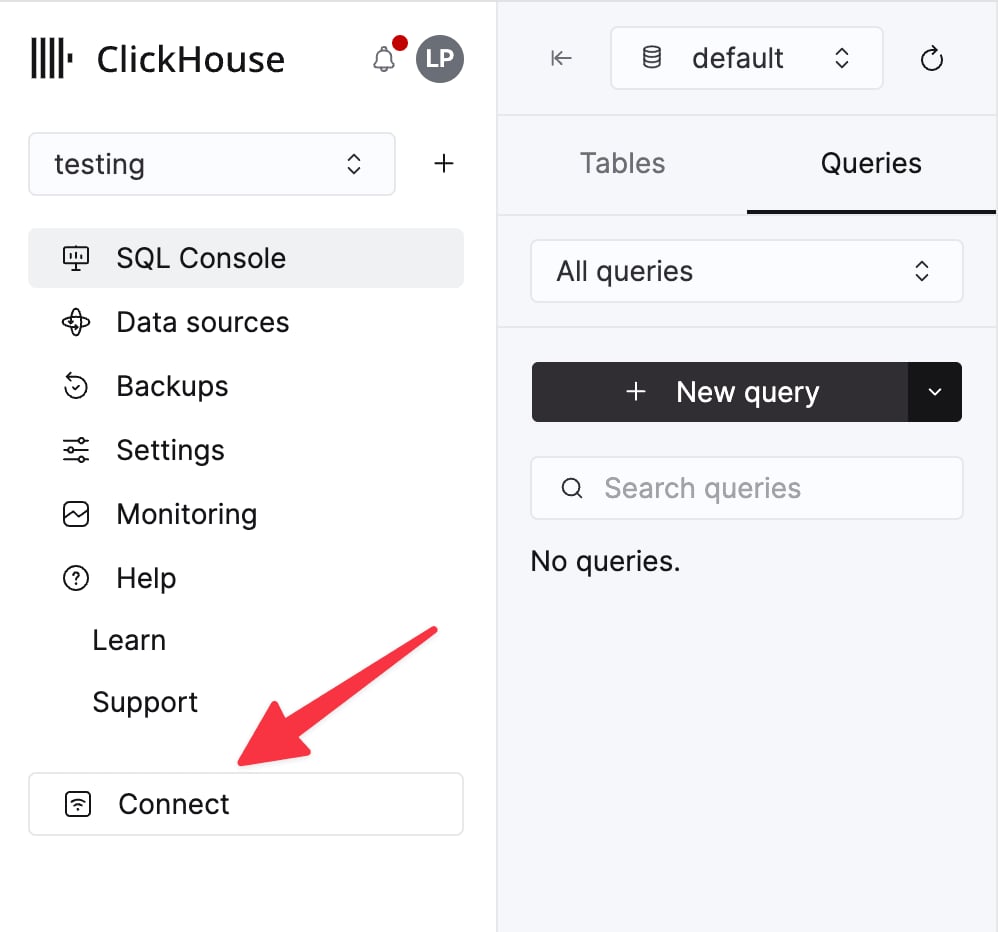
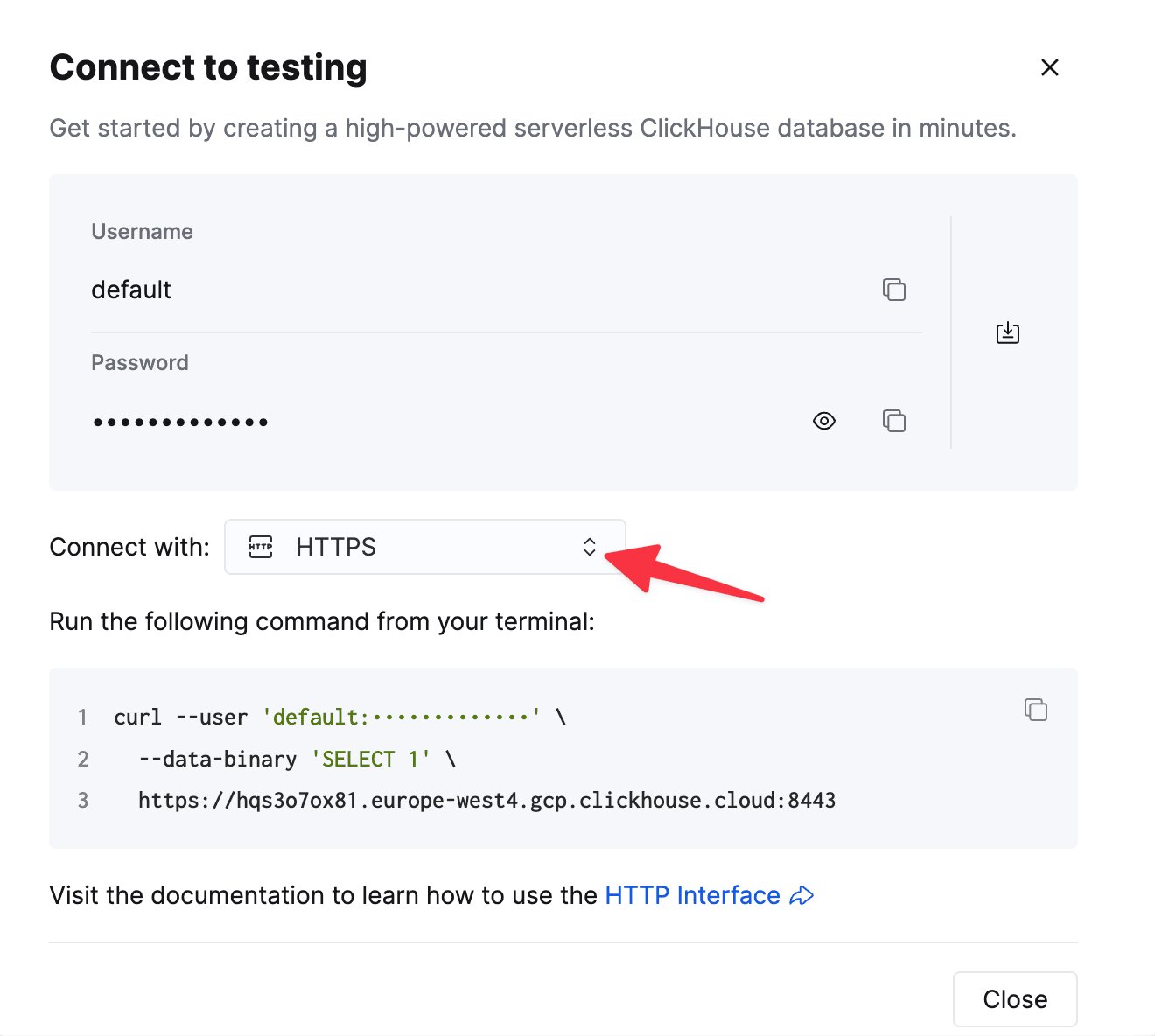
The details for your ClickHouse Cloud service are available in the ClickHouse Cloud console.
Select a service and click Connect:
curl command.2
Configure the destination in Erathos
In Erathos, go to Settings > Destination, select ClickHouse, and enter the following:
- Host — your ClickHouse service URL (ClickHouse Cloud URLs typically end in
.clickhouse.cloud) - Port — usually
8443for HTTPS connections - Username — often
default - Password — the password for the account above
If you’re connecting a self-hosted ClickHouse instance, make sure to allow Erathos’s IP address (
35.212.87.86) in your firewall’s whitelist.