

Public preview
Linked billing with Claude Platform lets customers of both ClickHouse and Anthropic bill all Claude model usage across ClickHouse Cloud products, such as ClickHouse Agents, directly to their own Claude organization.
Linked billing with Claude Platform is in public preview and is available to all ClickHouse Cloud organizations.
You link your Claude organization to your ClickHouse Cloud organization once.
From then on, Anthropic bills the Claude model usage of your ClickHouse Cloud organization to your Claude organization, at your Claude organization’s rates and under its existing billing terms.
This lets you use any committed spend or negotiated rates that you have with Anthropic.
How billing works
While your Claude organization is linked:- Anthropic bills Claude model usage in your ClickHouse Cloud organization to your Claude organization, from its prepaid balance or on its invoice.
- Your Claude organization’s rates and any committed spend with Anthropic apply.
- Claude model requests for your organization go to Anthropic instead of Claude models hosted in Amazon Bedrock.
- Linked billing covers all Claude model usage across all ClickHouse Cloud products.
- Once linked billing with Claude Platform is enabled for your organization, only Claude models are available in ClickHouse Cloud.
- Promotional credits in your Claude organization can’t be used for linked billing.
- Linking changes only how Claude usage is billed. It doesn’t change the terms or data arrangements that apply to your use of Claude in ClickHouse Cloud.
- When you link, you can set a monthly spend limit for Claude usage through ClickHouse Cloud. When the spend incurred through ClickHouse Cloud reaches the limit, Claude model requests from ClickHouse Cloud stop until the next month or until you raise the limit.
Requirements
- No HIPAA or PCI DSS compliance enabled. Linked billing with Claude Platform isn’t available for ClickHouse Cloud organizations that have HIPAA or PCI DSS compliance enabled.
- A ClickHouse Cloud role that can link billing. You need the Admin role in your ClickHouse Cloud organization.
- A Claude role that can approve billing. You need the Owner, Admin, or Billing role in your Claude organization.
- An eligible Claude organization. Your Claude organization must pay Anthropic directly for its API usage, using either prepaid credits or invoiced billing. Claude organizations that are billed through a cloud marketplace (AWS, Google Cloud, or Azure), and organizations that have only a Claude subscription plan, can’t be linked.
Link your Claude organization
1
Open organization settings
As an organization Admin in the ClickHouse Cloud console, open Organization settings and scroll to the Claude organization section.
Click Link your Claude organization.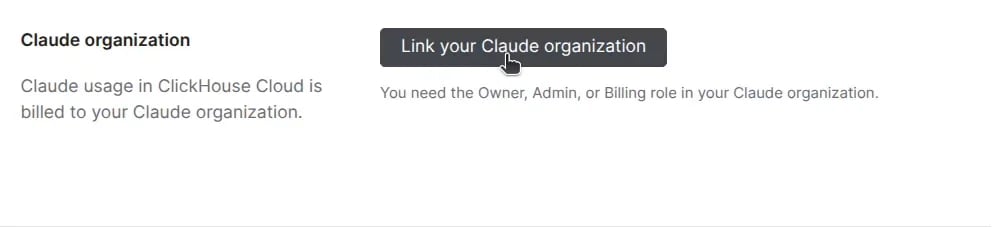
2
Sign in to Claude
You’re redirected to Claude.
If you aren’t already signed in, sign in with an account that has the Owner, Admin, or Billing role in the Claude organization that you want to link.
If your account belongs to several Claude organizations, pick the one to link.
3
Review how billing works
Claude shows how billing works for the connection.
Review the details and click Continue.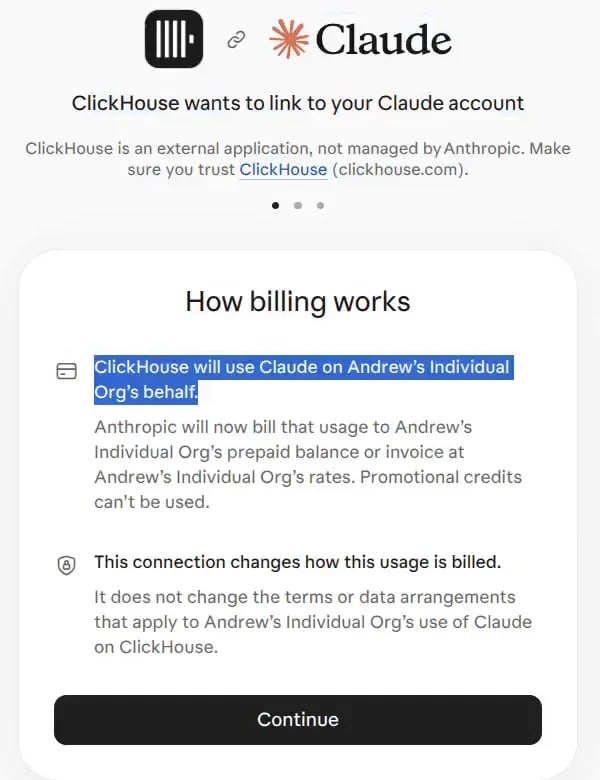
4
Set a monthly spend limit
Optionally, enter a monthly spend limit for Claude usage through ClickHouse Cloud and click Continue.
To link without a limit, click Continue without a limit.
You can change the limit at any time in the Claude Console.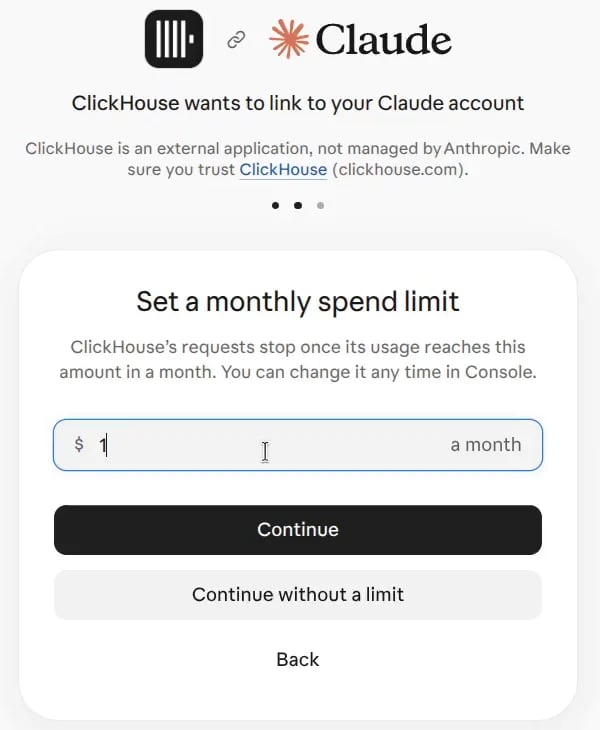
5
Link and authorize
Review what ClickHouse will be able to do and click Link and authorize.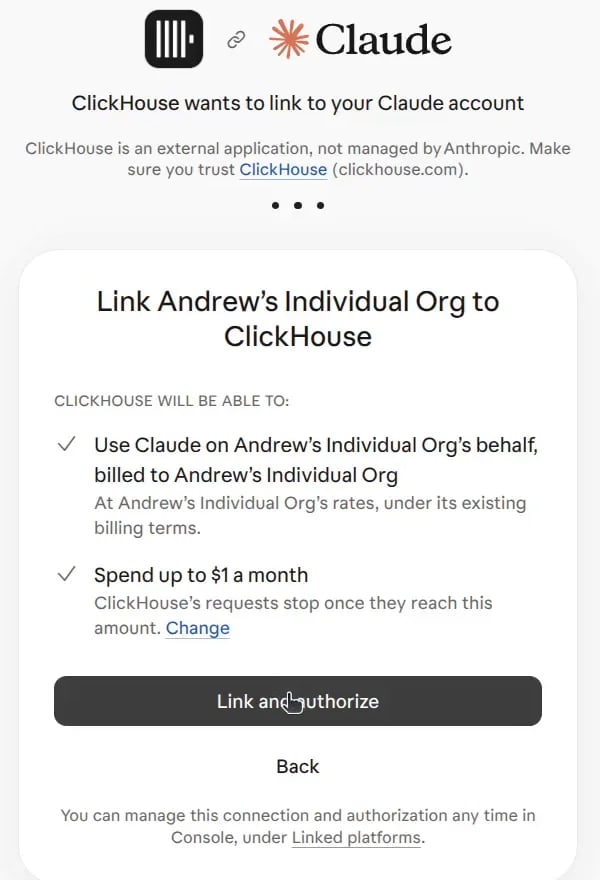
6
Confirm the link
You’re returned to the ClickHouse Cloud console, which confirms that your Claude organization is linked.
The Claude organization section shows a Linked status, the date that you linked, and the last characters of the link ID.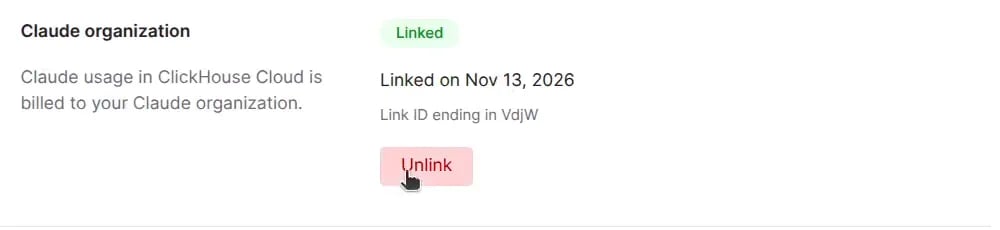
Monitor usage and spend in the Claude Console
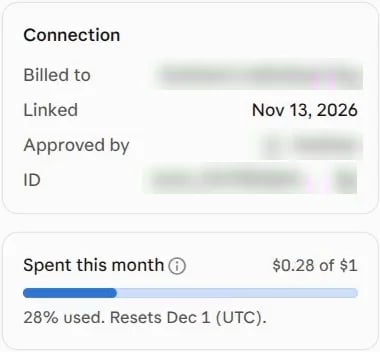
To see how much Claude usage through ClickHouse Cloud has cost your Claude organization, open Linked platforms in the Claude Console and select ClickHouse. This page shows:- The Claude organization that’s billed, when it was linked, and who approved it.
- Spent this month: how much spend has been incurred through ClickHouse Cloud this month, measured against your monthly spend limit if you set one. The limit resets on the first day of each month (UTC).
- Link history: each time the organization was linked or unlinked, and by whom.
Unlink your Claude organization
You can unlink from either side. The result is different for each.Unlink in ClickHouse Cloud
In Organization settings, click Unlink in the Claude organization section. ClickHouse Cloud returns to the default behavior: Claude model requests in your organization go to Claude models hosted in Amazon Bedrock, and Claude usage is no longer billed to your Claude organization. This is the only way to return to the default behavior.Unlink in the Claude Console
On the Linked platforms page, select ClickHouse and click Unlink. ClickHouse Cloud can no longer use Claude on your organization’s behalf, and Anthropic stops billing new Claude usage through ClickHouse Cloud to your Claude organization.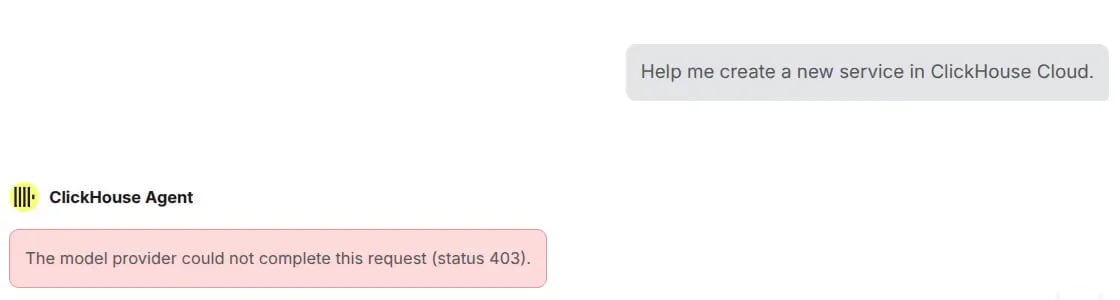
The link was removed on the Claude side, or your Claude organization cannot be billed directly. Relink to continue.
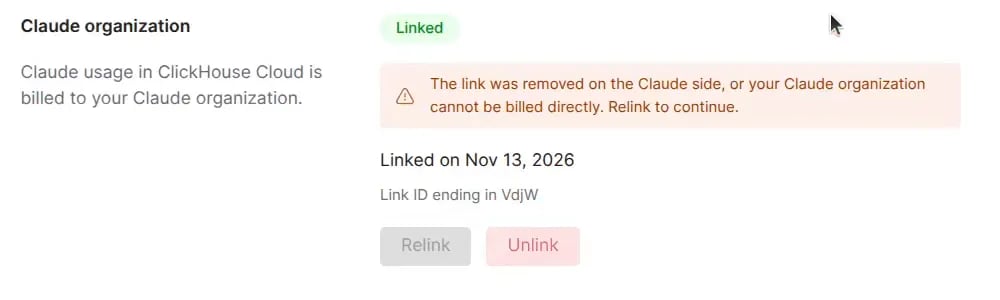
- Click Relink and go through the linking steps again to keep billing Claude usage to your Claude organization.
- Click Unlink to return to the default behavior, where Claude model requests go to Claude models hosted in Amazon Bedrock.
Troubleshooting
For questions about ClickHouse Cloud, contact ClickHouse support.
To manage the spend limit or the connection on the Anthropic side, use the Linked platforms page in the Claude Console.