

Network and port security
By default, Docker Compose exposes ports on the host, making them accessible from outside the container - even if tools likeufw (Uncomplicated Firewall) are enabled. This behavior is due to the Docker networking stack, which can bypass host-level firewall rules unless explicitly configured.
Recommendation:
Only expose ports that are necessary for production use. Typically the OTLP endpoints, API server, and frontend.
For example, remove or comment out unnecessary port mappings in your docker-compose.yml file:
Session secret configuration
In production, you must set a strong, random value for theEXPRESS_SESSION_SECRET environment variable for ClickStack UI - to protect session data and prevent tampering.
Here’s how to add it to your docker-compose.yml file for the app service:
openssl:
Secure ingestion
All ingestion should occur via the OTLP ports exposed by ClickStack distribution of the OpenTelemetry (OTel) collector. By default, this requires a secure ingestion API key generated at startup. This key is required when sending data to the OTel ports, and can be found in the ClickStack UI underTeam Settings → API Keys.
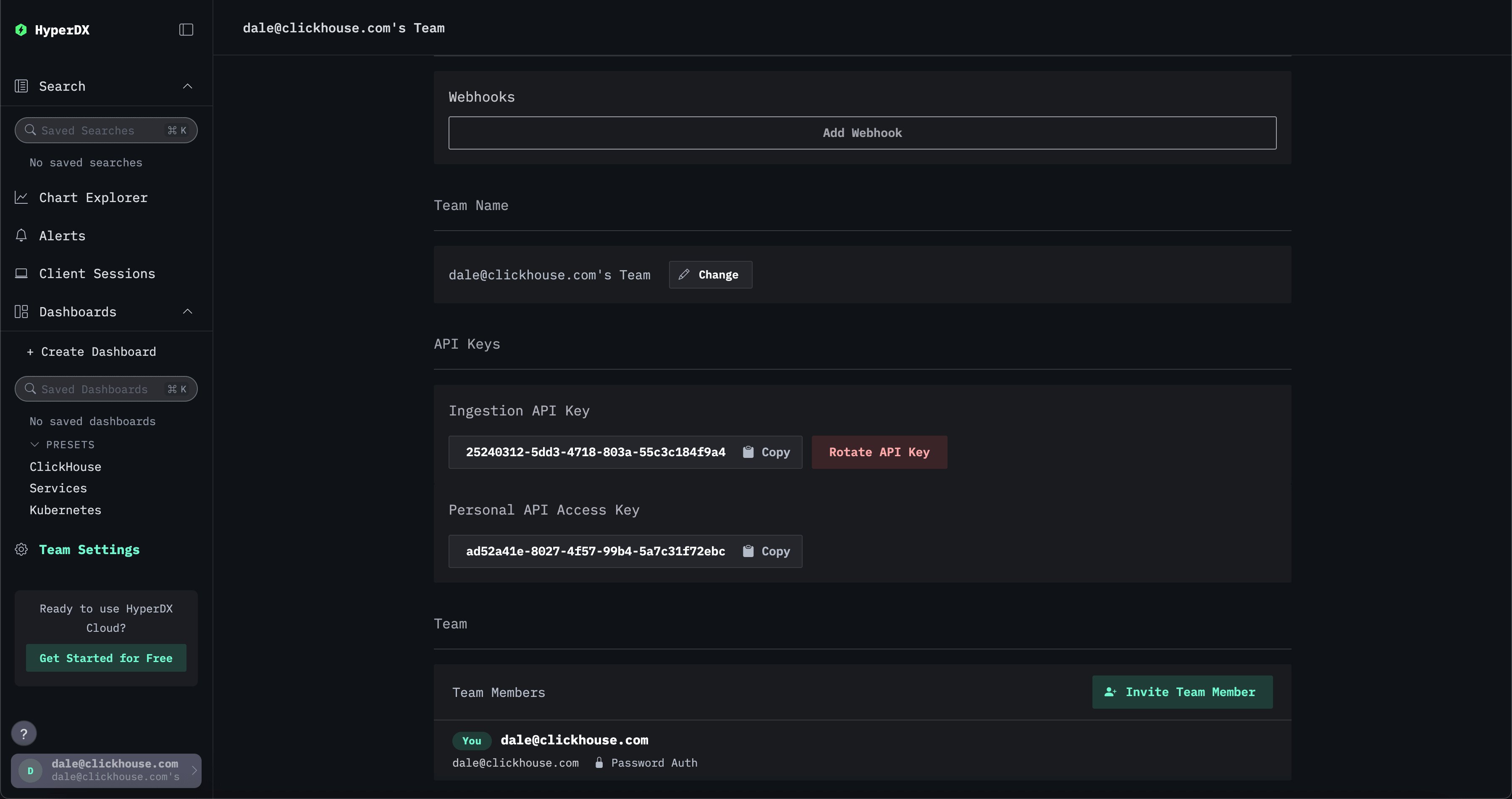
Create an ingestion user
Creating a dedicated user for the OTel collector for ingestion into ClickHouse and ensuring ingestion is sent to a specific database e.g.otel is recommended. See “Creating an ingestion user” for further details.
ClickHouse
Users managing their own ClickHouse instance should adhere to the following best practices.Security best practices
If you’re managing your own ClickHouse instance, it’s essential to enable TLS, enforce authentication, and follow best practices for hardening access. See this blog post for context on real-world misconfigurations and how to avoid them. ClickHouse OSS provides robust security features out of the box. However, these require configuration:- Use TLS via
tcp_port_secureand<openSSL>inconfig.xml. See guides/sre/configuring-tls. - Set a strong password for the
defaultuser or disable it. - Avoid exposing ClickHouse externally unless explicitly intended. By default, ClickHouse binds only to
localhostunlesslisten_hostis modified. - Use authentication methods such as passwords, certificates, SSH keys, or external authenticators.
- Restrict access using IP filtering and the
HOSTclause. See sql-reference/statements/create/user#user-host. - Enable Role-Based Access Control (RBAC) to grant granular privileges. See operations/access-rights.
- Enforce quotas and limits using quotas, settings profiles, and read-only modes.
- Encrypt data at rest and use secure external storage. See operations/storing-data and cloud/security/CMEK.
- Avoid hard coding credentials. Use named collections or IAM roles in ClickHouse Cloud.
- Audit access and queries using system logs and session logs.
User permissions for ClickStack UI
The ClickHouse user for the ClickStack UI should havereadonly = 2. The UI sets its own settings, such as date_time_output_format, on every query, and raw SQL charts also set readonly = 2, so a readonly = 1 user fails these queries with Cannot modify '...' setting in readonly mode. With readonly = 2 the UI can also set max_rows_to_read, read_overflow_mode and cancel_http_readonly_queries_on_client_close; if you constrain max_rows_to_read, allow at least 1 million. wait_end_of_query is an HTTP interface parameter rather than a setting, so it needs no grant.
For example:
default user in both OSS and ClickHouse Cloud has these permissions, but we recommend creating a dedicated user.