

Alerting
What types of alerts does ClickStack support?
What types of alerts does ClickStack support?
ClickStack supports two types of alerts:
- Search alerts: trigger notifications when the count of matching log or trace results within a time window exceeds or falls below a threshold.
- Dashboard chart alerts: trigger notifications when a metric plotted on a dashboard tile crosses a defined threshold.
Can I alert on complex metric conditions such as ratios, p95/p99, or multi-metric formulas?
Can I alert on complex metric conditions such as ratios, p95/p99, or multi-metric formulas?
Ratios of two metrics, p95, and p99 values can be plotted on a dashboard tile using the chart builder UI. You can then create threshold-based alerts on those tiles.However, ClickStack does not currently support:
- Alerting on custom SQL queries for metrics.
- Multi-condition or multi-metric alert rules combined into a single alert.
- Dynamic or anomaly-detection-based alert conditions (anomaly detection is planned).
Can I use materialized views for alerting use cases?
Can I use materialized views for alerting use cases?
Materialized views are automatically used by ClickStack for alerts where applicable. However, materialized views are not currently supported on OpenTelemetry metrics data sources. For metrics, ClickStack works best with the default ClickHouse OpenTelemetry metrics schema. For more on materialized views, see Materialized views.
Dashboards and drill-downs
Does ClickStack support parameterized dashboards or dashboard variables?
Does ClickStack support parameterized dashboards or dashboard variables?
Yes, ClickStack supports dashboards parameterized by custom filters and variables, populated by data queried from ClickHouse. These filters allow you to dynamically scope some or all of the tiles on a dashboard to a specific value (e.g., a service name, environment, or host).For details on creating dashboards and applying filters, see Dashboards.
What drill-down capabilities are available?
What drill-down capabilities are available?
ClickStack supports the following drill-down workflows:
- Dashboard-level filtering: Lucene or SQL filters and time range adjustments applied at the dashboard level propagate to all tiles.
- Custom dashboard filters: custom dashboards support explicit filter controls that are populated with values from your data, allowing users to scope all tiles without writing queries manually.
- Click-to-view events: clicking on data in a dashboard tile and selecting View Events navigates to the Search page with relevant filters for log and trace data.
- Table row-click drilldowns: a table tile can be configured so that clicking a row opens the Search page or another dashboard, carrying the row’s values through as filters. This supports multi-level workflows, such as a service inventory that drills into a per-service detail dashboard.
- Prebuilt dashboard drill-downs: the Services, ClickHouse, and Kubernetes dashboards include richer, built-in drill-down navigation across tabs.
The View Events drill-down works best with log and trace data. Because metrics data cannot be viewed on the Search page, drilling down from a metrics tile will link to logs from around the selected time frame instead.
Metrics discovery
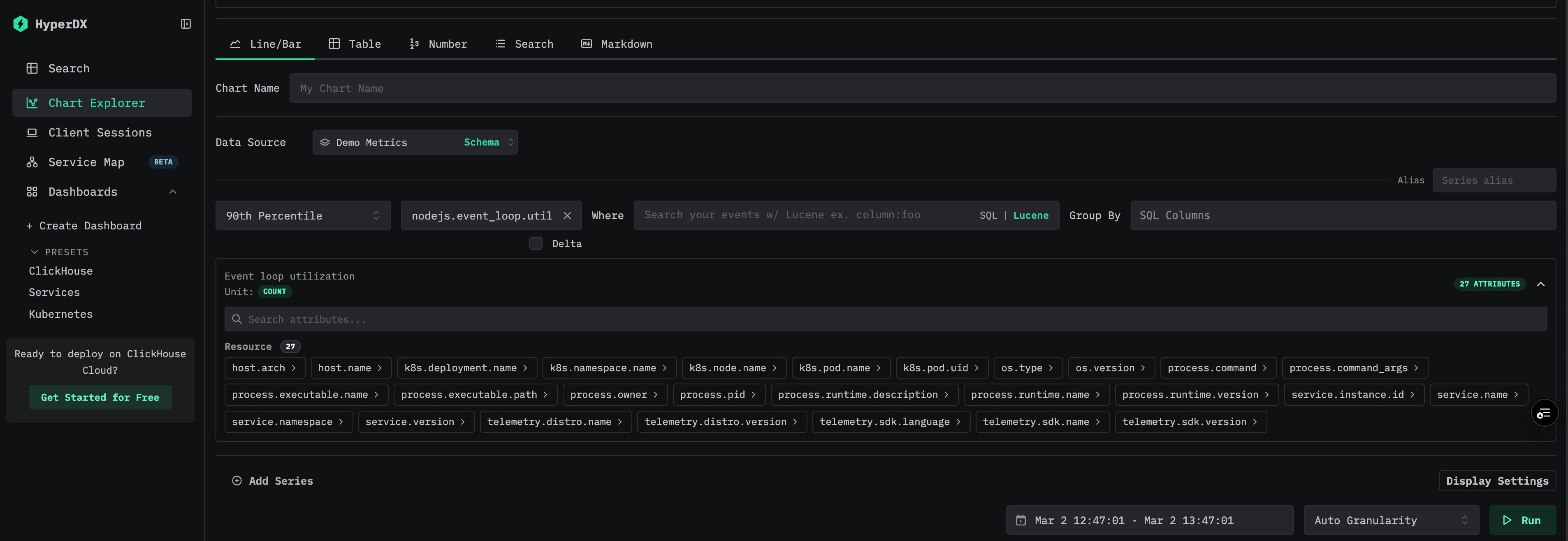
Is there a UI for browsing and searching metrics?
Is there a UI for browsing and searching metrics?
Is SQL-based discovery the intended long-term approach for metrics?
Is SQL-based discovery the intended long-term approach for metrics?
No. While SQL queries can be used to discover metrics today, this is not the intended long-term approach. Improved metrics discovery tooling is actively being developed.
Further reading
- Alerts: search alerts, dashboard chart alerts, and webhook integrations.
- Dashboards: creating visualizations, building dashboards, and applying filters.
- Search: querying logs and traces with Lucene and SQL syntax.
- Schemas: OpenTelemetry data schemas for logs, traces, and metrics.
- Architecture: ClickStack components and how they fit together.