

- 적절한 권한이 부여된 API Key
- 관리자 Console 역할
최소 권한API 엔드포인트를 쿼리하려면 API Key에
Query Endpoints 서비스 액세스가 포함된 Member 조직 역할이 필요합니다. 데이터베이스 역할은 엔드포인트를 생성할 때 구성됩니다.1
저장된 쿼리 만들기
이미 저장된 쿼리가 있으면 이 단계는 건너뛰어도 됩니다.Open a new query tab. For demonstration purposes, we’ll use the youtube dataset, which contains approximately 4.5 billion records.
Follow the steps in section “Create table” to create the table on your Cloud service and insert data to it.As an example query, we’ll return the top 10 uploaders by average views per video in a user-inputted Note that this query contains a parameter (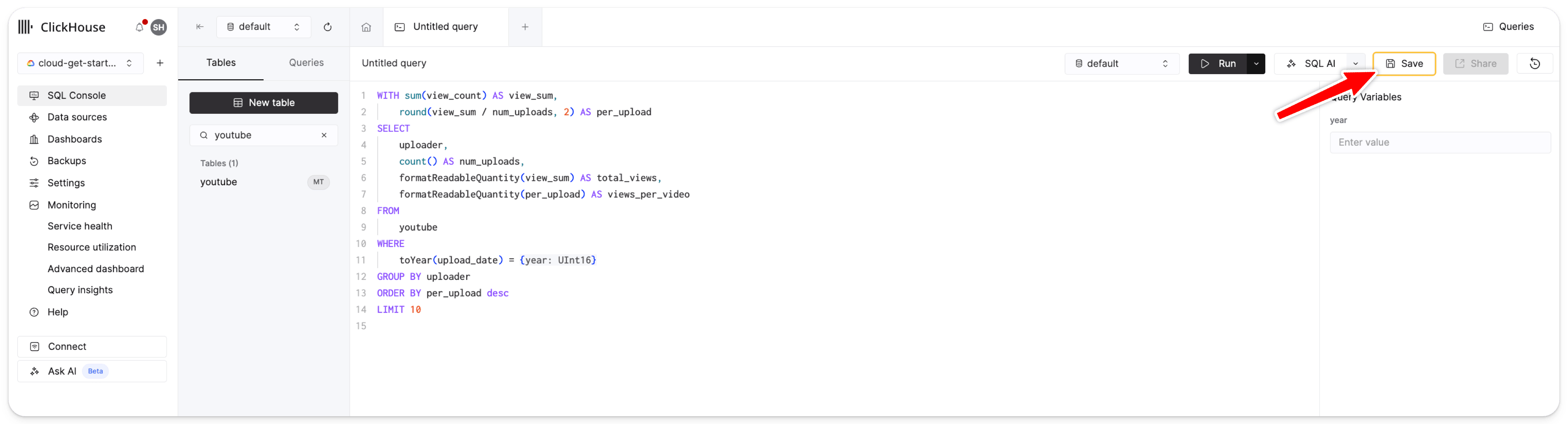
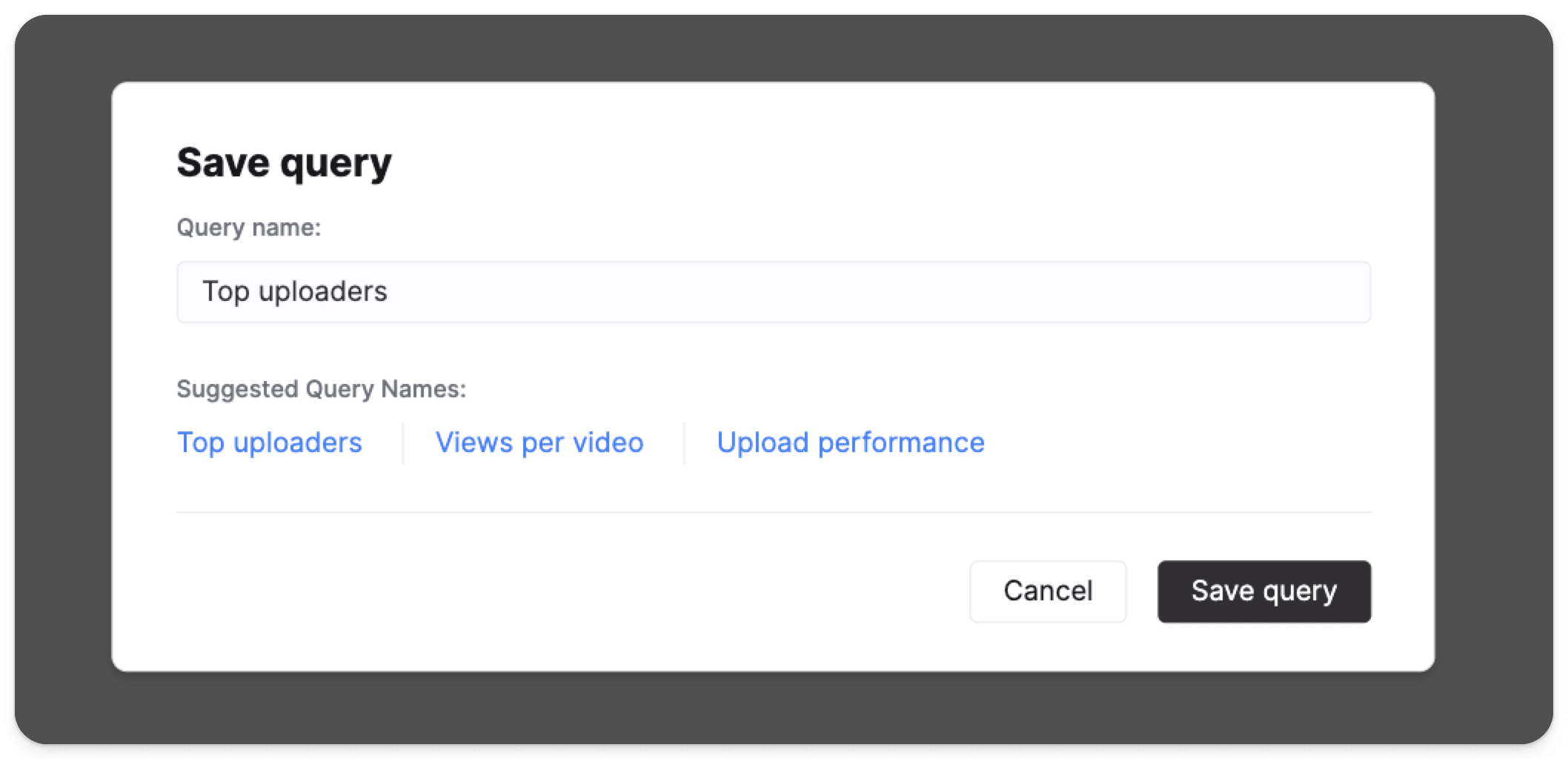
year parameter.year) which is highlighted in the snippet above.
You can specify 쿼리 매개변수 using { } together with the type of the parameter.
The SQL console query editor automatically detects ClickHouse 쿼리 매개변수 expressions and provides an input for each parameter.Let’s quickly run this query to make sure that it works by specifying the year 2010 in the 쿼리 변수 input box on the right side of the SQL editor:2
Configuring the Query API 엔드포인트
Query API endpoint can be configured directly from query view by clicking the Share button and selecting 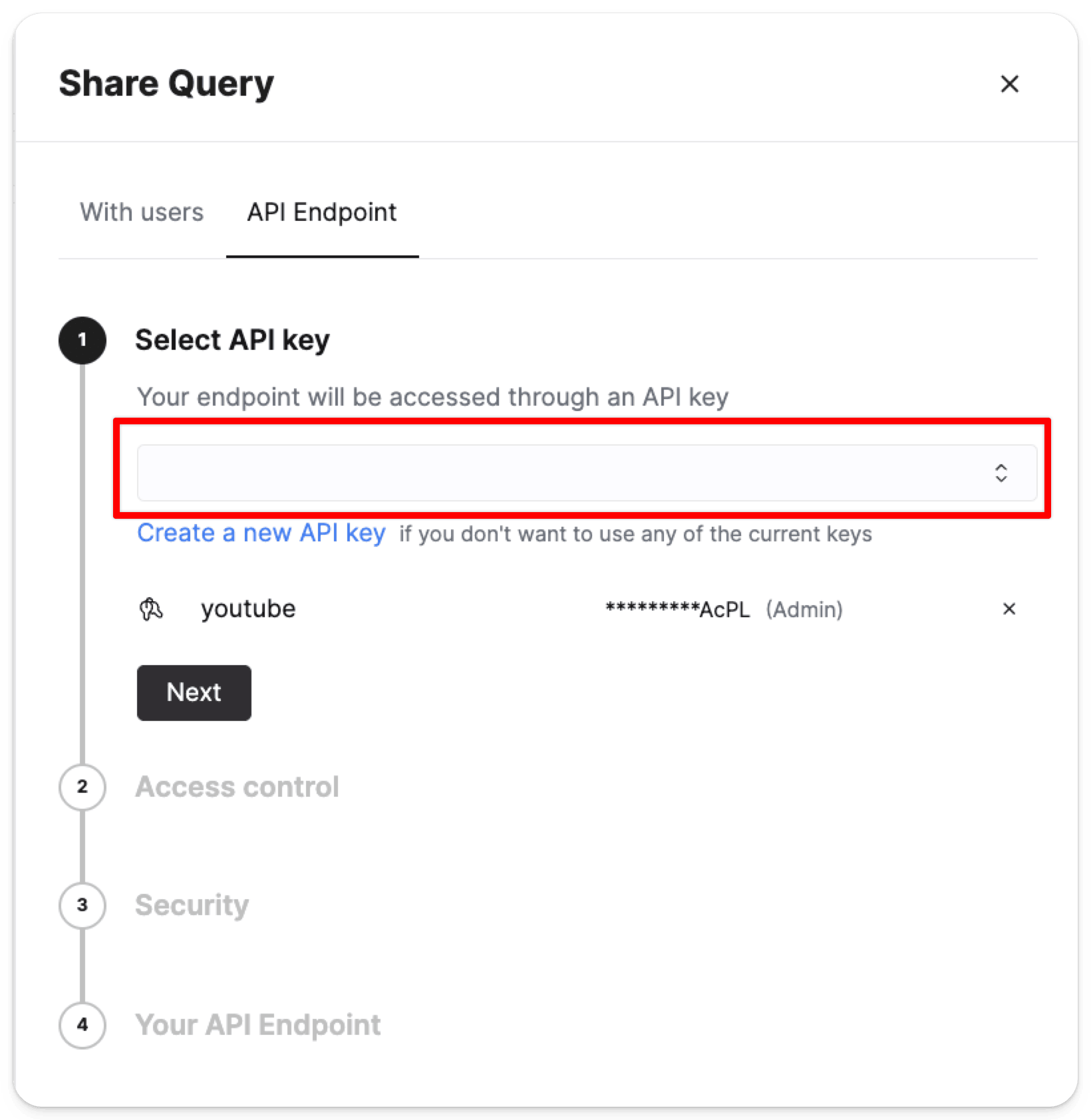
API Endpoint.
You’ll be prompted to specify which API Keys should be able to access the endpoint:- Select the 데이터베이스 역할 that will be used to run the query (
Full access,Read onlyorCreate a custom role) - Specify cross-origin resource sharing (CORS) allowed domains
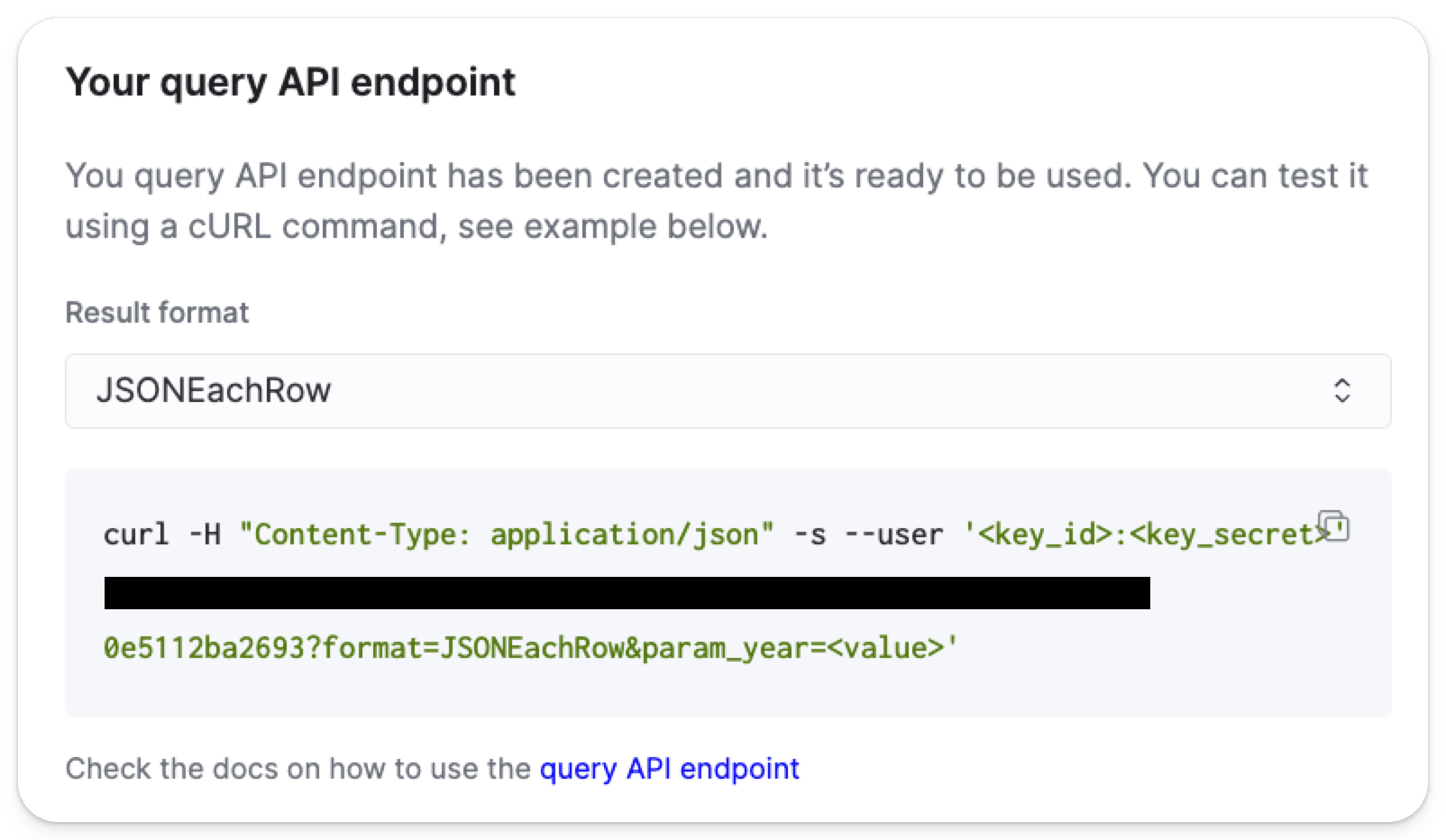
curl command will be displayed so you can send a test request:3
Query API parameters
쿼리의 쿼리 매개변수 can be specified with the syntax
{parameter_name: type}. These parameters will be automatically detected and the example request payload will contain a queryVariables object through which you can pass these parameters.4
Testing and monitoring
Once a Query API 엔드포인트 is created, you can test that it works by using 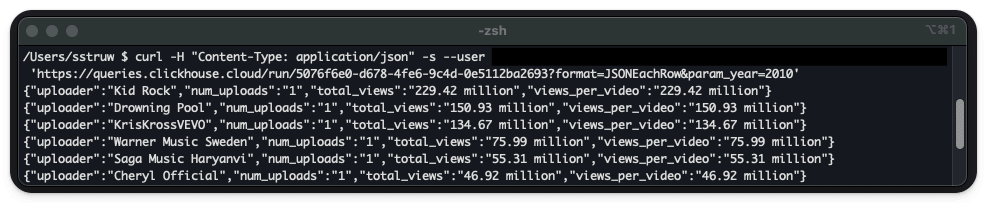
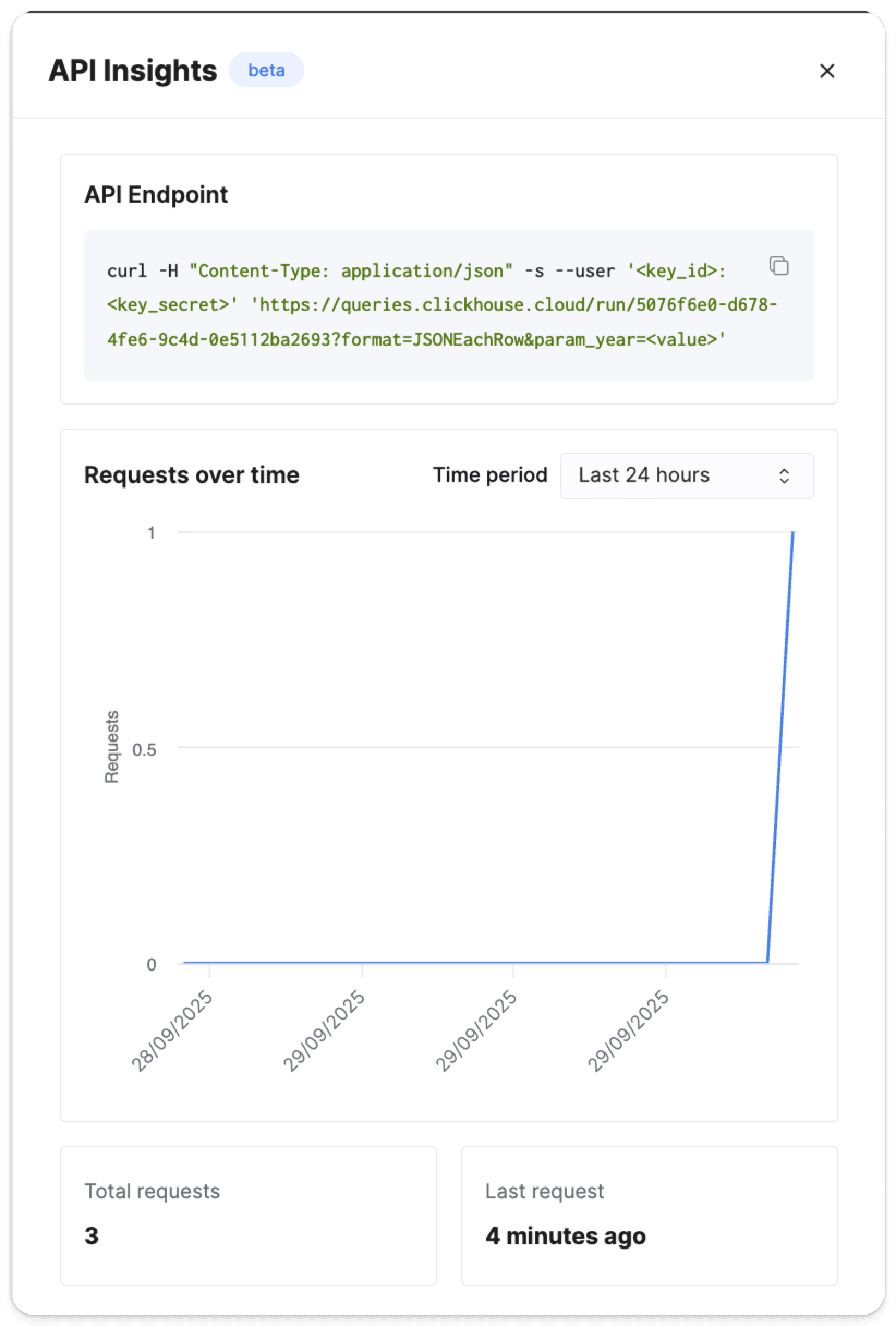
curl or any other HTTP client:
GET를 사용하는 경우:
- 복잡하게 중첩된 데이터가 없는 단순 쿼리
- 매개변수를 URL 인코딩하기 쉬운 경우
- 캐싱이 HTTP GET의 의미 체계로 이점을 얻을 수 있는 경우
- 복잡한 쿼리 변수(배열, 객체, 긴 문자열)
- 보안 또는 개인정보 보호를 위해 요청 본문을 사용하는 것이 바람직한 경우
- 스트리밍 파일 업로드 또는 대용량 데이터
상태:
200 OK
쿼리가 정상적으로 실행되었습니다.
- 요청에 유효한 인증 자격 증명이 포함되어 있는지 확인하세요
- 전송하기 전에
queryEndpointId와queryVariables를 검증하세요 - 적절한 오류 메시지와 함께 안정적으로 오류를 처리하도록 구현하세요
버전 1에서 버전 2로 업그레이드하려면 다음을 수행하세요.
x-clickhouse-endpoint-upgrade헤더를1로 설정해 포함합니다x-clickhouse-endpoint-version헤더를2로 설정해 포함합니다
- 모든 ClickHouse 포맷 지원
- 응답 스트리밍 capability
- 향상된 성능 및 기능
- cURL
- JavaScript
- GET (cURL)
- POST (cURL)
- JavaScript
응답
- GET (cURL)
- POST (cURL)
- JavaScript
응답
- cURL
- JavaScript
- GET (cURL)
- POST (cURL)
- JavaScript
- TypeScript
출력
./samples/my_first_table_2024-07-11.csv 파일을 생성하세요: