> ## Documentation Index
> Fetch the complete documentation index at: https://clickhouse.com/docs/llms.txt
> Use this file to discover all available pages before exploring further.
> Confluent Cloud で完全マネージド型の ClickHouse Connector Sink を使用するためのガイド
# Confluent Cloud と ClickHouse の統合
export const Image = ({img, alt, size = "lg"}) => {
const normalizedSize = ["sm", "md", "lg"].includes(size) ? size : "lg";
return ;
};
## 前提条件
以下について理解していることを前提としています。
* [ClickHouse Connector Sink](/docs/ja/integrations/connectors/data-ingestion/kafka/kafka-clickhouse-connect-sink)
* Confluent Cloud
## ClickHouse の公式 Kafka コネクタを Confluent Cloud で使う
#### トピックの作成
Confluent Cloud でトピックを作成するのは比較的簡単です。詳しい手順は[こちら](https://docs.confluent.io/cloud/current/client-apps/topics/manage.html)を参照してください。
#### 重要な注意点
* Kafkaトピック名は、ClickHouseのテーブル名と同じである必要があります。これを調整するには、トランスフォーマー (たとえば [`ExtractTopic`](https://docs.confluent.io/platform/current/connect/transforms/extracttopic.html)) を使用します。
* パーティション数が多ければ、必ずしもパフォーマンスが向上するわけではありません。詳細やパフォーマンス改善のヒントについては、近日公開予定のガイドをご覧ください。
#### 接続情報を確認する
HTTP(S) で ClickHouse に接続するには、次の情報が必要です。
| Parameter(s) | Description |
| ------------------------- | --------------------------------------------------------- |
| `HOST` and `PORT` | 通常、TLS を使用する場合のポートは 8443、TLS を使用しない場合は 8123 です。 |
| `DATABASE NAME` | デフォルトでは `default` という名前のデータベースがあります。接続先のデータベース名を使用してください。 |
| `USERNAME` and `PASSWORD` | デフォルトのユーザー名は `default` です。用途に応じたユーザー名を使用してください。 |
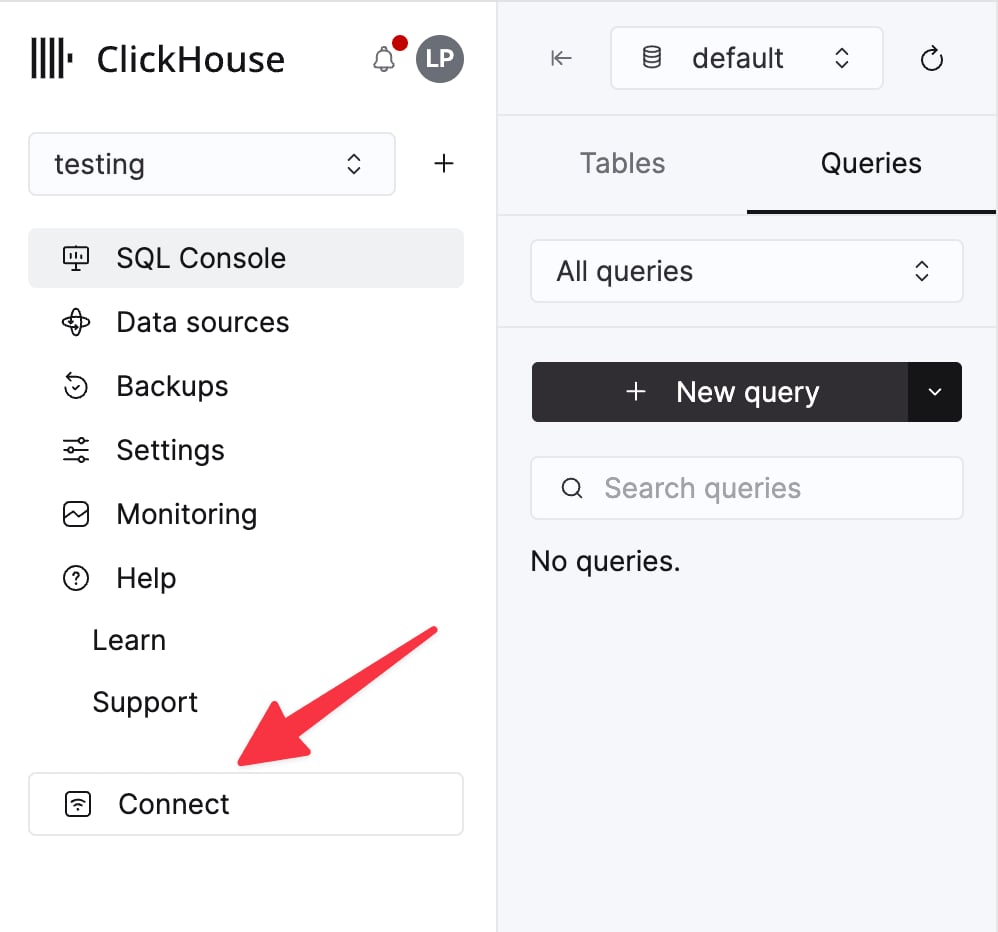
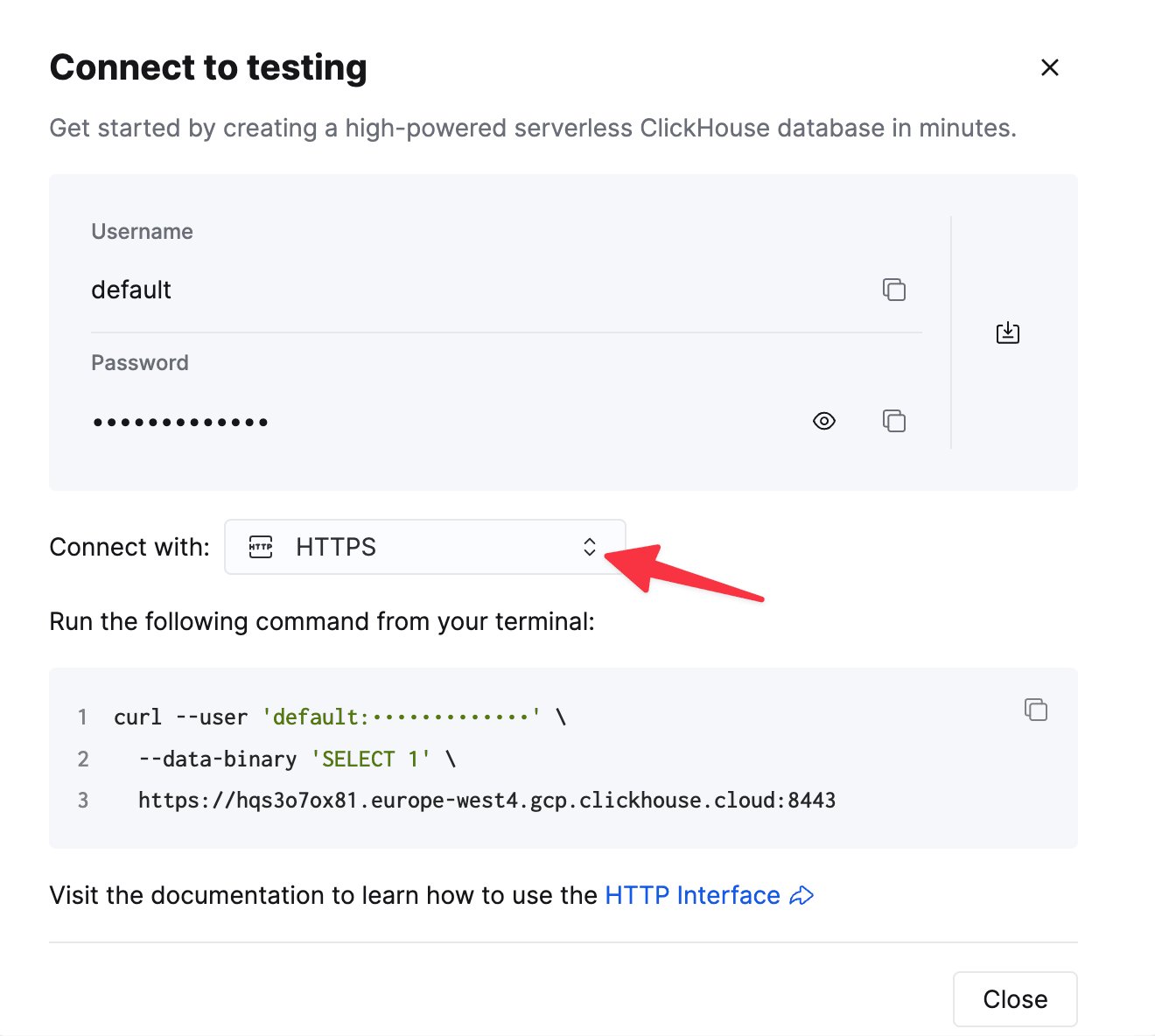
ClickHouse Cloud サービスの詳細は、ClickHouse Cloud コンソールで確認できます。
サービスを選択し、**Connect** をクリックします。
**HTTPS** を選択します。接続情報は `curl` コマンドの例として表示されます。
セルフマネージド ClickHouse を使用している場合、接続情報は ClickHouse 管理者によって設定されます。
#### コネクタのインストール
[公式ドキュメント](https://docs.confluent.io/cloud/current/connectors/cc-clickhouse-sink-connector/cc-clickhouse-sink.html)に従って、Confluent Cloud に完全マネージド型の ClickHouse Sink Connector をインストールします。
#### コネクタを設定する
ClickHouse Sink Connector の設定時に、次の情報を指定する必要があります。
* ClickHouse サーバーのホスト名
* ClickHouse サーバーのポート (デフォルトは 8443)
* ClickHouse サーバーのユーザー名とパスワード
* データの書き込み先となる ClickHouse 内のデータベース名
* ClickHouse へのデータの書き込みに使用する Kafka のトピック名
Confluent Cloud UI では、ポーリング間隔、バッチサイズ、その他のパラメータを調整してパフォーマンスを最適化できる高度な設定オプションがサポートされています。
Confluent Cloud では、[fetch 設定](/docs/ja/integrations/connectors/data-ingestion/kafka/kafka-clickhouse-connect-sink#fetch-settings) や [poll 設定](/docs/ja/integrations/connectors/data-ingestion/kafka/kafka-clickhouse-connect-sink#poll-settings) など一部の設定を調整するには、Confluent Cloud でサポートケースを作成する必要があります。
#### 既知の制限事項
* [公式ドキュメントのコネクタの制限事項一覧をご覧ください](https://docs.confluent.io/cloud/current/connectors/cc-clickhouse-sink-connector/cc-clickhouse-sink.html#limitations)