

Overview
Initial load is the first phase of a CDC ClickPipe, where the ClickPipe syncs the historical data of the tables in the source database over to ClickHouse, before then starting CDC. A lot of the times, developers do this in a single-threaded manner - such as using pg_dump or pg_restore, or using a single thread to read from the source database and write to ClickHouse. However, the Postgres ClickPipe can parallelize this process, which can significantly speed up the initial load.CTID column in Postgres
In Postgres, every row in a table has a unique identifier called the CTID. This is a system column that isn’t visible to you by default, but it can be used to uniquely identify rows in a table. The CTID is a combination of the block number and the offset within the block, which allows for efficient access to rows.Logical partitioning
The Postgres ClickPipe uses the CTID column to logically partition source tables. It obtains the partitions by first estimating the row count of the source table from the table statistics, and then dividing the blocks of the table into CTID ranges of equal size, one range per partition. This allows the ClickPipe to read the source table in parallel, with each partition being processed by a separate thread. Let’s talk about the below settings: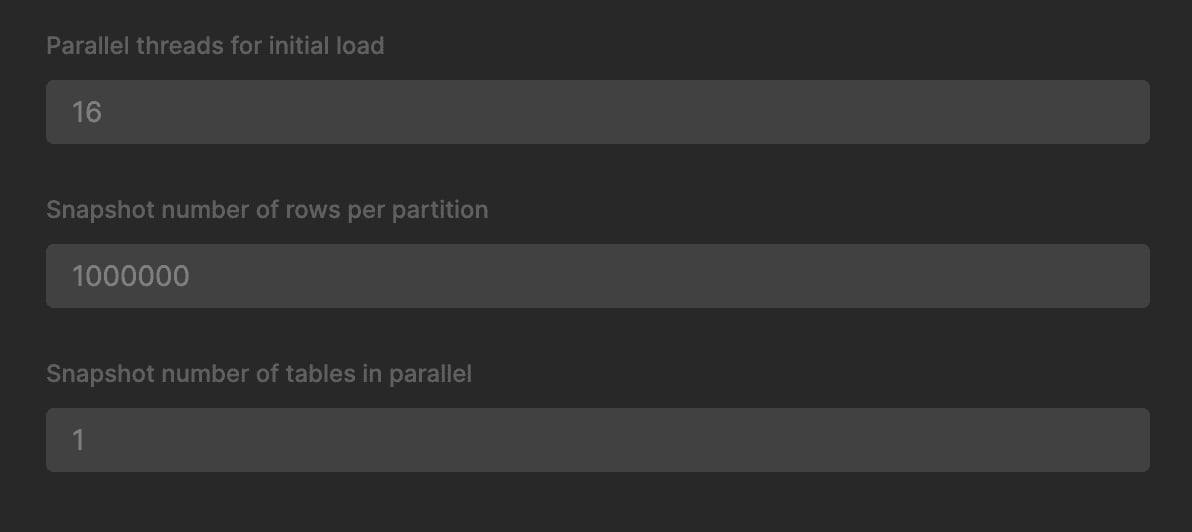
Snapshot number of rows per partition
This setting controls how many rows constitute a partition. The ClickPipe will read the source table in chunks of this size, and chunks are processed in parallel based on the initial load parallelism set. The default value is 100,000 rows per partition.Initial load parallelism
This setting controls how many partitions are processed in parallel. The default value is 4, which means that the ClickPipe will read 4 partitions of the source table in parallel. This can be increased to speed up the initial load, but it is recommended to keep it to a reasonable value depending on your source instance specs to avoid overwhelming the source database. The ClickPipe will automatically adjust the number of partitions based on the size of the source table and the number of rows per partition.Snapshot number of tables in parallel
Not really related to parallel snapshot, but this setting controls how many tables are processed in parallel during the initial load. The default value is 1. Note that is on top of the parallelism of the partitions, so if the initial load parallelism is 4 and you have 2 tables, the ClickPipe will read 8 partitions in parallel.Monitoring parallel snapshot in Postgres
You can analyze pg_stat_activity to see the parallel snapshot in action. The ClickPipe will create multiple connections to the source database, each reading a different partition of the source table. Each connection declares a cursor for its CTID range and then reads from it, so if you see FETCH queries of the formFETCH <n> FROM peerdb_cursor_<id>, it means that the ClickPipe is reading the source tables.