

JOIN clause reference. For prescriptive optimization guidance and worked examples, see Minimize and optimize JOINs.
JOIN types and strictness
Every JOIN has a type and a strictness. The type determines which rows without a match are included in the result. The strictness determines how many matches are returned for each row. Which algorithms can execute a JOIN depends on both. For the complete syntax and the additionalSEMI, ANTI, CROSS, and PASTE JOINs, see the JOIN clause reference.
INNER JOIN
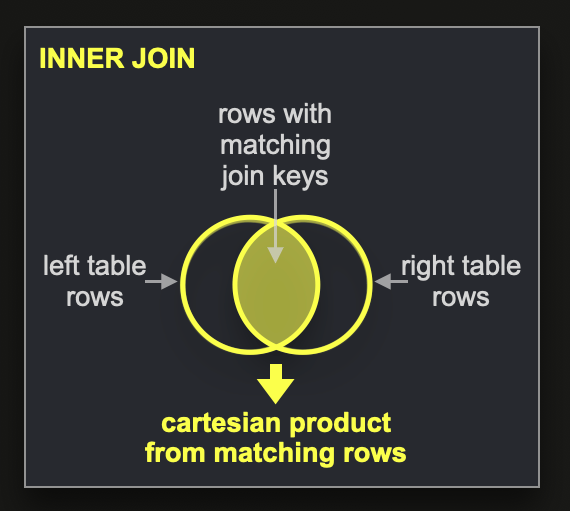
INNER JOIN returns, for each pair of rows with matching JOIN keys, the columns of the left-hand row combined with the columns of the right-hand row. If a row has more than one match, all matches are returned, so the result contains the Cartesian product of the rows with the same key. The INNER keyword can be omitted.
LEFT, RIGHT, and FULL OUTER JOIN
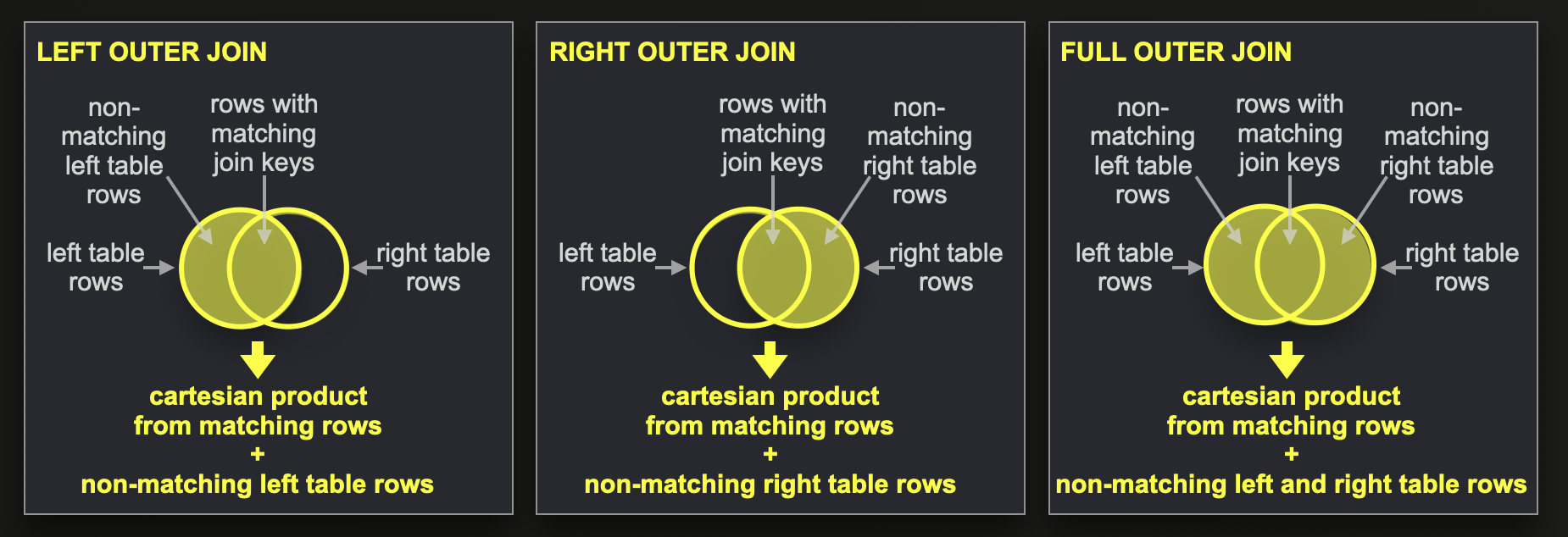
INNER JOIN and also returns rows without a match:
- A
LEFT OUTER JOINalso returns each left-hand row without a match, with default values in the columns of the right-hand table. - A
RIGHT OUTER JOINalso returns each right-hand row without a match, with default values in the columns of the left-hand table. - A
FULL OUTER JOINreturns the rows without a match from both tables.
join_use_nulls setting makes ClickHouse return NULL instead of default values. The OUTER keyword can be omitted.
ALL and ANY strictness
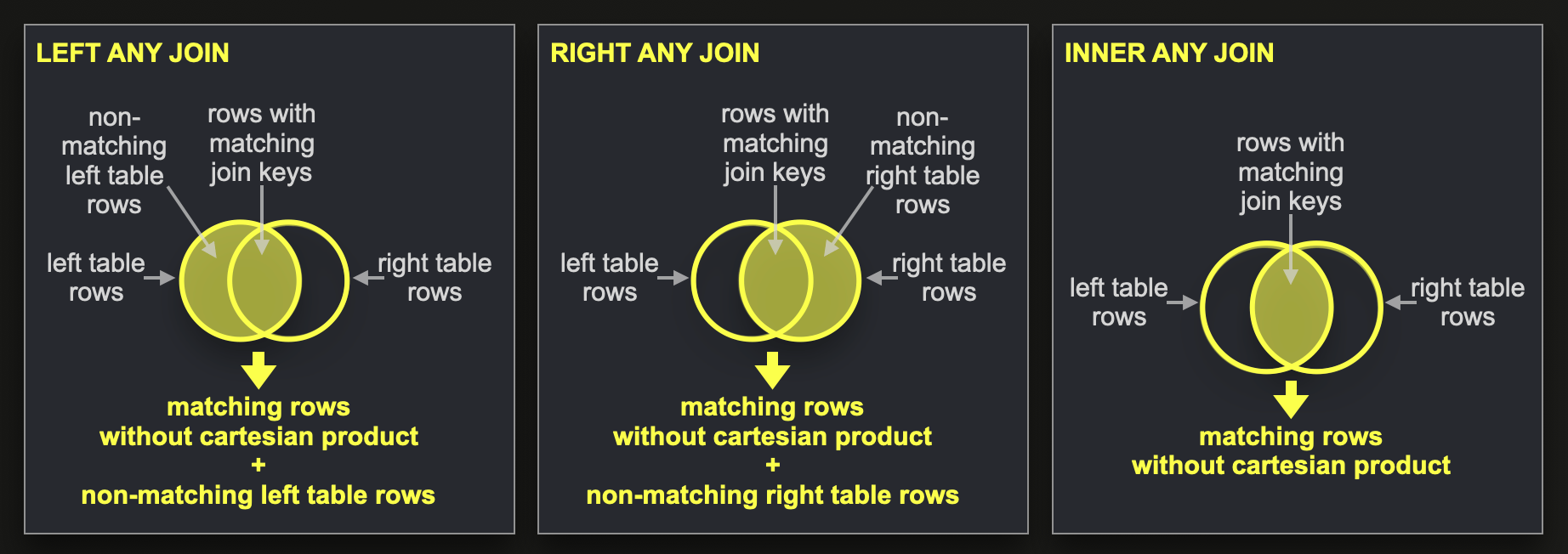
ALL strictness, a JOIN returns every match, as described for the JOIN types above. With ANY strictness, a JOIN returns at most one match for each row and does not produce a Cartesian product:
- A
LEFT ANY JOINreturns each left-hand row once, combined with one matching right-hand row or with default values. - A
RIGHT ANY JOINreturns each right-hand row once, combined with one matching left-hand row or with default values. - An
INNER ANY JOINreturns only rows with a match and uses each row of either table at most once.
ANY returns is not defined. The join_any_take_last_row setting changes which row is taken. ANY FULL JOINs are not supported. When a query does not specify a strictness, the join_default_strictness setting applies.
The following query shows a LEFT ANY JOIN. The right-hand table contains two rows for each of the keys 2 and 3:
ALL strictness, the same query returns five rows, because the keys 2 and 3 each match two right-hand rows. With INNER ANY JOIN, it returns only the rows for the keys 2 and 3.
ASOF JOIN
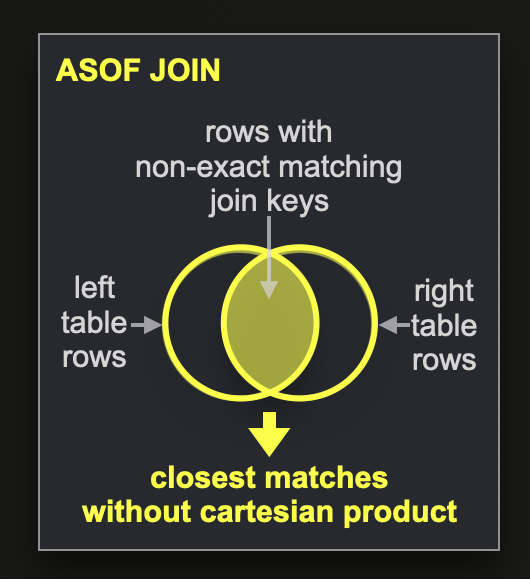
ASOF JOIN joins rows that have no exact match. In ClickHouse, ASOF is a strictness that is combined with an INNER or LEFT JOIN. The ON clause contains equality conditions and exactly one closest-match condition that uses >, >=, <, or <=. For each left-hand row, ClickHouse selects, among the right-hand rows that satisfy the equality conditions, the row that is closest according to the closest-match condition. Each left-hand row is joined with at most one right-hand row.
ASOF JOIN is typically used for time series. The following query joins each trade with the most recent quote for the same symbol at or before the trade time:
14:09:05 is joined with the quote at 14:09:00, and the trade at 14:09:28 is joined with the quote at 14:09:20. The quotes at 14:09:10 and 14:09:30 are not the closest earlier quote for any trade.
For the column types that the closest-match column supports and the USING syntax, see ASOF JOIN usage.
Continue reading
Further reading
JOINclause reference- Minimize and optimize JOINs
- Dictionaries
Jointable engine- ClickHouse: A Blazingly Fast DBMS with Full SQL Join Support, Part 1
- ClickHouse Joins Under the Hood: Hash Join, Parallel Hash Join, Grace Hash Join, Part 2
- ClickHouse Joins Under the Hood: Full Sorting Merge Join, Partial Merge Join, Part 3
- ClickHouse Joins Under the Hood: Direct Join, Part 4