

Enable and deploy HIPAA compliant services
1
Sign up for Enterprise services
- Select your organization name in the lower left corner of the console.
- Click Billing.
- Review your Plan in the upper left corner.
- If your Plan is Enterprise, then go to the next section. If not, click Change plan.
- Select Switch to Enterprise.
2
Enable HIPAA for your organization
- Select your organization name in the lower left corner of the console.
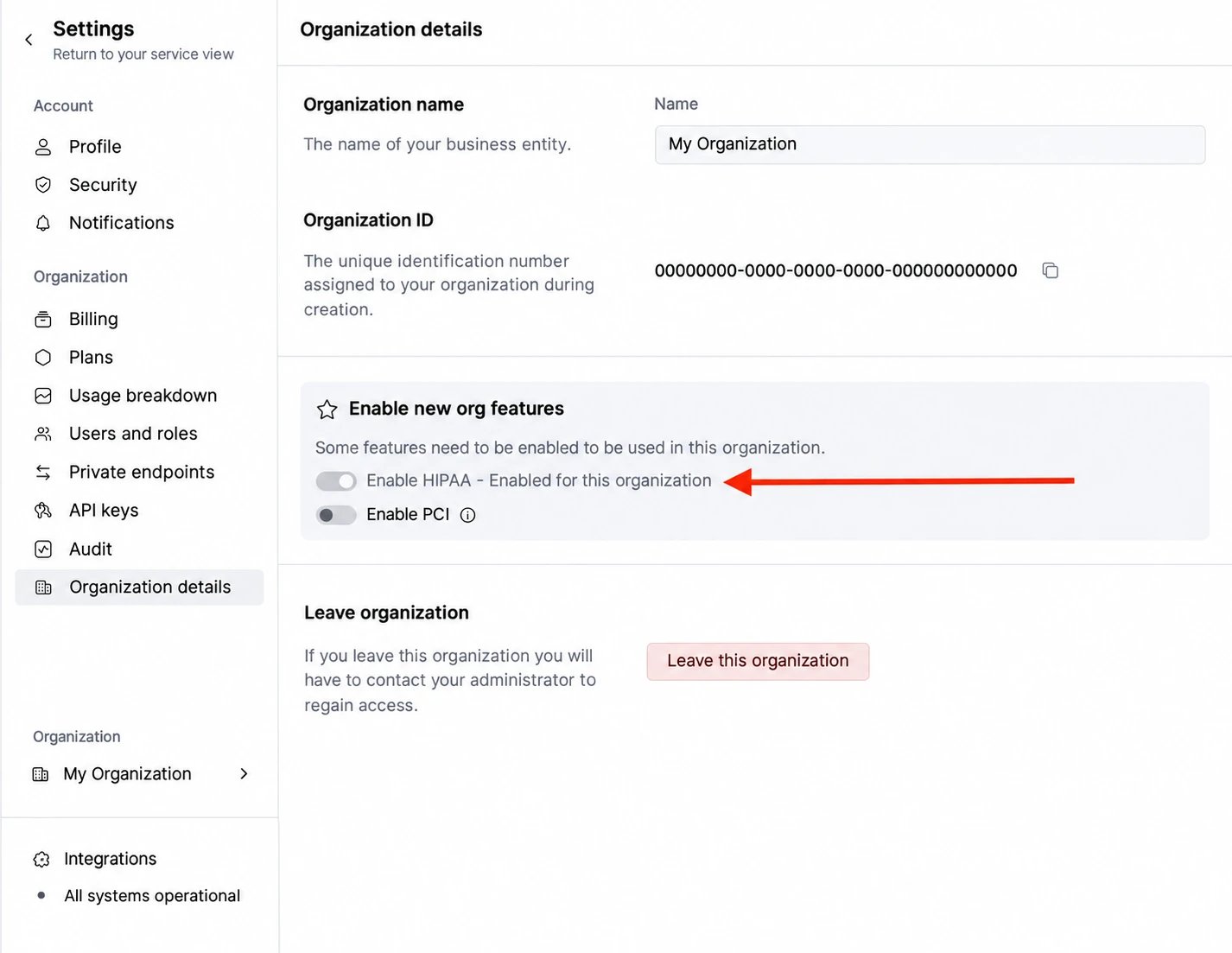
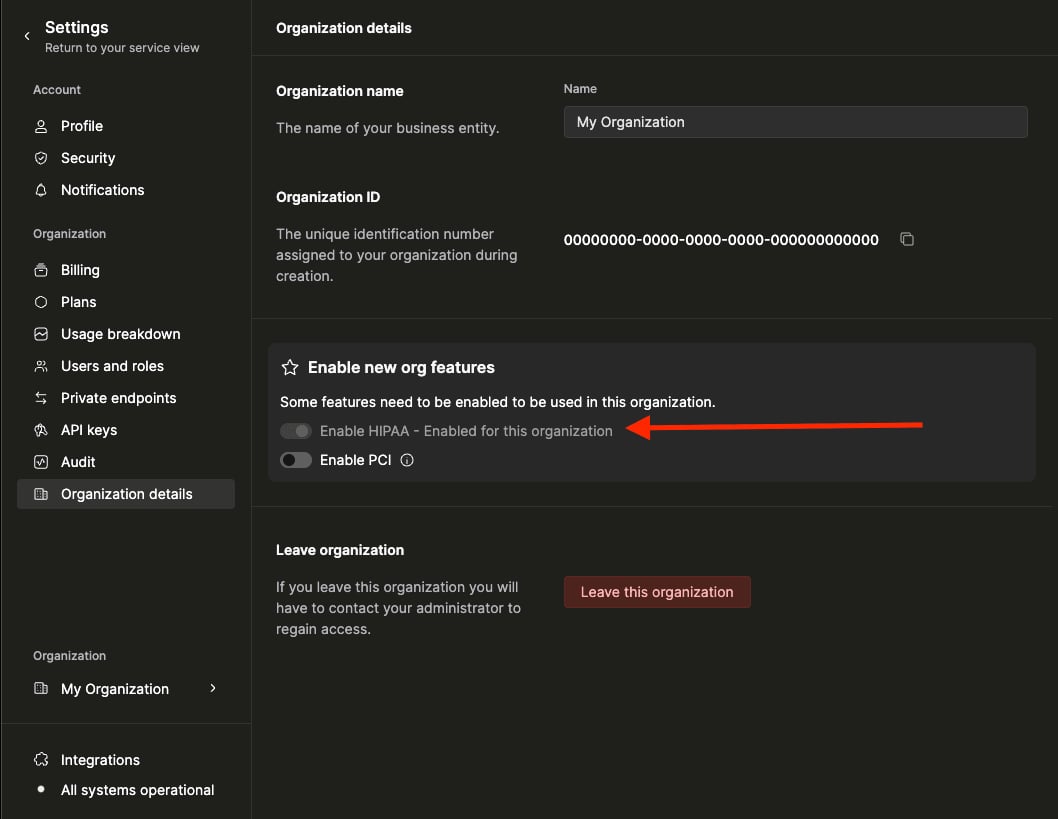
- Click Organization settings.
- Toggle Enable HIPAA on.
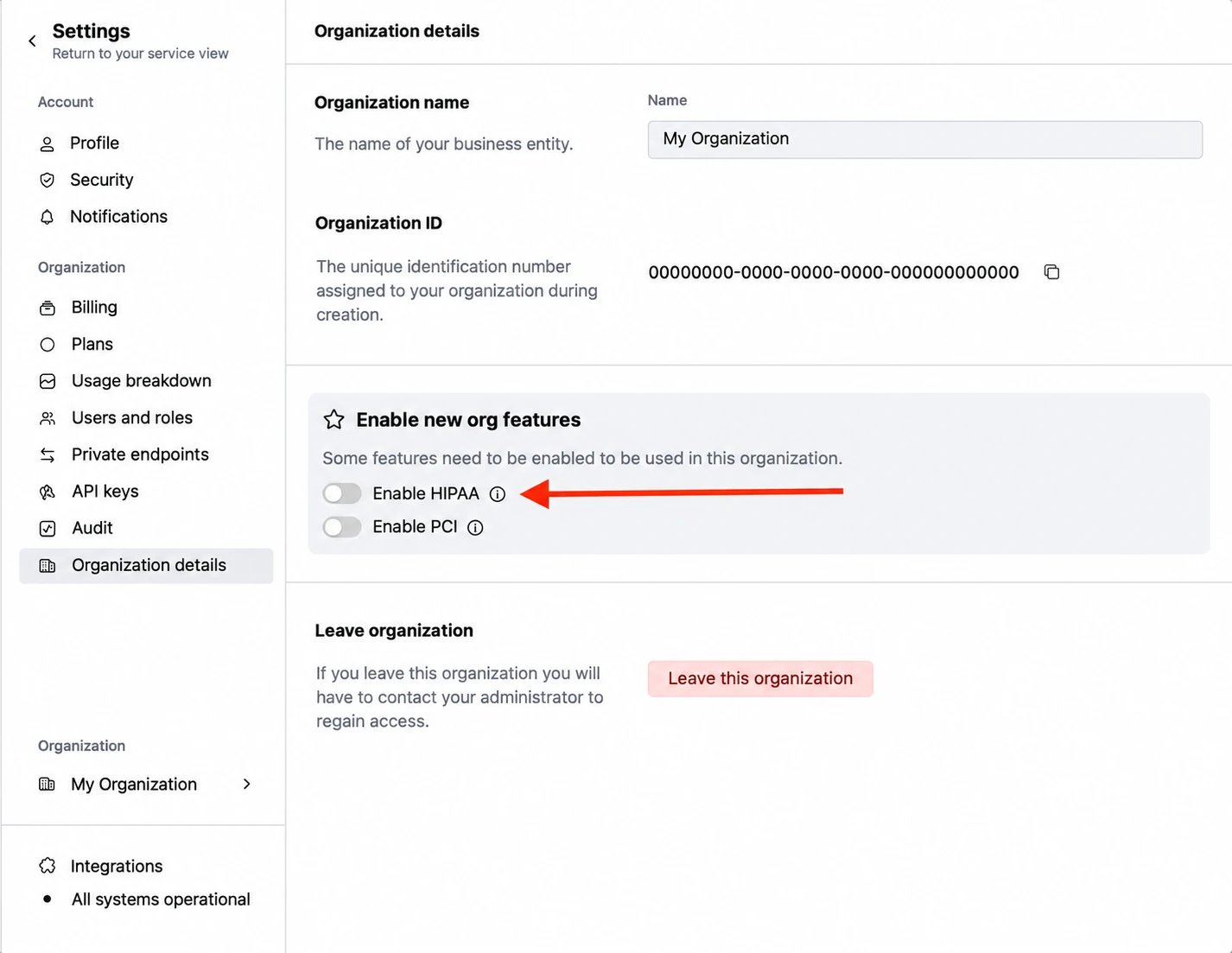
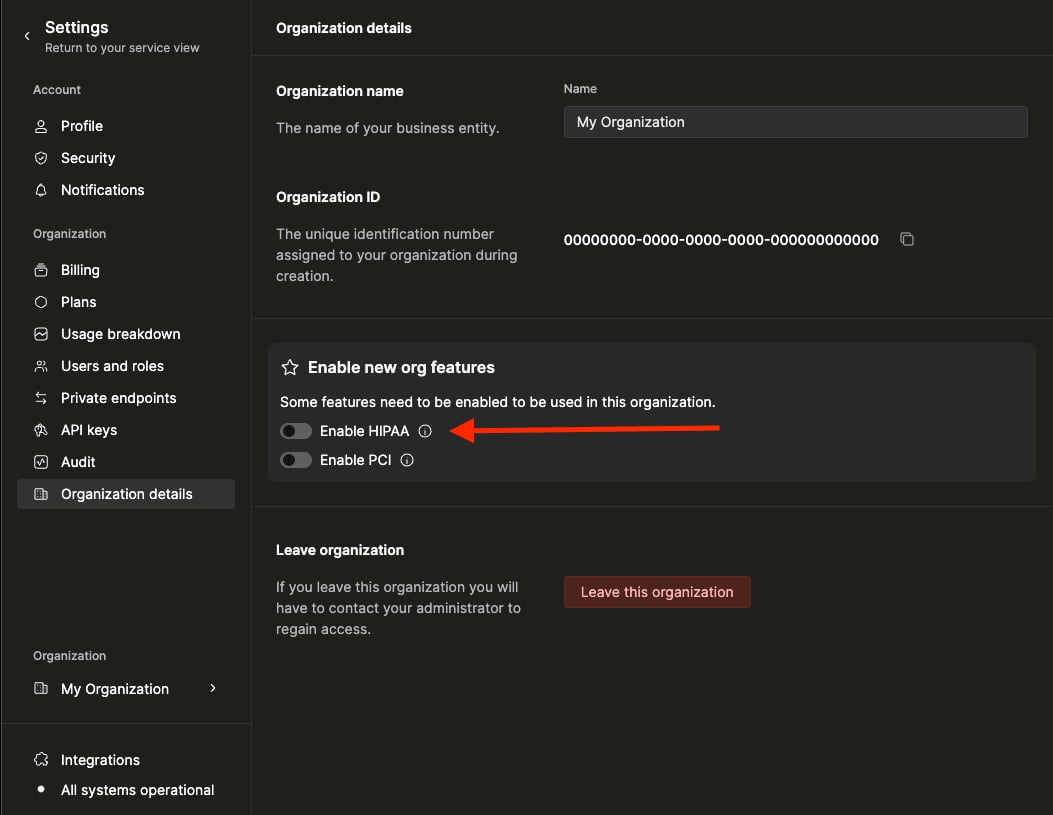
- Follow the instructions on the screen to submit a request to complete a BAA.
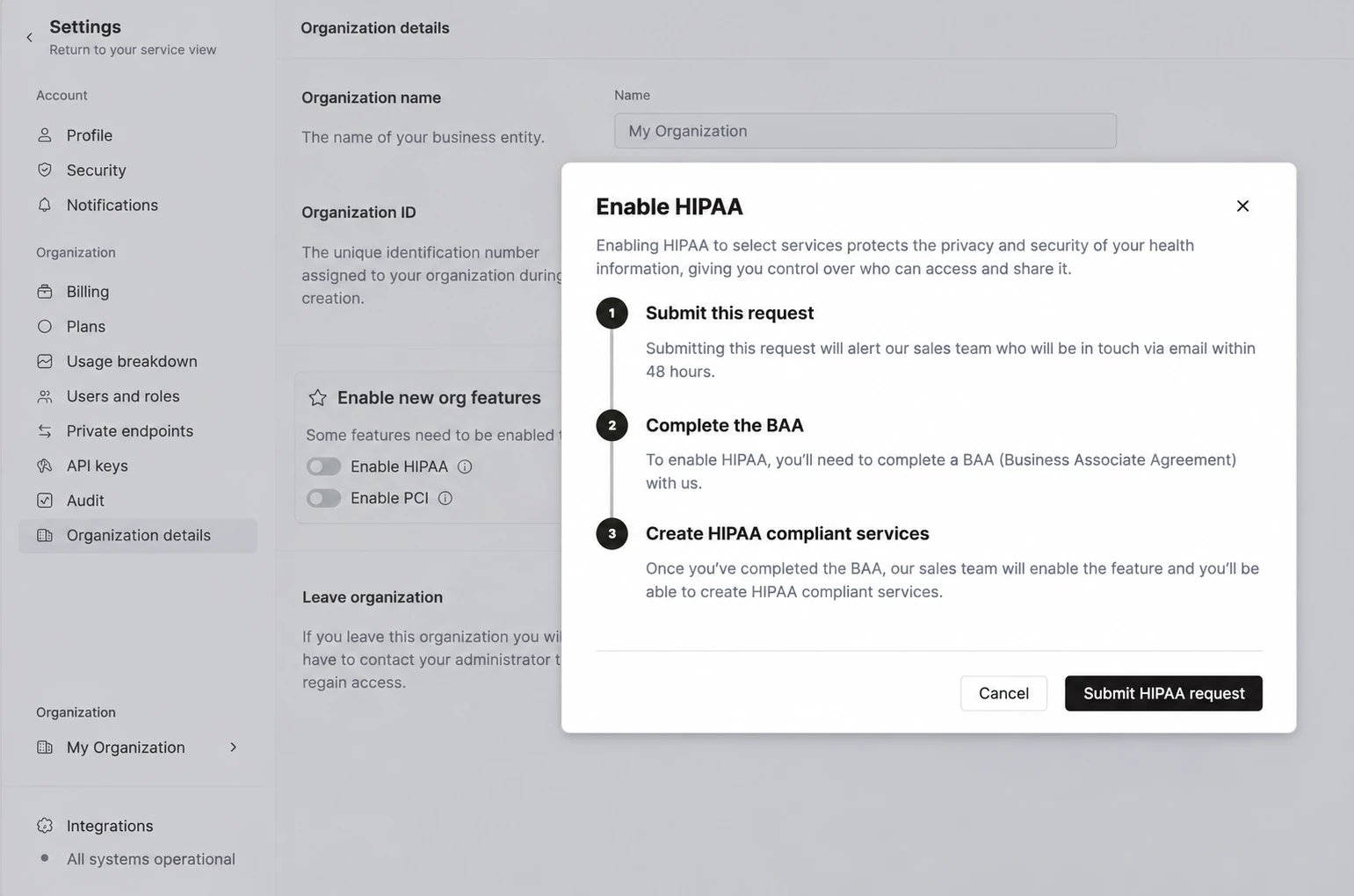
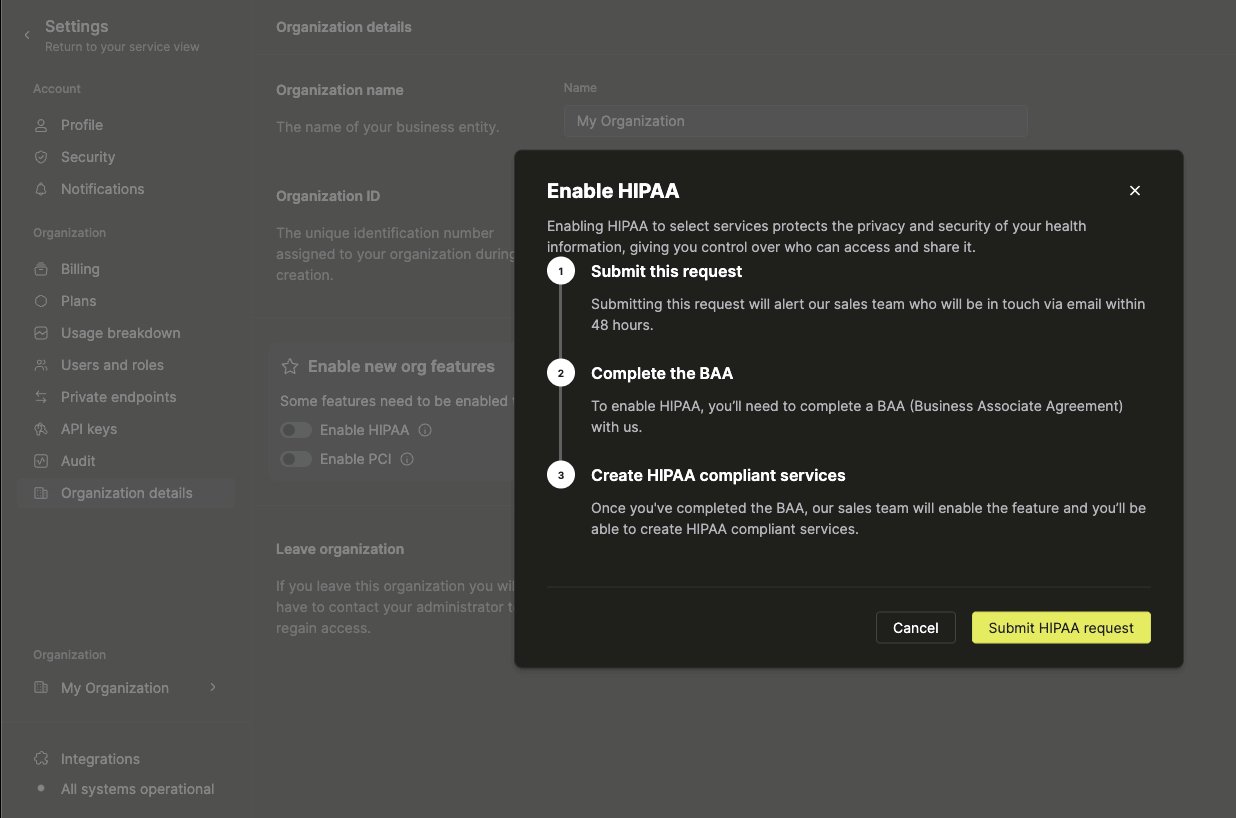
- Once the BAA is completed, HIPAA will be enabled for the organization.
3
Deploy services to HIPAA compliant regions
- Select New service in the upper left corner of the home screen in the console
- Change the Region type to HIPAA compliant
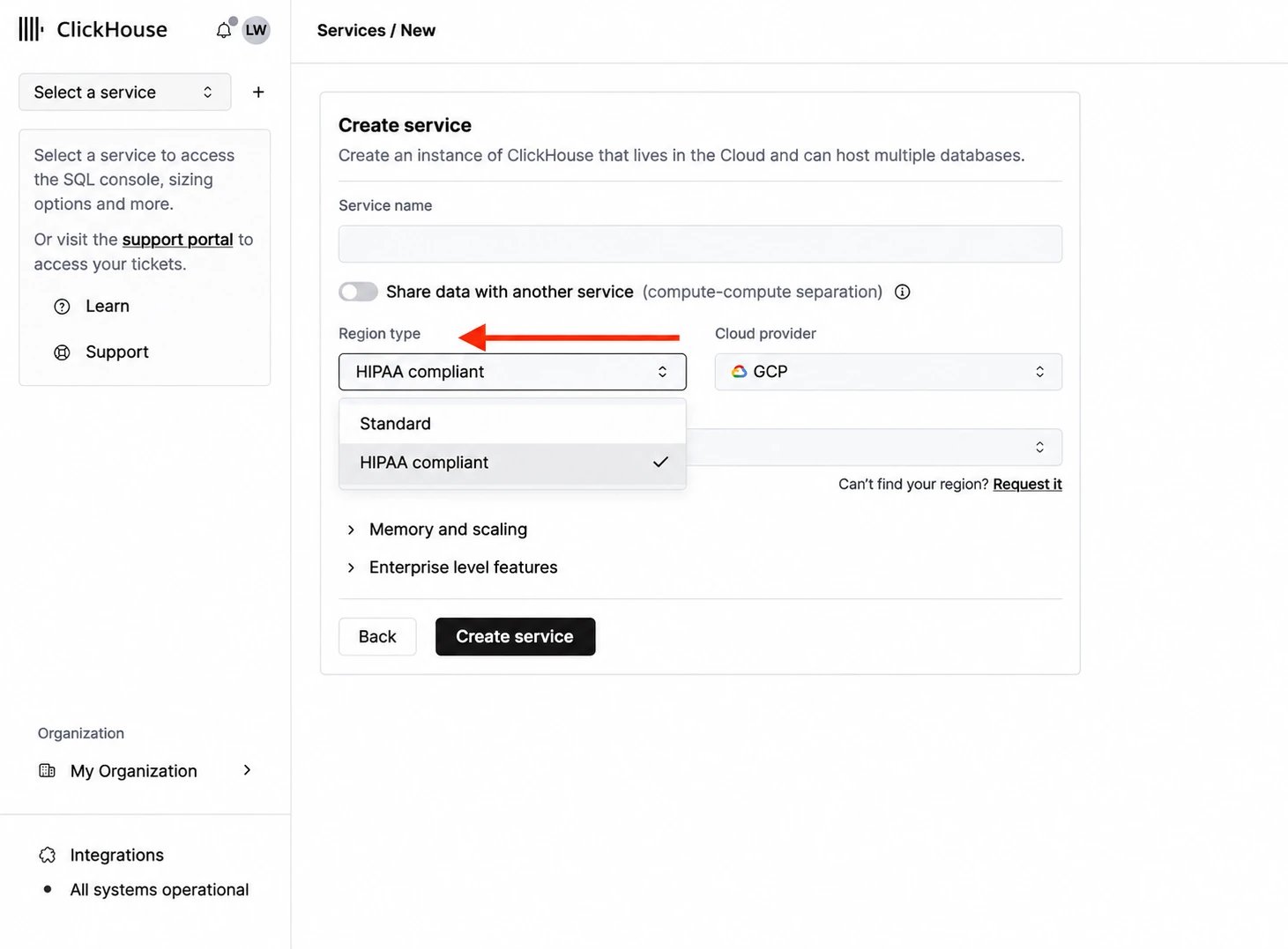
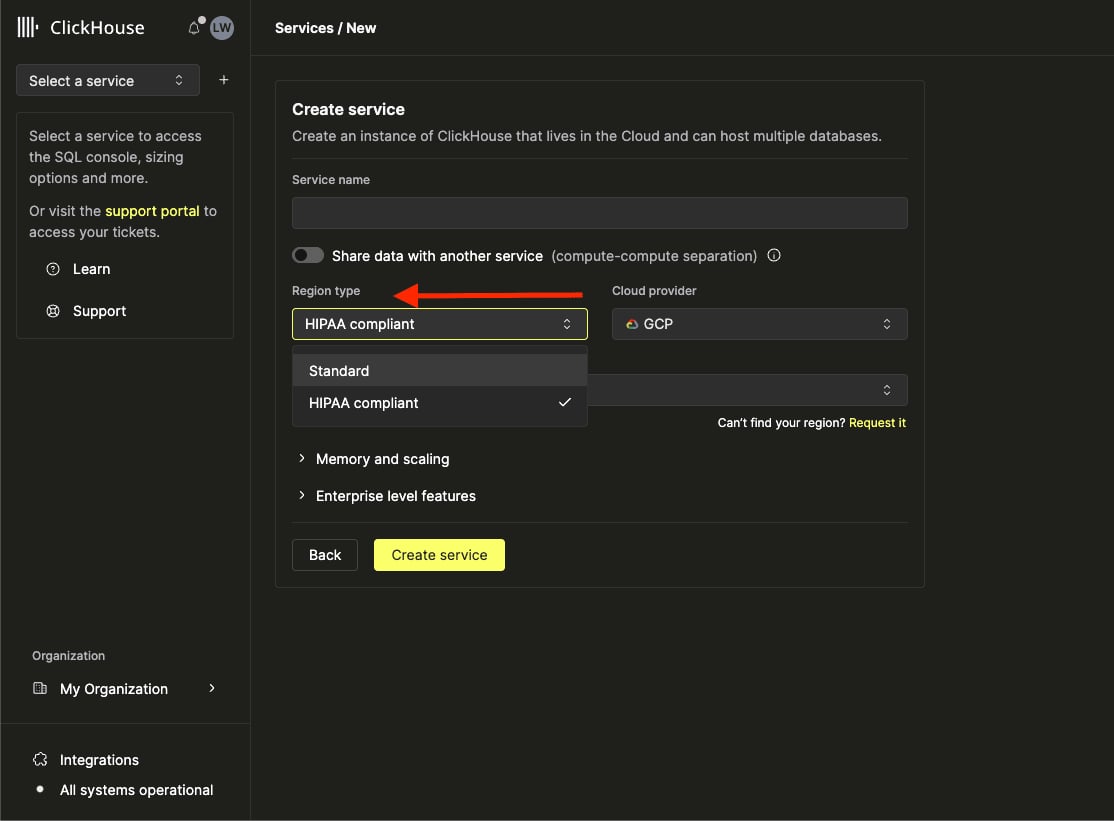
- Enter a name for the service and enter the remaining information
Migrate existing services
Customers are strongly encouraged to deploy services to compliant environments where required. The process to migrate services from a standard region to a HIPAA compliant region involves restoring from a backup and may require some downtime. If migration from standard to HIPAA compliant regions is required, follow these steps to perform self-service migrations:- Select the service to be migrated.
- Click Backups on the left.
- Select the three dots to the left of the backup to be restored.
- Select the Region type to restore the backup to a HIPAA compliant region.
- Once the restoration is complete, run a few queries to verify the schemas and record counts are as expected.
- Delete the old service.
RestrictionsServices must remain in the same cloud provider and geographic region. This process migrates the service to the compliant environment in the same cloud provider and region.
Backups for HIPAA compliant services
ClickHouse-managed backups work the same way for HIPAA compliant services as for other services. Backups are stored in the same cloud provider and region as the service, and Enterprise plan customers can configure the backup frequency and retention. A backup can be restored to a new service in the same region, including another HIPAA compliant service. Exporting backups to your own cloud account is not available for HIPAA compliant services. The regulated environment does not permit writes to storage outside it, so the Set up external backup option is disabled in the console and theBACKUP privilege is not granted on these services.